Drag to explore. Scroll or pinch to zoom. Open Help for keyboard controls.

Yan
OPEN
TO WORK
Let’s talk
Yan Fontão Boring view
All work

Case 010Mobile app design

DigiKisan

A chat-first assistant for farmers, designed in English and Hindi, with weather and a crop price above a single field for typing, speaking or sending a photo. All values are sample data.

Contribution
Interface design
Project status
Interface design · Figma archive
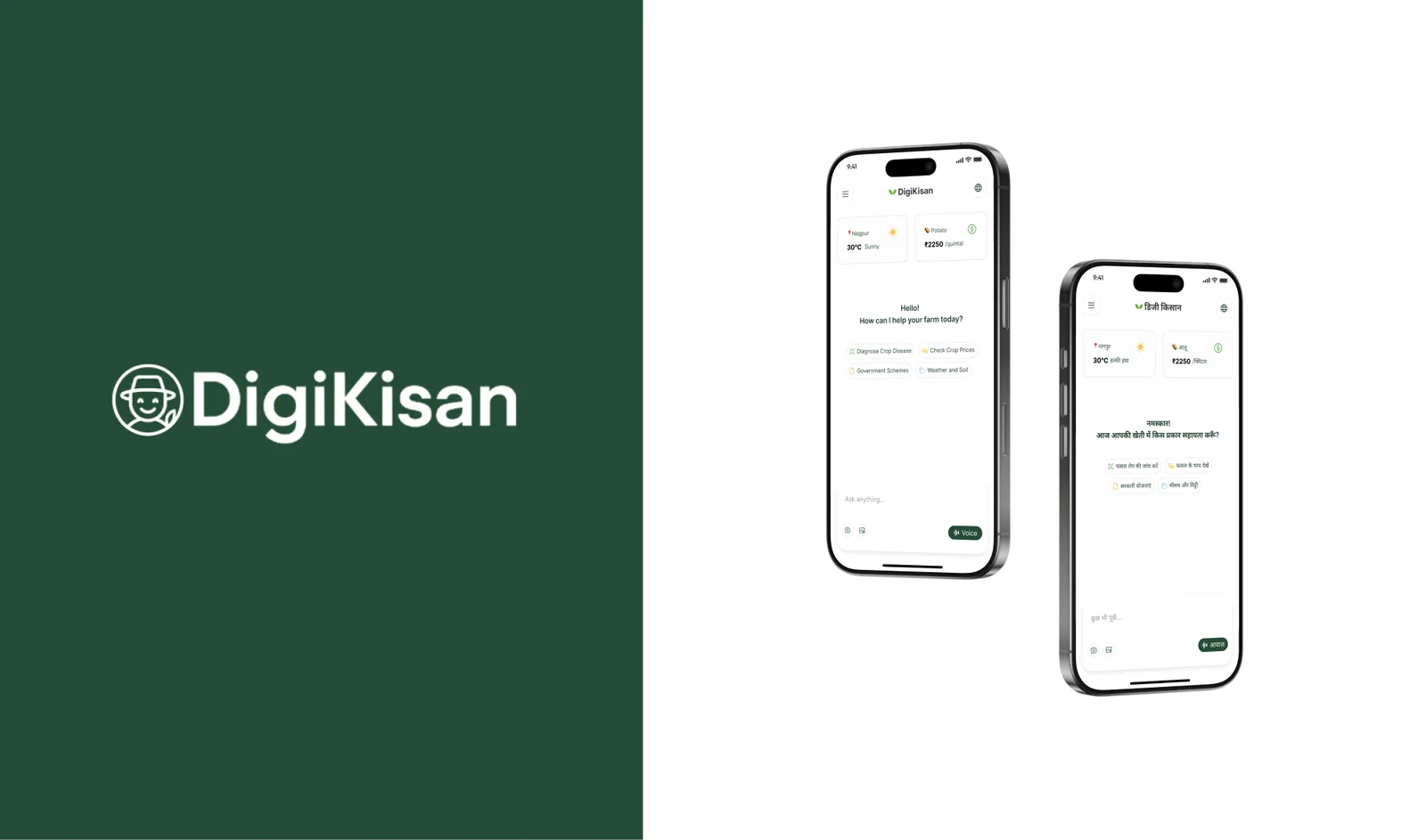
DigiKisan presentation cover from the original design file.
Presentation cover from the original file.

01

My contribution

DigiKisan is a chat assistant for farmers. The Figma file is small, a chat screen and a menu drawer, each drawn in English and Hindi, and I show it at that size.

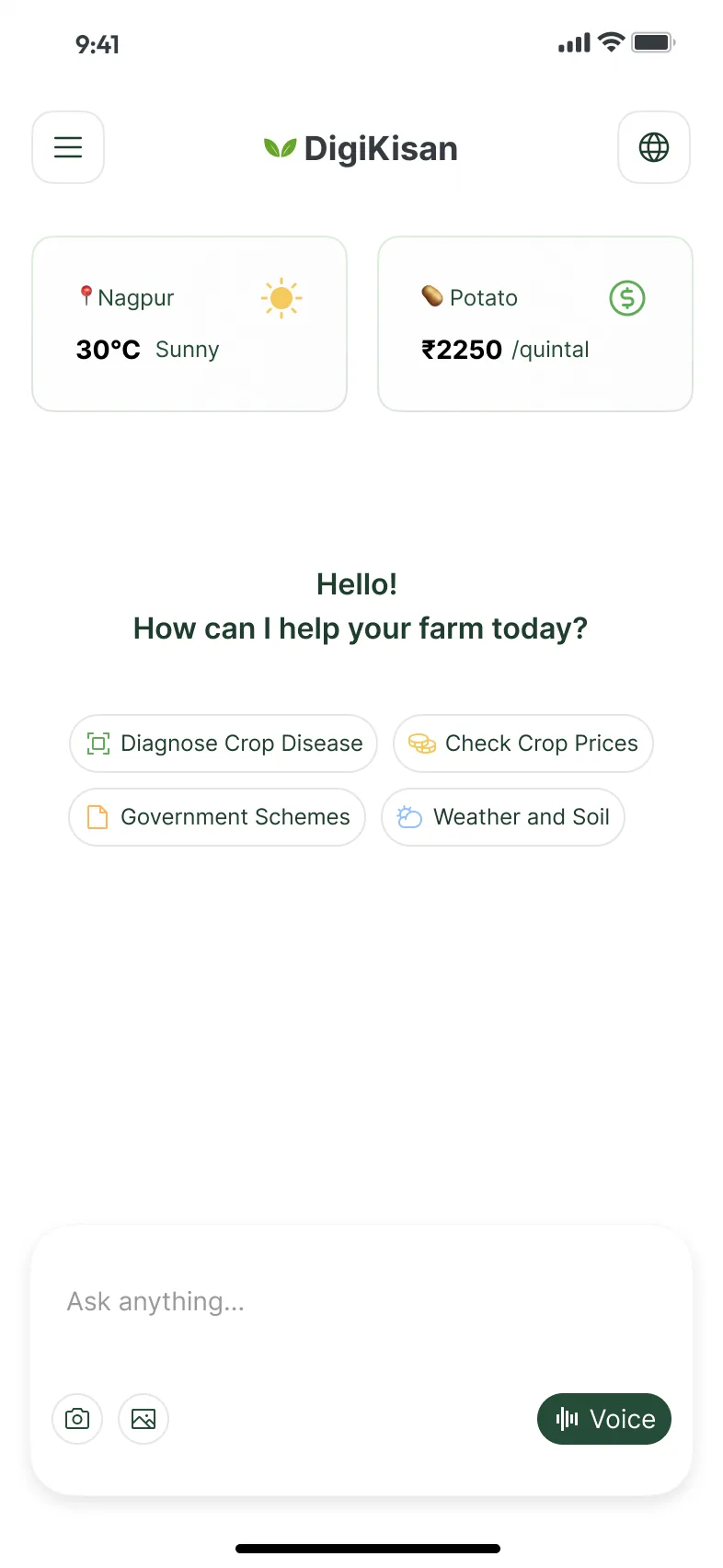
Chat screen with weather for Nagpur and a potato price at the top, the greeting Hello! How can I help your farm today?, four quick actions and an Ask anything field with camera, image and Voice buttons.
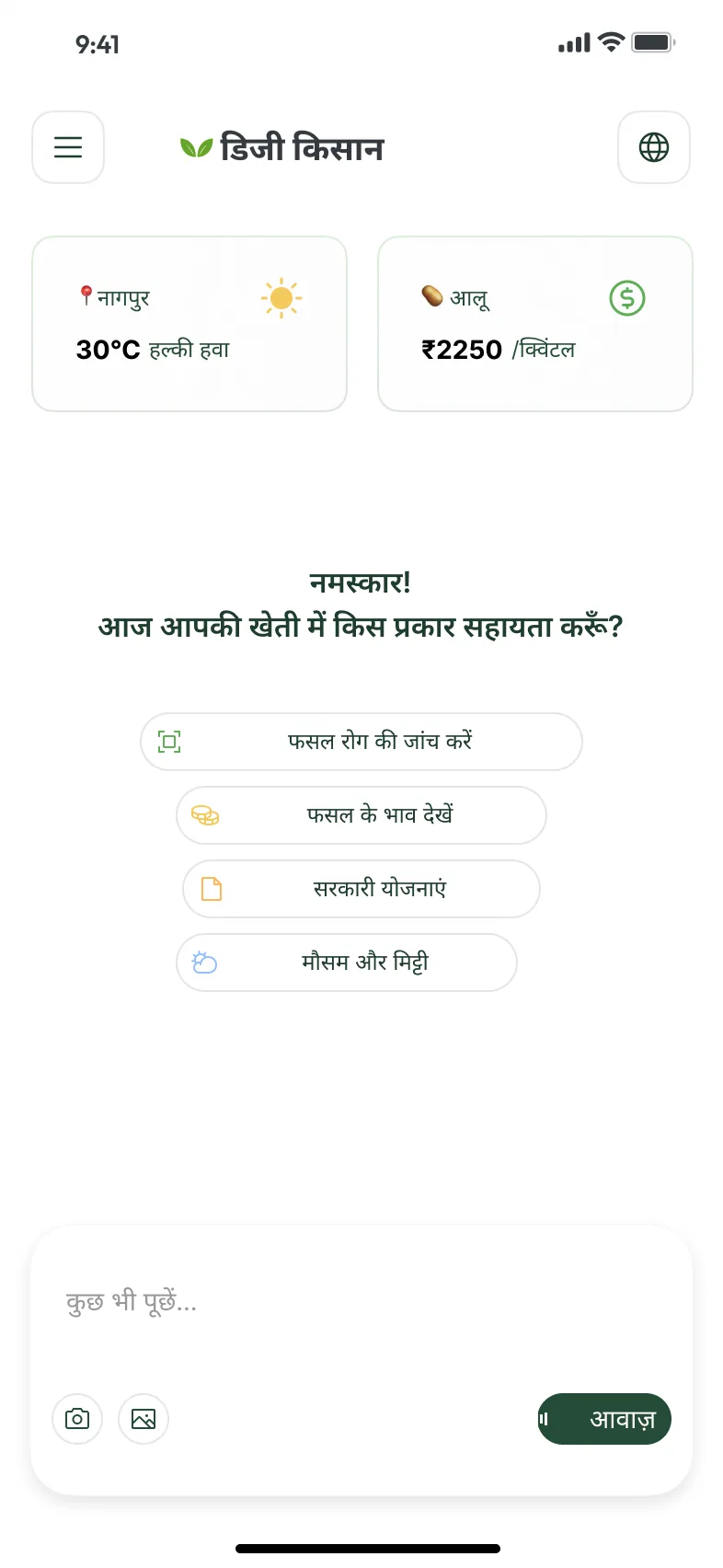
The same chat screen in Hindi, with the product name in Devanagari and four quick actions stacked in one column.
Recorded from the Figma prototype. The chat, its history drawer and the language switch to Hindi. The chat opens with weather, a crop price and four quick starts. The Hindi frame stacks the quick starts in one column.

02

Before the first question

An empty chat gives people little to start from, so this one opens with something to read and something to tap. Two small cards show the weather in a location and the price of a crop. Below the greeting, four quick starts name what the assistant covers: crop disease, crop prices, government schemes, and weather and soil.

The question field sits at the bottom, with camera and image buttons on one side and Voice on the other. Voice is the only filled button on the screen.

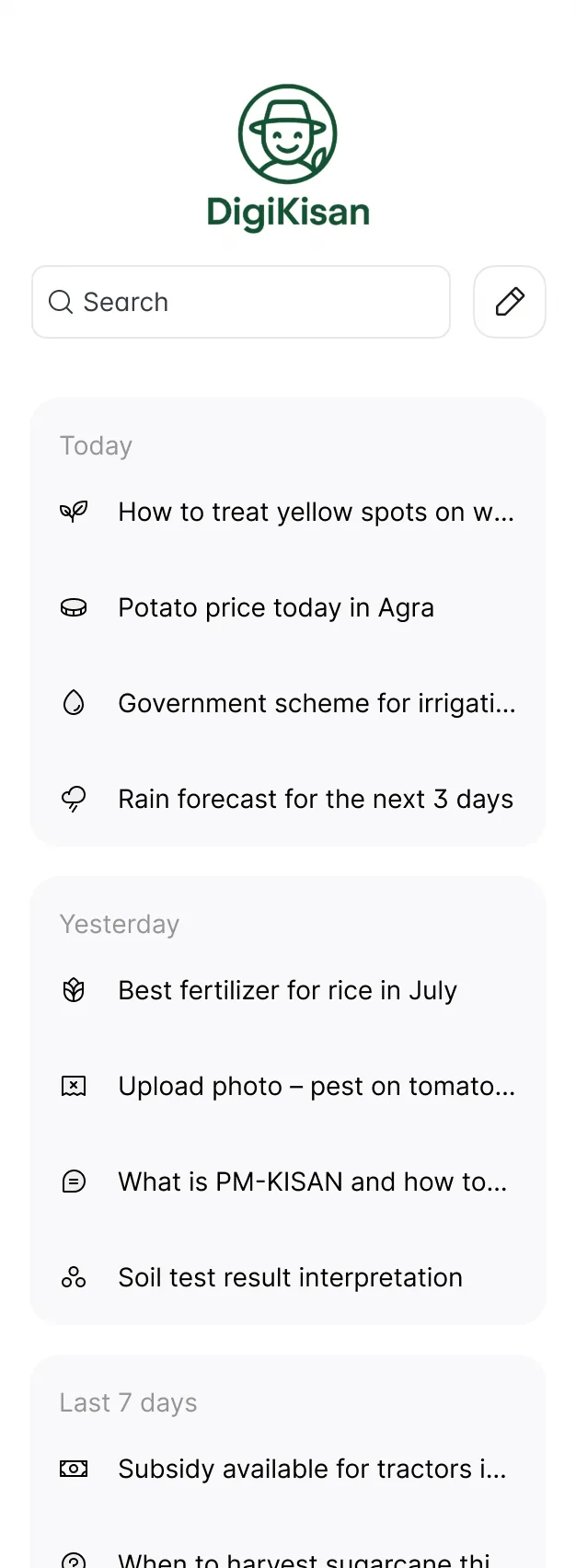
Menu drawer with the DigiKisan logo, a search field and sample questions grouped under Today, Yesterday and Last 7 days.
The drawer keeps past questions grouped by date.

03

The same screen, in Hindi

The Hindi version keeps the structure but not every line of the layout. The product name changes to डिजी किसान, and in this frame the quick starts, which wrap into two rows in English, stack in a single column with one action per row. The presentation cover shows them in two rows, so the file holds both arrangements.

The menu drawer lists past questions under Today, Yesterday and Last 7 days, each with a small icon. The sample questions, from a potato price in Agra to a rain forecast, show the range the assistant is meant to handle.

000

Instructions

Yan Fontão
Tap
Open a screen
Click
Open a screen
Drag
Look around the board
Wheel
Mouse zooms, trackpad moves, pinch zooms
− +
Pull back to see the whole board, or come closer
Arrows
In a case: ↑↓ change case, ←→ change media. On the board: move
Space
Open, or go back
Enter
Open
Esc Backspace
Back
Home
Back to the center, then the introduction
PgUp PgDn
Previous or next channel
Tab
Walk projects and links
R
Random project
0–9
Type a channel, 1–61
?
This page
Shortcuts

Music on the board

Files compressed and levelled for the web.

OPEN
TO WORK
Let’s talk

New message to Yan

Tell me who you are and I’ll get back to you.

000

About Yan

Hello, I’m Yan

Product Designer/ Design Engineer

Most products lose something between design and code. Mine don’t: I research the problem, design the product and ship the interface myself, so what you approve is exactly what your users get.

  • 2018started in software
  • UI + codedesign and implementation

Worked with Motorola · Ambev Tech · Rei do Pitaco · OneTool · CESAR

Brazil · Remote, hybrid or on-site

Portrait of Yan Fontão seated, in a green sweater and glasses, holding a microphone.
OPEN
TO WORK
Let’s talk
OPEN
TO WORK
Let’s talk
000

locked channel

Under NDA

Enter the code

Ask Yan for the code ↗
OPEN
TO WORK
Let’s talk
YAN FONTÃO Case studies

Channel 10 Mobile app design

DigiKisan

A chat-first assistant for farmers, designed in English and Hindi, with weather and a crop price above a single field for typing, speaking or sending a photo. All values are sample data.

Contribution
Interface design
Project status
Interface design · Figma archive
DigiKisan presentation cover from the original design file.
Presentation cover from the original file.

A farming assistant that starts with a question

Screens from the original Figma design file, with sample data.

My contribution

DigiKisan is a chat assistant for farmers. The Figma file is small, a chat screen and a menu drawer, each drawn in English and Hindi, and I show it at that size.
Recorded from the Figma prototype. The chat, its history drawer and the language switch to Hindi.
Chat screen with weather for Nagpur and a potato price at the top, the greeting Hello! How can I help your farm today?, four quick actions and an Ask anything field with camera, image and Voice buttons.
The chat opens with weather, a crop price and four quick starts.

Before the first question

An empty chat gives people little to start from, so this one opens with something to read and something to tap. Two small cards show the weather in a location and the price of a crop. Below the greeting, four quick starts name what the assistant covers: crop disease, crop prices, government schemes, and weather and soil.

The question field sits at the bottom, with camera and image buttons on one side and Voice on the other. Voice is the only filled button on the screen.
The same chat screen in Hindi, with the product name in Devanagari and four quick actions stacked in one column.
The Hindi frame stacks the quick starts in one column.

The same screen, in Hindi

The Hindi version keeps the structure but not every line of the layout. The product name changes to डिजी किसान, and in this frame the quick starts, which wrap into two rows in English, stack in a single column with one action per row. The presentation cover shows them in two rows, so the file holds both arrangements.

The menu drawer lists past questions under Today, Yesterday and Last 7 days, each with a small icon. The sample questions, from a potato price in Agra to a rain forecast, show the range the assistant is meant to handle.

Menu drawer with the DigiKisan logo, a search field and sample questions grouped under Today, Yesterday and Last 7 days.
The drawer keeps past questions grouped by date.