Drag to explore. Scroll or pinch to zoom. Open Help for keyboard controls.

Yan
OPEN
TO WORK
Let’s talk
Yan Fontão Boring view
All work

Case 019Mobile app design

Boater

A Portuguese-language app for boat rentals and tours, connecting people who want to rent with advertisers. Bookings, people and prices on screen are sample content.

Contribution
Product flows and interface design
Project status
Interface design · Figma archive
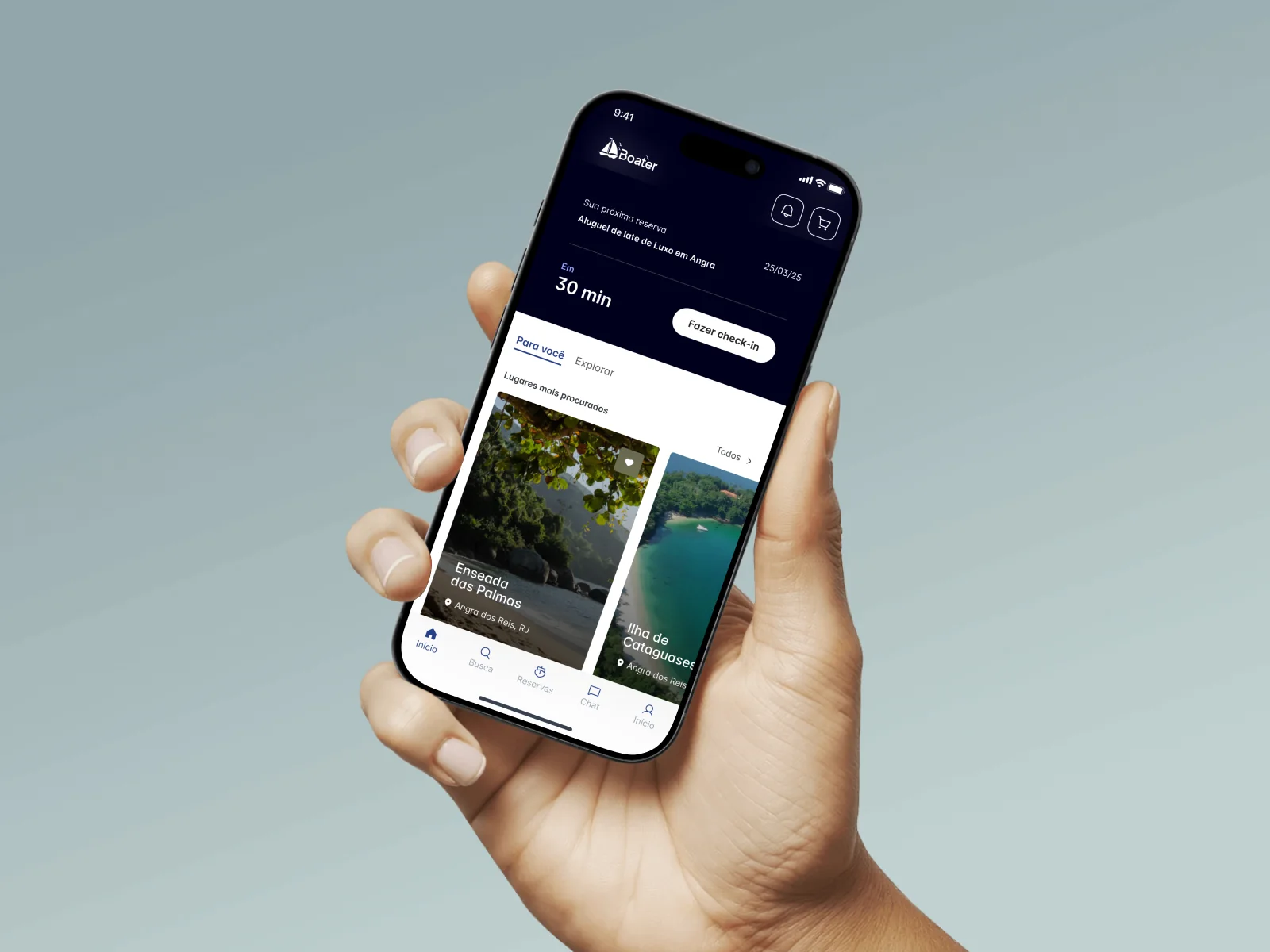
Boater presentation cover from the original design file.
Presentation cover from the original file.

01

My contribution

Boater is a Portuguese-language platform that, in its own welcome text, connects people interested in renting boats with advertisers. The Figma file has 52 phone frames plus variants, divided between the renter’s flow, from search and booking to check-in and chat, and an advertiser area with its own profile and reservations. Here I follow the renter.
A walkthrough of the design’s screens, not a recording: from the Home to a confirmed reservation.

02

The next trip takes the top of the screen

When a booking is close, a dark card sits at the top of the home with what was booked, the date, the time left and one button, Fazer check-in. Discovery starts below it, with Para você and Explorar tabs and large photo cards of the most searched places. The same screen serves someone about to board and someone still choosing.
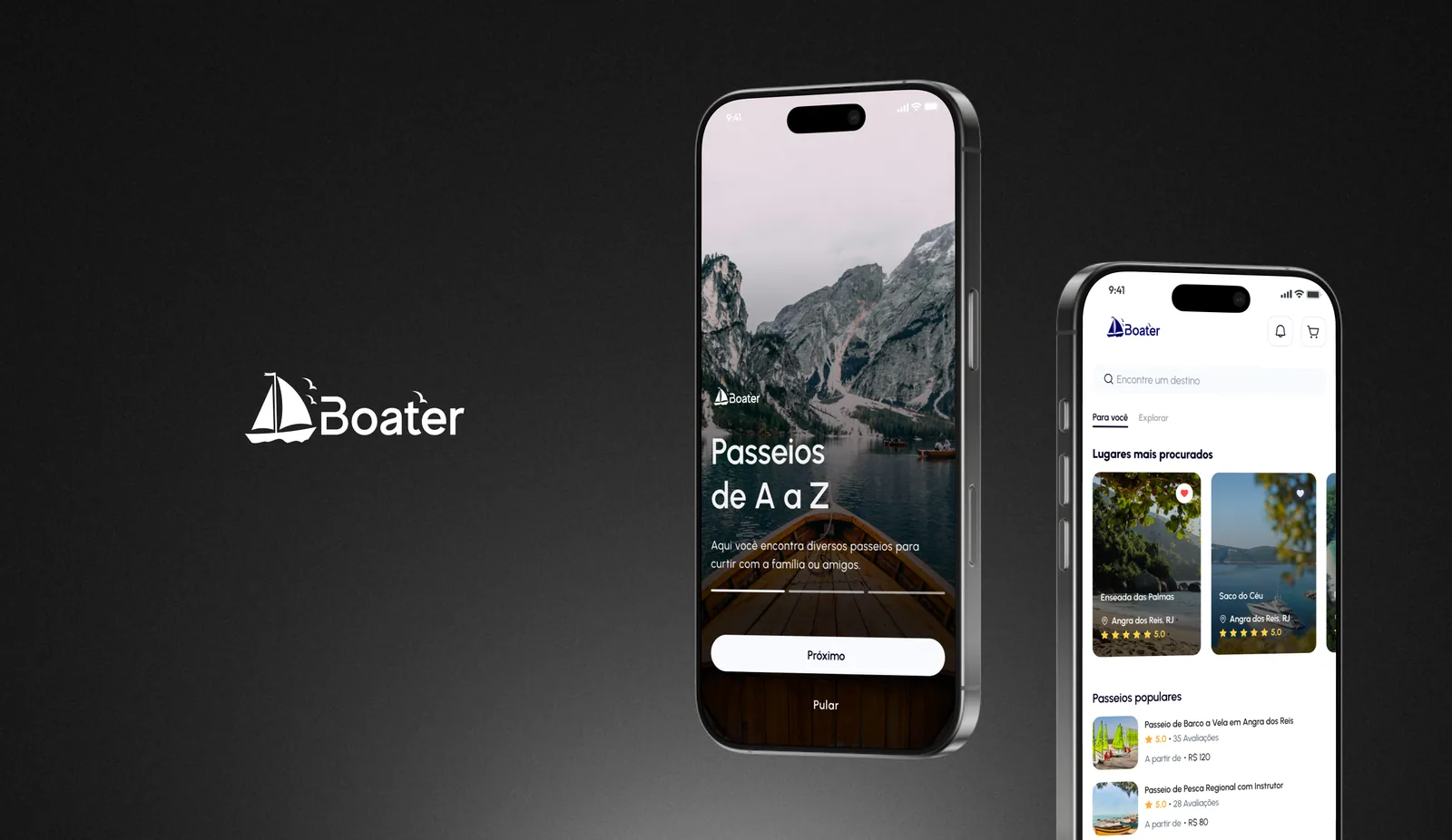
White Boater logo on a dark background beside two phones: an onboarding screen with a boat on a mountain lake and the title Passeios de A a Z, and a home with places and popular tours.
Onboarding and a version of the home with places and popular tours.

03

Who will be at the helm

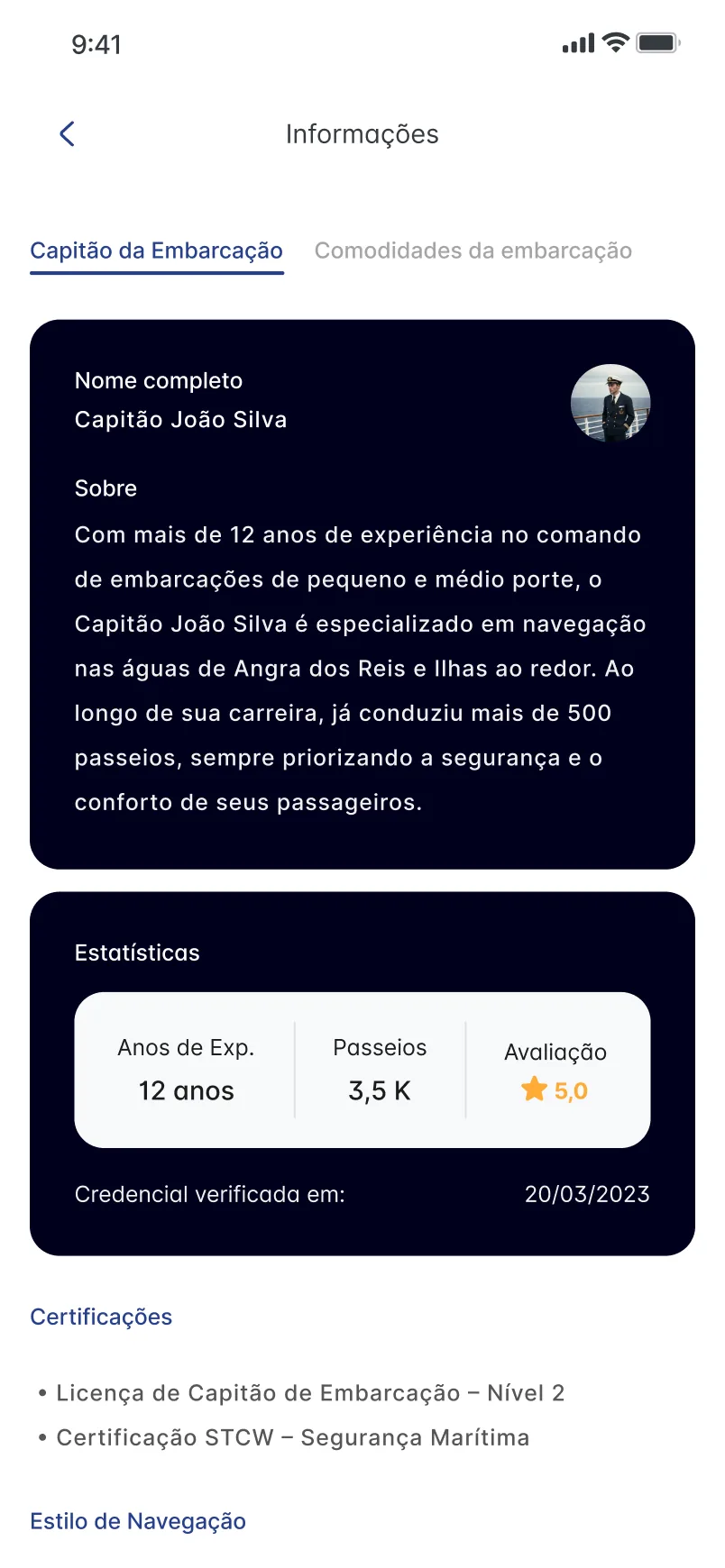
The information screen gives the captain a tab of their own, separate from the boat’s amenities. It holds a name and a short bio, three figures for experience, tours and rating, the date a credential was verified and a list of certifications. The person and the numbers are sample content. The structure shows the intent: people can check who runs the boat as well as what it offers.
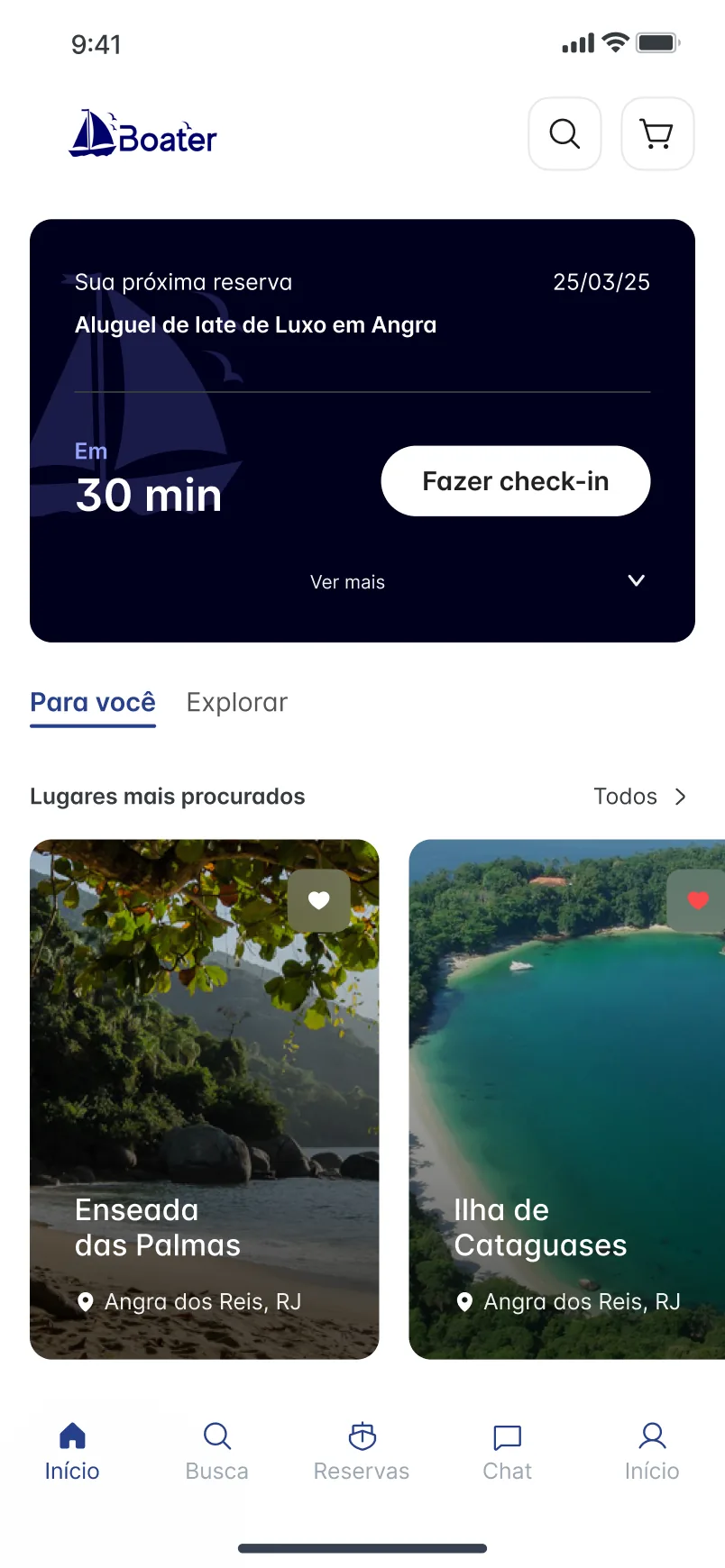
Home screen with a dark card for the next booking, a countdown of 30 minutes and a Fazer check-in button, above photo cards of the most searched places in Angra dos Reis.
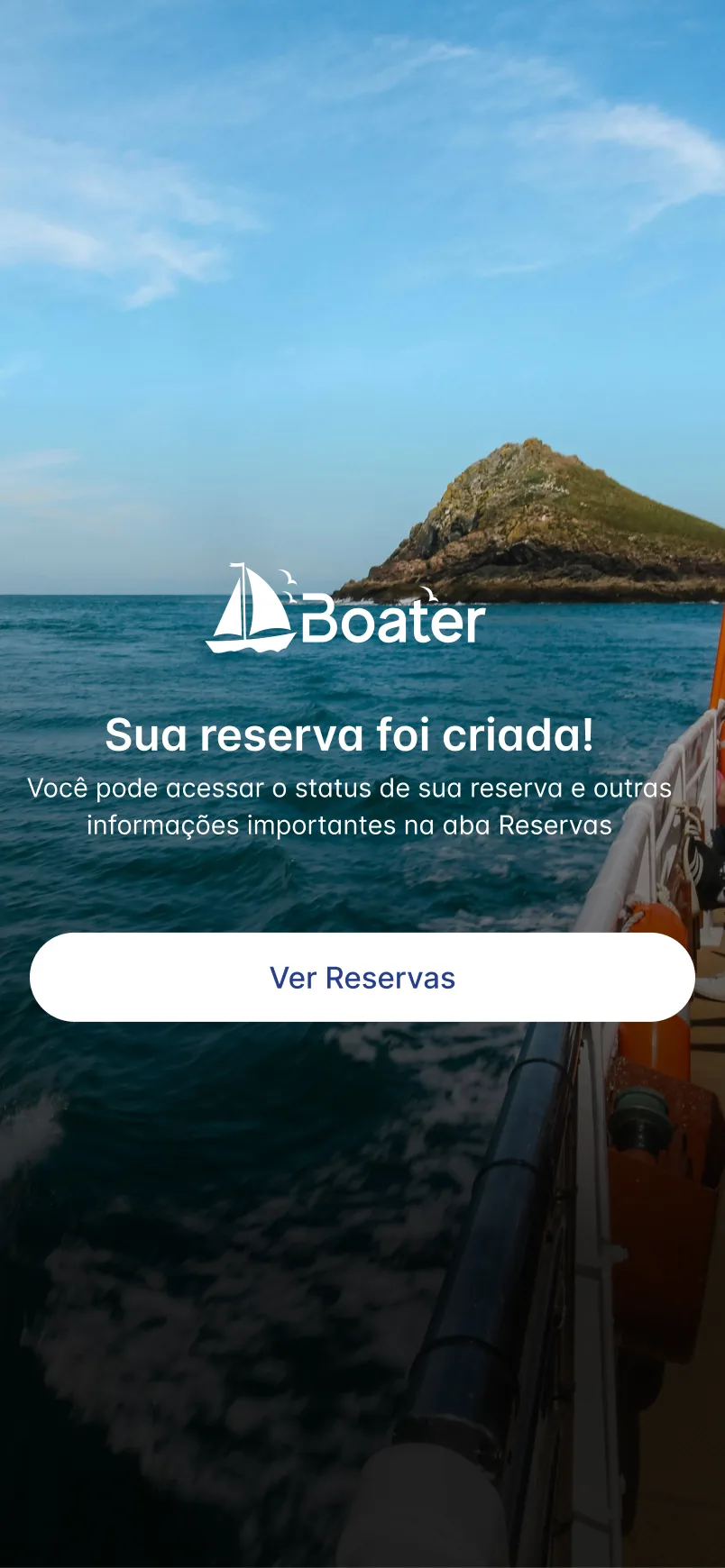
Full-bleed photograph of the sea and an island with the white Boater logo, the message Sua reserva foi criada! and a Ver Reservas button.
Information screen on the Capitão da Embarcação tab, with dark cards for the sample captain’s bio and statistics, followed by a list of certifications.
The next booking and its check-in sit above discovery. A created booking points to the Reservas tab. The captain has a profile with experience and certifications.

04

At the end, the interface makes way for the sea

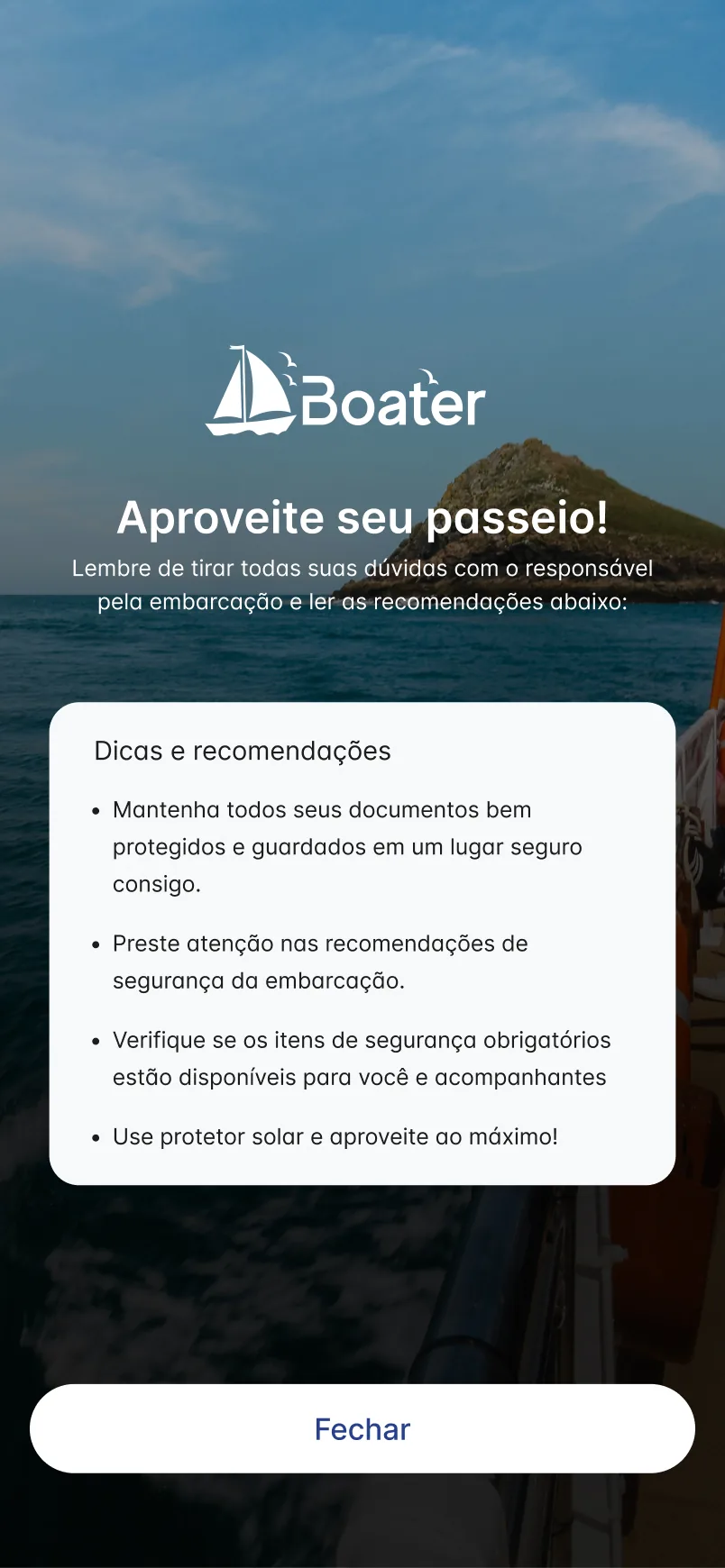
Most of the app is white with dark cards. When a booking is created, the screen changes to a full-bleed sea photograph with the logo, a short confirmation and one button, Ver Reservas, which leads to where the booking’s status lives. Another screen reuses the photograph with a card of tips for the trip and a single Fechar button.

Darkened sea photograph with the Boater logo, the title Aproveite seu passeio!, a white card of tips and recommendations and a Fechar button.
Tips and recommendations for the trip.
000

Instructions

Yan Fontão
Tap
Open a screen
Click
Open a screen
Drag
Look around the board
Wheel
Mouse zooms, trackpad moves, pinch zooms
− +
Pull back to see the whole board, or come closer
Arrows
In a case: ↑↓ change case, ←→ change media. On the board: move
Space
Open, or go back
Enter
Open
Esc Backspace
Back
Home
Back to the center, then the introduction
PgUp PgDn
Previous or next channel
Tab
Walk projects and links
R
Random project
0–9
Type a channel, 1–61
?
This page
Shortcuts

Music on the board

Files compressed and levelled for the web.

OPEN
TO WORK
Let’s talk

New message to Yan

Tell me who you are and I’ll get back to you.

000

About Yan

Hello, I’m Yan

Product Designer/ Design Engineer

Most products lose something between design and code. Mine don’t: I research the problem, design the product and ship the interface myself, so what you approve is exactly what your users get.

  • 2018started in software
  • UI + codedesign and implementation

Worked with Motorola · Ambev Tech · Rei do Pitaco · OneTool · CESAR

Brazil · Remote, hybrid or on-site

Portrait of Yan Fontão seated, in a green sweater and glasses, holding a microphone.
OPEN
TO WORK
Let’s talk
OPEN
TO WORK
Let’s talk
000

locked channel

Under NDA

Enter the code

Ask Yan for the code ↗
OPEN
TO WORK
Let’s talk
YAN FONTÃO Case studies

Channel 19 Mobile app design

Boater

A Portuguese-language app for boat rentals and tours, connecting people who want to rent with advertisers. Bookings, people and prices on screen are sample content.

Contribution
Product flows and interface design
Project status
Interface design · Figma archive
Boater presentation cover from the original design file.
Presentation cover from the original file.

From choosing a boat to boarding it

Screens from the original design in Figma and Dribbble, with sample data.

My contribution

Boater is a Portuguese-language platform that, in its own welcome text, connects people interested in renting boats with advertisers. The Figma file has 52 phone frames plus variants, divided between the renter’s flow, from search and booking to check-in and chat, and an advertiser area with its own profile and reservations. Here I follow the renter.

A walkthrough of the design’s screens, not a recording: from the Home to a confirmed reservation.
White Boater logo on a dark background beside two phones: an onboarding screen with a boat on a mountain lake and the title Passeios de A a Z, and a home with places and popular tours.
Onboarding and a version of the home with places and popular tours.

The next trip takes the top of the screen

When a booking is close, a dark card sits at the top of the home with what was booked, the date, the time left and one button, Fazer check-in. Discovery starts below it, with Para você and Explorar tabs and large photo cards of the most searched places. The same screen serves someone about to board and someone still choosing.

Home screen with a dark card for the next booking, a countdown of 30 minutes and a Fazer check-in button, above photo cards of the most searched places in Angra dos Reis.
The next booking and its check-in sit above discovery.

Who will be at the helm

The information screen gives the captain a tab of their own, separate from the boat’s amenities. It holds a name and a short bio, three figures for experience, tours and rating, the date a credential was verified and a list of certifications. The person and the numbers are sample content. The structure shows the intent: people can check who runs the boat as well as what it offers.
Full-bleed photograph of the sea and an island with the white Boater logo, the message Sua reserva foi criada! and a Ver Reservas button.
A created booking points to the Reservas tab.
Information screen on the Capitão da Embarcação tab, with dark cards for the sample captain’s bio and statistics, followed by a list of certifications.
The captain has a profile with experience and certifications.

At the end, the interface makes way for the sea

Most of the app is white with dark cards. When a booking is created, the screen changes to a full-bleed sea photograph with the logo, a short confirmation and one button, Ver Reservas, which leads to where the booking’s status lives. Another screen reuses the photograph with a card of tips for the trip and a single Fechar button.
Darkened sea photograph with the Boater logo, the title Aproveite seu passeio!, a white card of tips and recommendations and a Fechar button.
Tips and recommendations for the trip.