Drag to explore. Scroll or pinch to zoom. Open Help for keyboard controls.

Yan
OPEN
TO WORK
Let’s talk
Yan Fontão Boring view
All work

Case 051Web design and interaction

Gypsy — Tickets

A ticketing-page design exercise for Gypsy, bringing a two-month performance calendar into a visual language of neon, marquee lights and theatre curtains.

Contribution
Interface design, visual system and interactive prototyping
Project status
Design exercise · Interactive prototype
Recorded from the running prototype: curtain opening, date and session selection, ways to book and FAQ. FAQ copy is the exercise's placeholder text.

01

My contribution

The brief asked for a tickets page: two months of selectable performance dates, alternative ways to buy and three expandable FAQs. I developed the interface as an interactive prototype, using the show’s supplied visual identity as its starting point.

This was a skills-assessment exercise. The case presents the design and its working interface states, with demonstration schedules and copy rather than a live ticketing service.
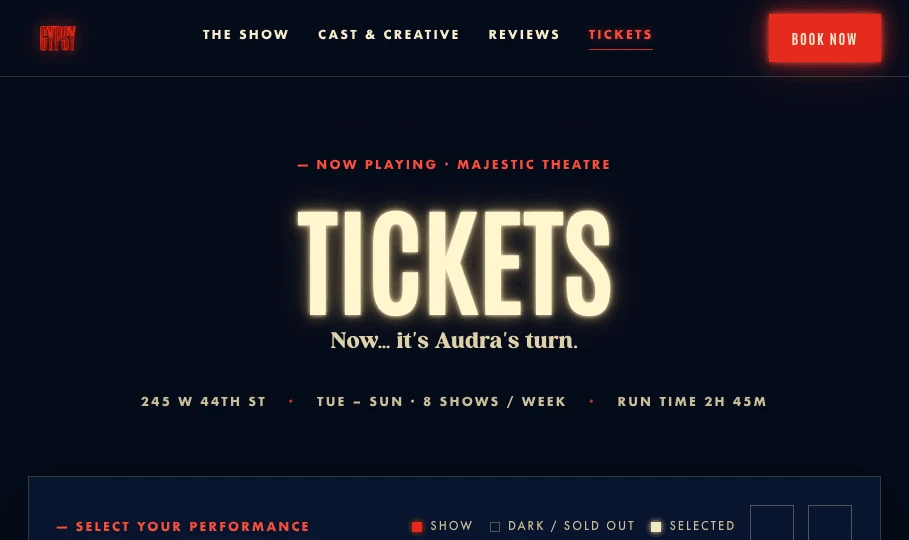
Tickets hero with marquee typography and the show’s visual identity.
Tickets hero with marquee typography and the show’s visual identity. Original design-exercise export.

02

From the marquee to the interface

Neon red, warm bulb light and a midnight-blue backdrop establish the theatrical setting. The calendar sits on a cream panel inspired by a playbill, giving the dense date grid a quieter reading surface.

The source organizes color, typography, spacing and motion into shared tokens. Condensed Antonio headings, geometric body text and script accents give the hero, calendar and supporting sections distinct roles within the same visual system.
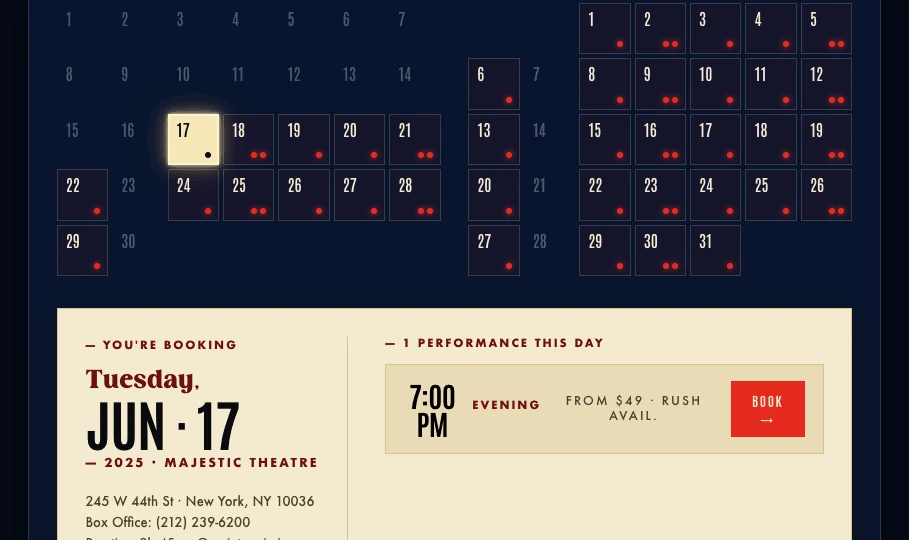
Two-month calendar and the selected performance panel; demonstration schedule.
Two-month calendar and the selected performance panel; demonstration schedule. Original design-exercise export.

03

Choose the date, then the performance

Two adjacent months keep the schedule visible in one view. Available dates carry small performance markers; selecting a date updates the panel below with its day, venue and matinee or evening options.

Month controls move through the demonstration run, while past dates and days without performances are disabled. The selected date remains visible in the grid and the panel, connecting the choice to the next step. The prototype stops before checkout.
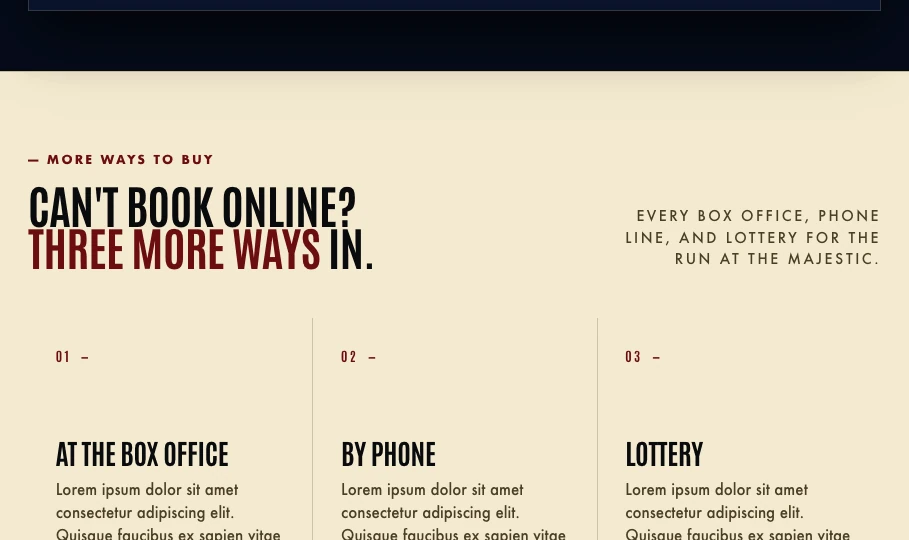
Box office, phone and lottery routes with assessment placeholder copy.
Box office, phone and lottery routes with assessment placeholder copy. Original design-exercise export.

04

The page opens like a stage

The entrance combines marquee bulbs, the Gypsy neon mark and curtains that part to reveal the page. The intro can be skipped, and the prototype bypasses it when reduced motion is requested.

The moving version and the static handoff serve different purposes: the prototype demonstrates timing and state changes, while the exported hero, calendar and supporting sections preserve the composition for design review.
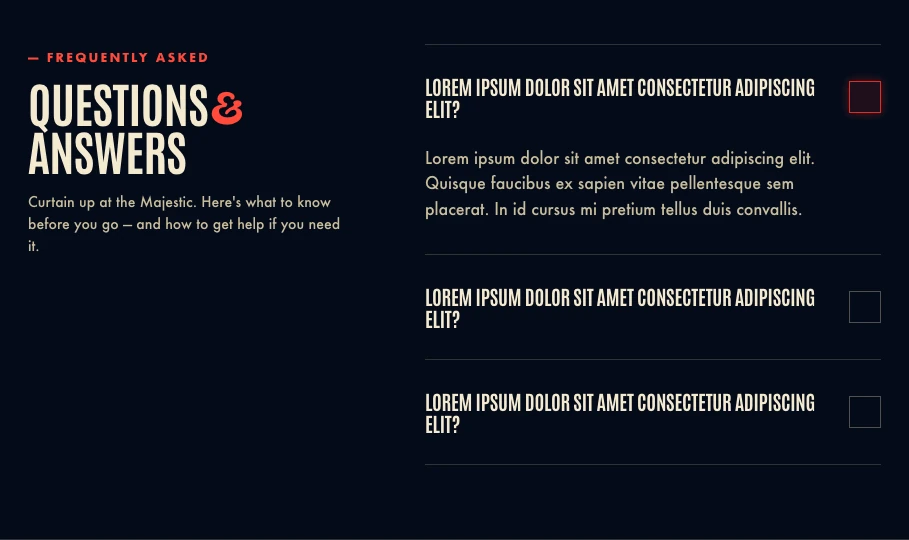
Three-question accordion with one answer open and placeholder copy.
Three-question accordion with one answer open and placeholder copy. Original design-exercise export.

05

Other ways in, and answers nearby

Three numbered cards separate the box office, phone and lottery routes. Below them, a three-item accordion keeps one answer open at a time and lets the current answer close.

These sections use the placeholder text permitted in the assessment brief. The delivered structure includes the page prototype, reusable visual tokens and section exports prepared for a Figma handoff.

000

Instructions

Yan Fontão
Tap
Open a screen
Click
Open a screen
Drag
Look around the board
Wheel
Mouse zooms, trackpad moves, pinch zooms
− +
Pull back to see the whole board, or come closer
Arrows
In a case: ↑↓ change case, ←→ change media. On the board: move
Space
Open, or go back
Enter
Open
Esc Backspace
Back
Home
Back to the center, then the introduction
PgUp PgDn
Previous or next channel
Tab
Walk projects and links
R
Random project
0–9
Type a channel, 1–61
?
This page
Shortcuts

Music on the board

Files compressed and levelled for the web.

OPEN
TO WORK
Let’s talk

New message to Yan

Tell me who you are and I’ll get back to you.

000

About Yan

Hello, I’m Yan

Product Designer/ Design Engineer

Most products lose something between design and code. Mine don’t: I research the problem, design the product and ship the interface myself, so what you approve is exactly what your users get.

  • 2018started in software
  • UI + codedesign and implementation

Worked with Motorola · Ambev Tech · Rei do Pitaco · OneTool · CESAR

Brazil · Remote, hybrid or on-site

Portrait of Yan Fontão seated, in a green sweater and glasses, holding a microphone.
OPEN
TO WORK
Let’s talk
OPEN
TO WORK
Let’s talk
000

locked channel

Under NDA

Enter the code

Ask Yan for the code ↗
OPEN
TO WORK
Let’s talk
YAN FONTÃO Case studies

Channel 51 Web design and interaction

Gypsy — Tickets

A ticketing-page design exercise for Gypsy, bringing a two-month performance calendar into a visual language of neon, marquee lights and theatre curtains.

Contribution
Interface design, visual system and interactive prototyping
Project status
Design exercise · Interactive prototype
Recorded from the running prototype: curtain opening, date and session selection, ways to book and FAQ. FAQ copy is the exercise's placeholder text.

A theatrical entrance to choosing a performance

Recorded from the original prototype, with demonstration schedules and placeholder copy.

My contribution

The brief asked for a tickets page: two months of selectable performance dates, alternative ways to buy and three expandable FAQs. I developed the interface as an interactive prototype, using the show’s supplied visual identity as its starting point.

This was a skills-assessment exercise. The case presents the design and its working interface states, with demonstration schedules and copy rather than a live ticketing service.

Tickets hero with marquee typography and the show’s visual identity.
Tickets hero with marquee typography and the show’s visual identity. Original design-exercise export.

From the marquee to the interface

Neon red, warm bulb light and a midnight-blue backdrop establish the theatrical setting. The calendar sits on a cream panel inspired by a playbill, giving the dense date grid a quieter reading surface.

The source organizes color, typography, spacing and motion into shared tokens. Condensed Antonio headings, geometric body text and script accents give the hero, calendar and supporting sections distinct roles within the same visual system.

Choose the date, then the performance

Two adjacent months keep the schedule visible in one view. Available dates carry small performance markers; selecting a date updates the panel below with its day, venue and matinee or evening options.

Month controls move through the demonstration run, while past dates and days without performances are disabled. The selected date remains visible in the grid and the panel, connecting the choice to the next step. The prototype stops before checkout.

Two-month calendar and the selected performance panel; demonstration schedule.
Two-month calendar and the selected performance panel; demonstration schedule. Original design-exercise export.

The page opens like a stage

The entrance combines marquee bulbs, the Gypsy neon mark and curtains that part to reveal the page. The intro can be skipped, and the prototype bypasses it when reduced motion is requested.

The moving version and the static handoff serve different purposes: the prototype demonstrates timing and state changes, while the exported hero, calendar and supporting sections preserve the composition for design review.

Other ways in, and answers nearby

Three numbered cards separate the box office, phone and lottery routes. Below them, a three-item accordion keeps one answer open at a time and lets the current answer close.

These sections use the placeholder text permitted in the assessment brief. The delivered structure includes the page prototype, reusable visual tokens and section exports prepared for a Figma handoff.

Box office, phone and lottery routes with assessment placeholder copy.
Box office, phone and lottery routes with assessment placeholder copy. Original design-exercise export.
Three-question accordion with one answer open and placeholder copy.
Three-question accordion with one answer open and placeholder copy. Original design-exercise export.