Drag to explore. Scroll or pinch to zoom. Open Help for keyboard controls.

Yan
OPEN
TO WORK
Let’s talk
Yan Fontão Boring view
All work

Case 021Mobile app design

Ageu

A dark mobile app for getting quotes on construction materials: list what you need, send one order and compare what comes back. The design centres on a quote list that puts price, coverage and delivery time in the same place.

Contribution
Product flows and interface design
Project status
Interface design · Figma and Dribbble archive
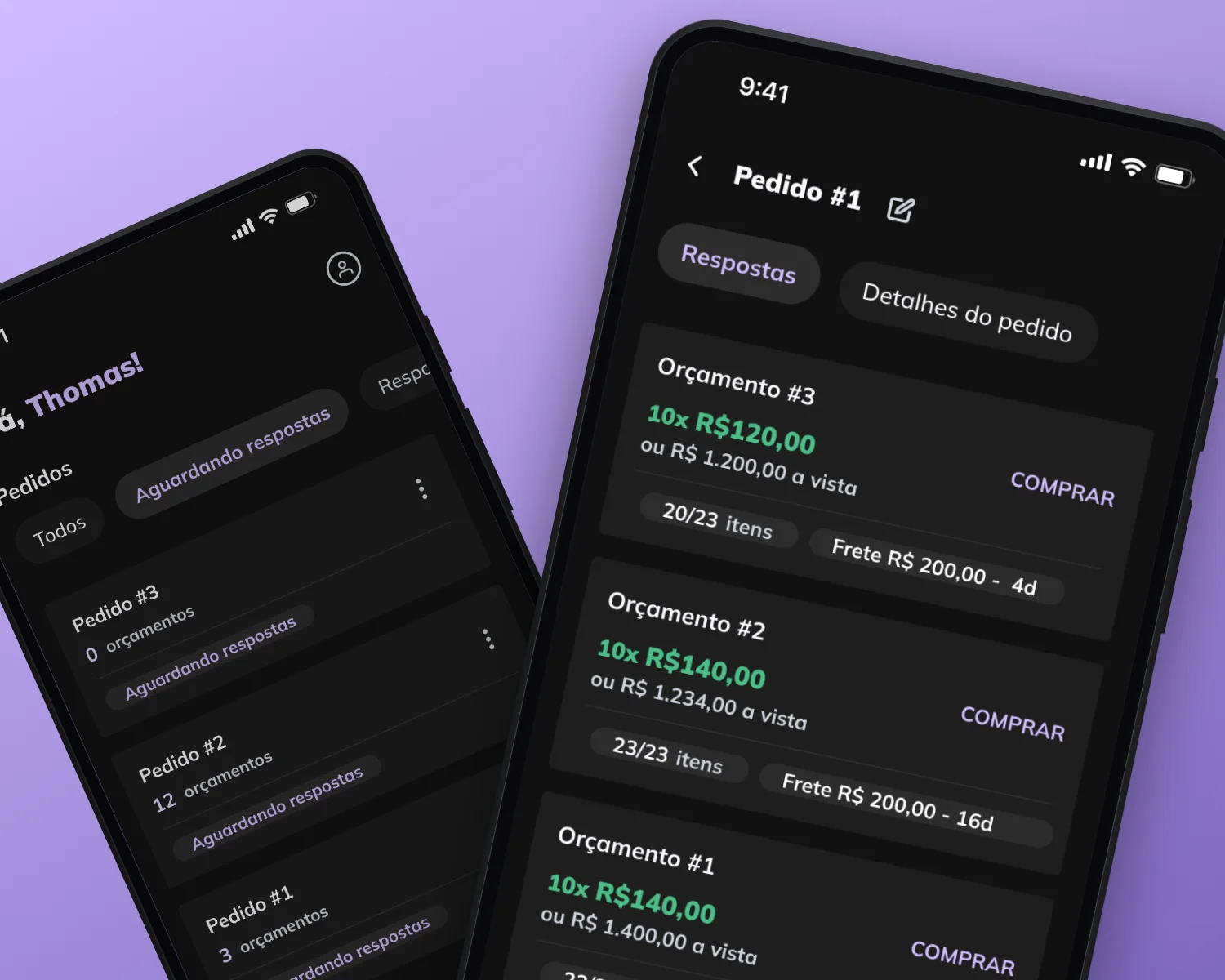
Mockup of Ageu composed for this board from real screens of the project.
Mockup composed for this board from real project screens.

01

My contribution

Ageu is a Portuguese-language app for requesting quotes on construction materials. You build one order, with items such as cement, sand and electrical wire, and supply stores answer it with quotes.

The scope I worked on is small: an order flow, a list of orders and a comparison of quotes, in a dark Material-style theme with a lilac accent.
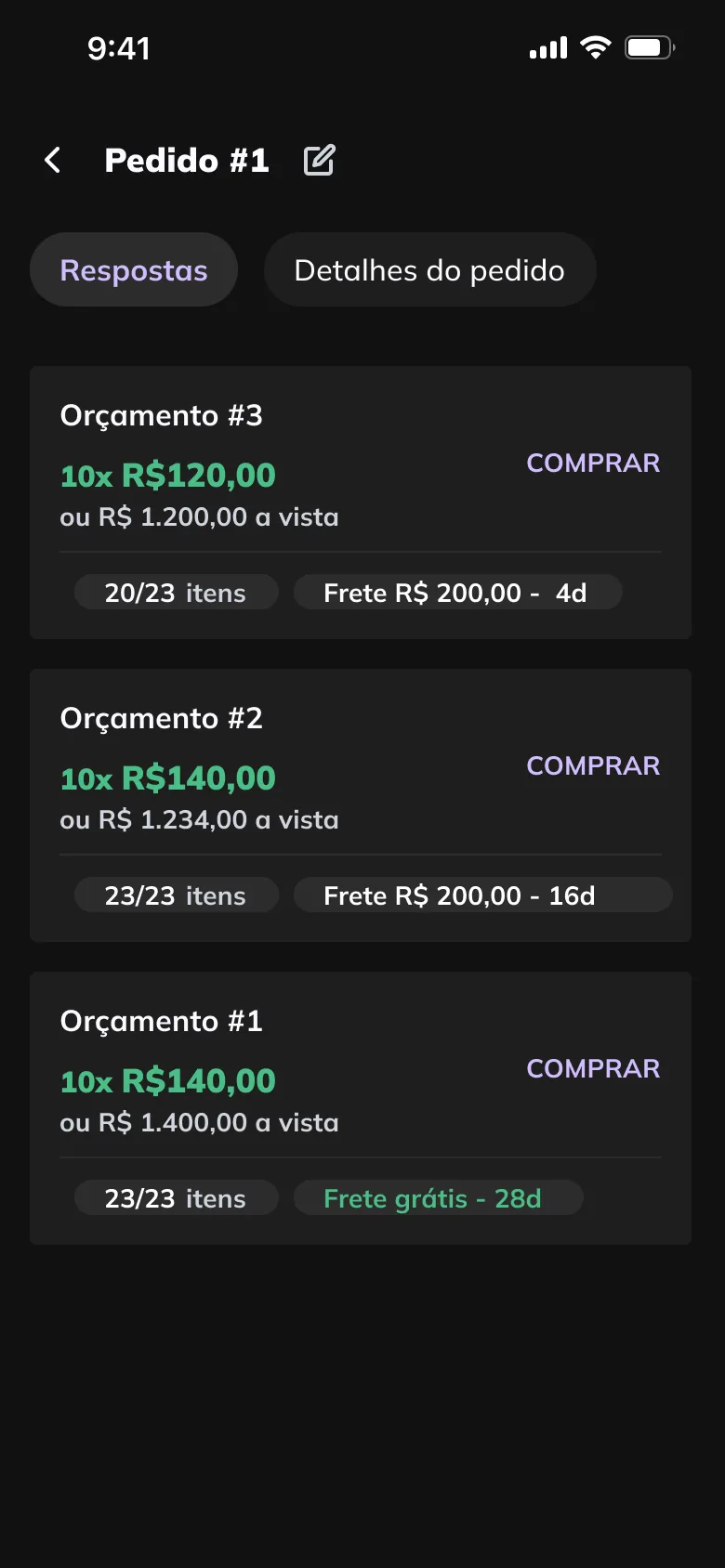
Order number one with the Respostas tab open and three quote cards, each showing an instalment price in green, a cash price, items covered, freight, delivery days and a Comprar link.
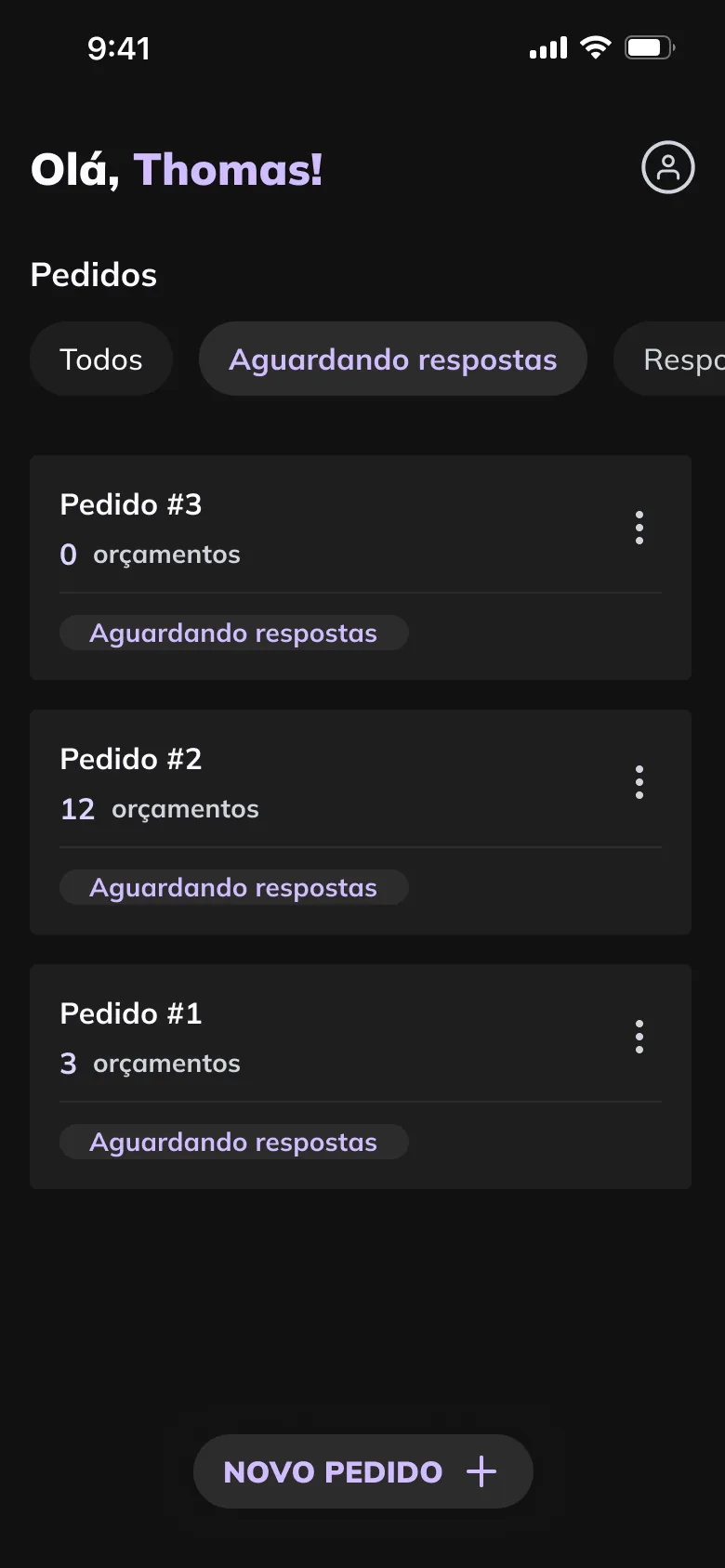
Orders screen greeting Thomas, with filter tabs, three order cards showing how many quotes each received and a status, and a Novo pedido button.
A walkthrough of the design’s screens, not a recording: from an empty order list to an order and its budgets. Quotes: price, items covered, freight and delivery time on one card. Orders: quote counts and status at a glance, filtered by stage.

02

Comparing what came back

The quote list is where the rest of the flow leads. Every card follows the same order: the instalment price in green, the cash price under it, then two chips for items covered and for freight and delivery time, with Comprar on the right.

That repetition makes the trade-offs visible without opening anything. In the sample data, the lowest price covers 20 of 23 items, while another quote covers all 23 with free freight and a 28-day wait.

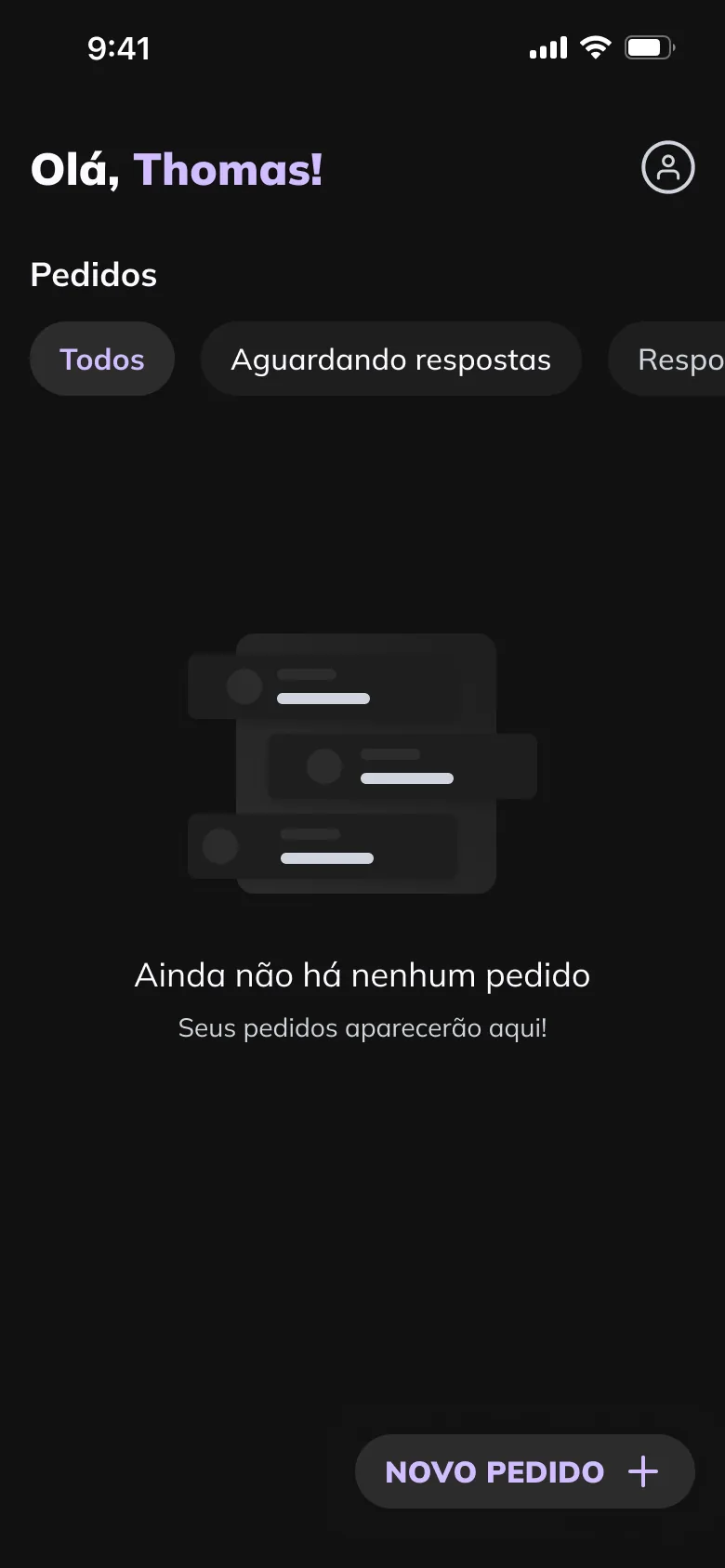
Orders screen with no orders, a small dark illustration of a list, a short message in Portuguese and a Novo pedido button.
Empty state: where orders will appear, and the one action available.

03

Orders you can follow

The order list shows how many quotes each order has and where it stands, with tabs for each stage: Todos, Aguardando respostas, Respondidos and Concluídos. With no orders yet, the empty state says where they will appear and leaves Novo pedido as the only action.

A new order is a three-step flow, with Voltar, progress dots and Próximo in one bar. On the items step, each line keeps its quantity and unit in view, with edit and delete beside it.

Two dark screens on a black background: the items step of a new order, listing materials with quantities, and the quote list for order number one.
Presentation from Dribbble: the items step beside the quote list.
000

Instructions

Yan Fontão
Tap
Open a screen
Click
Open a screen
Drag
Look around the board
Wheel
Mouse zooms, trackpad moves, pinch zooms
− +
Pull back to see the whole board, or come closer
Arrows
In a case: ↑↓ change case, ←→ change media. On the board: move
Space
Open, or go back
Enter
Open
Esc Backspace
Back
Home
Back to the center, then the introduction
PgUp PgDn
Previous or next channel
Tab
Walk projects and links
R
Random project
0–9
Type a channel, 1–61
?
This page
Shortcuts

Music on the board

Files compressed and levelled for the web.

OPEN
TO WORK
Let’s talk

New message to Yan

Tell me who you are and I’ll get back to you.

000

About Yan

Hello, I’m Yan

Product Designer/ Design Engineer

Most products lose something between design and code. Mine don’t: I research the problem, design the product and ship the interface myself, so what you approve is exactly what your users get.

  • 2018started in software
  • UI + codedesign and implementation

Worked with Motorola · Ambev Tech · Rei do Pitaco · OneTool · CESAR

Brazil · Remote, hybrid or on-site

Portrait of Yan Fontão seated, in a green sweater and glasses, holding a microphone.
OPEN
TO WORK
Let’s talk
OPEN
TO WORK
Let’s talk
000

locked channel

Under NDA

Enter the code

Ask Yan for the code ↗
OPEN
TO WORK
Let’s talk
YAN FONTÃO Case studies

Channel 21 Mobile app design

Ageu

A dark mobile app for getting quotes on construction materials: list what you need, send one order and compare what comes back. The design centres on a quote list that puts price, coverage and delivery time in the same place.

Contribution
Product flows and interface design
Project status
Interface design · Figma and Dribbble archive

See it on Dribbble

Mockup of Ageu composed for this board from real screens of the project.
Mockup composed for this board from real project screens.

One order for building materials, every quote side by side

Screens from the original Figma design file and Dribbble, with sample data.

My contribution

Ageu is a Portuguese-language app for requesting quotes on construction materials. You build one order, with items such as cement, sand and electrical wire, and supply stores answer it with quotes.

The scope I worked on is small: an order flow, a list of orders and a comparison of quotes, in a dark Material-style theme with a lilac accent.
A walkthrough of the design’s screens, not a recording: from an empty order list to an order and its budgets.
Order number one with the Respostas tab open and three quote cards, each showing an instalment price in green, a cash price, items covered, freight, delivery days and a Comprar link.
Quotes: price, items covered, freight and delivery time on one card.

Comparing what came back

The quote list is where the rest of the flow leads. Every card follows the same order: the instalment price in green, the cash price under it, then two chips for items covered and for freight and delivery time, with Comprar on the right.

That repetition makes the trade-offs visible without opening anything. In the sample data, the lowest price covers 20 of 23 items, while another quote covers all 23 with free freight and a 28-day wait.
Orders screen greeting Thomas, with filter tabs, three order cards showing how many quotes each received and a status, and a Novo pedido button.
Orders: quote counts and status at a glance, filtered by stage.
Orders screen with no orders, a small dark illustration of a list, a short message in Portuguese and a Novo pedido button.
Empty state: where orders will appear, and the one action available.

Orders you can follow

The order list shows how many quotes each order has and where it stands, with tabs for each stage: Todos, Aguardando respostas, Respondidos and Concluídos. With no orders yet, the empty state says where they will appear and leaves Novo pedido as the only action.

A new order is a three-step flow, with Voltar, progress dots and Próximo in one bar. On the items step, each line keeps its quantity and unit in view, with edit and delete beside it.
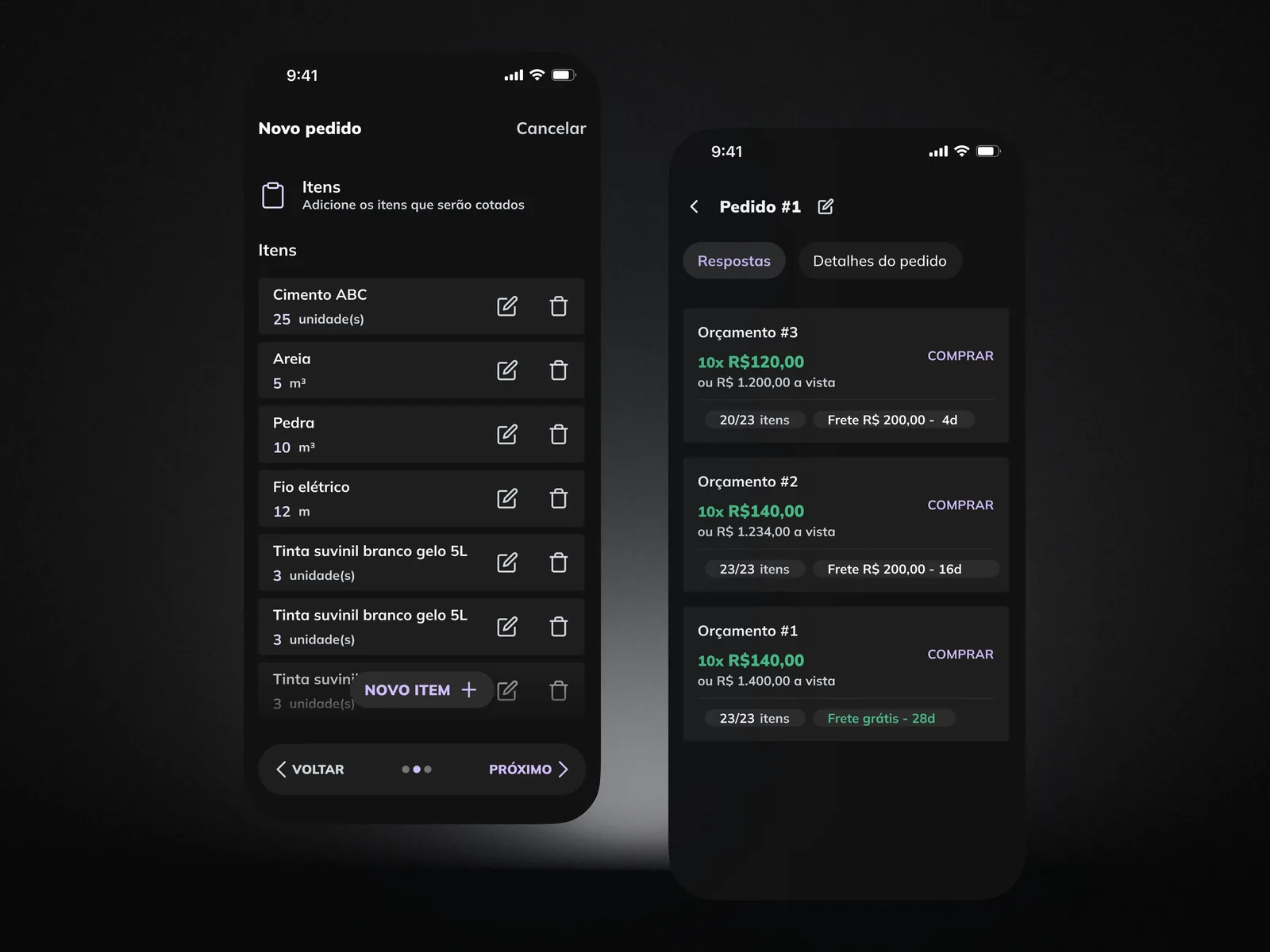
Two dark screens on a black background: the items step of a new order, listing materials with quantities, and the quote list for order number one.
Presentation from Dribbble: the items step beside the quote list.