Drag to explore. Scroll or pinch to zoom. Open Help for keyboard controls.

Yan
OPEN
TO WORK
Let’s talk
Yan Fontão Boring view
All work

Case 018Mobile app design

MAT APP

A Portuguese-language journaling app with a calendar, a diary page for notes and feelings, and a drawing canvas for art therapy. All entries on screen are sample content.

Contribution
Interface design
Project status
Interface design · Figma archive
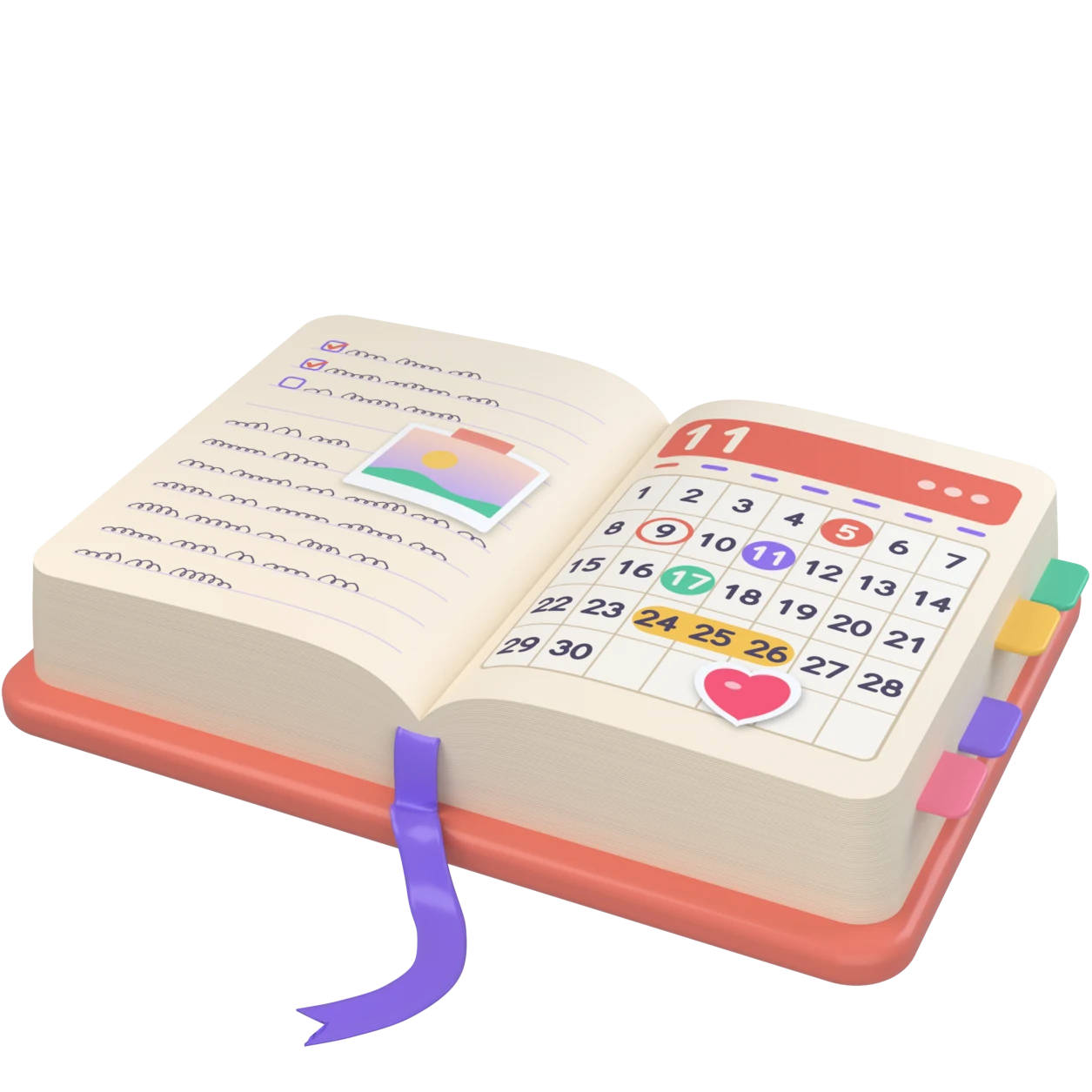
A 3D diary open on a calendar, with a page turning.
A 3D object made for this board.

01

My contribution

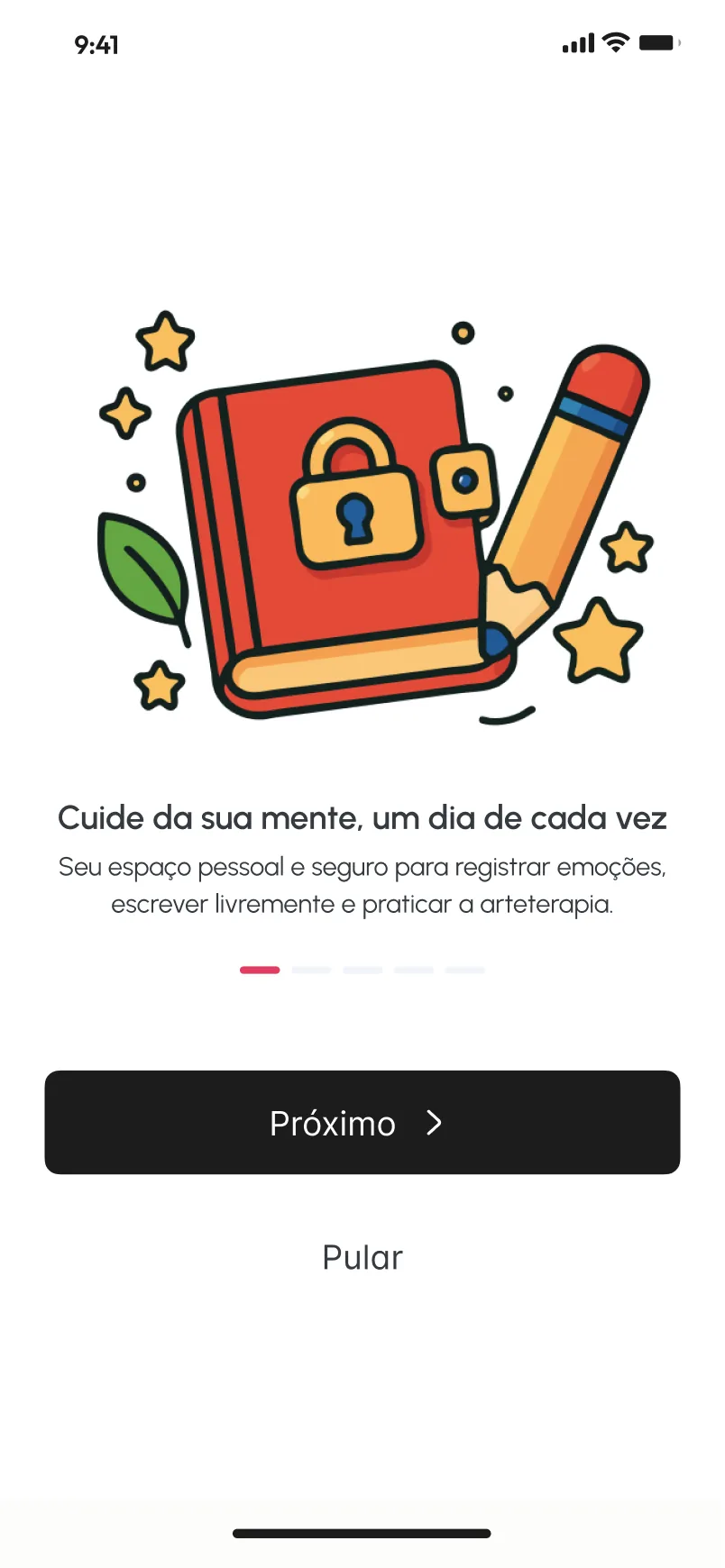
MAT APP is a journaling app in Portuguese. Its onboarding presents it as a personal space to record emotions, write freely and practise art therapy, so the interface has to hold words, feelings and drawings in the same place.
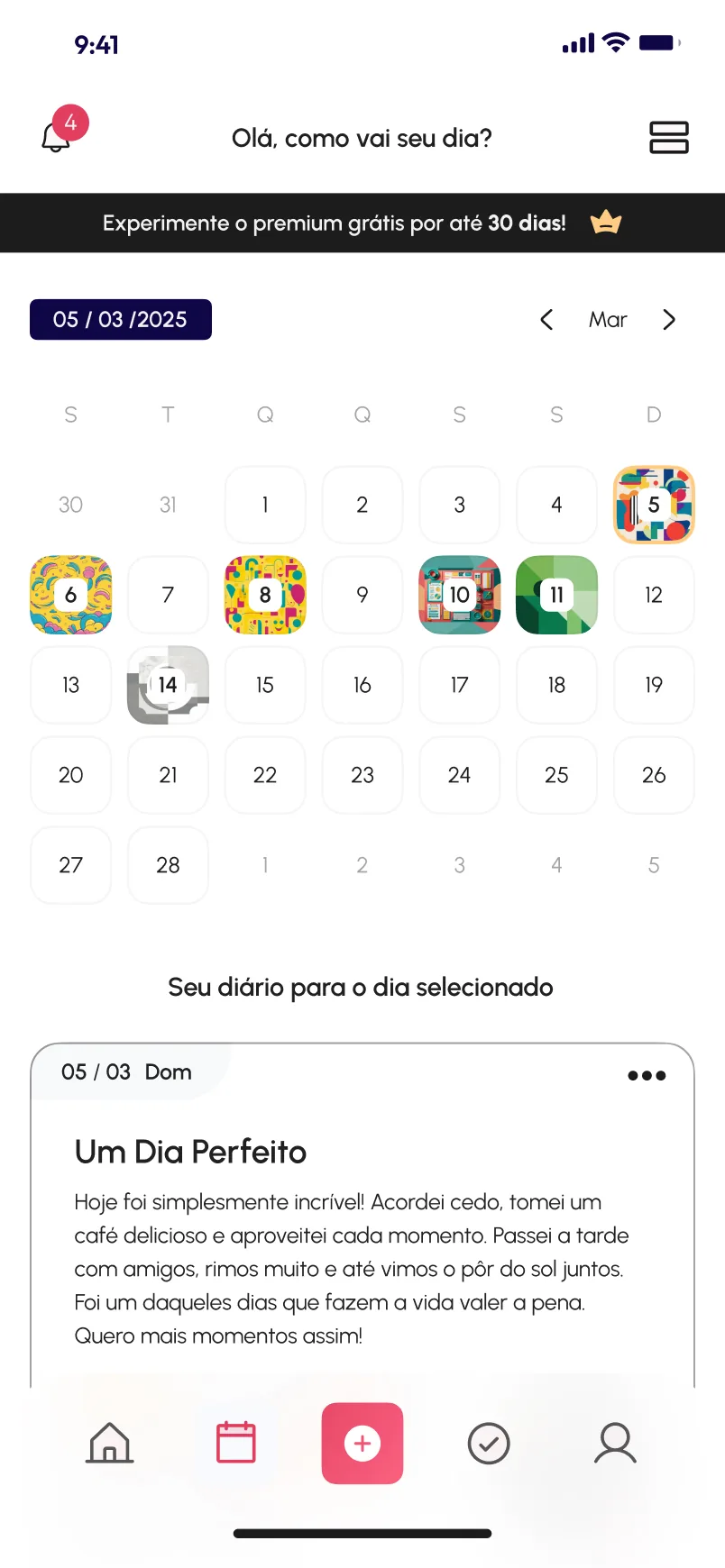
Calendar screen for March with small colourful artworks behind some dates, a banner for the premium plan and the sample entry Um Dia Perfeito below.
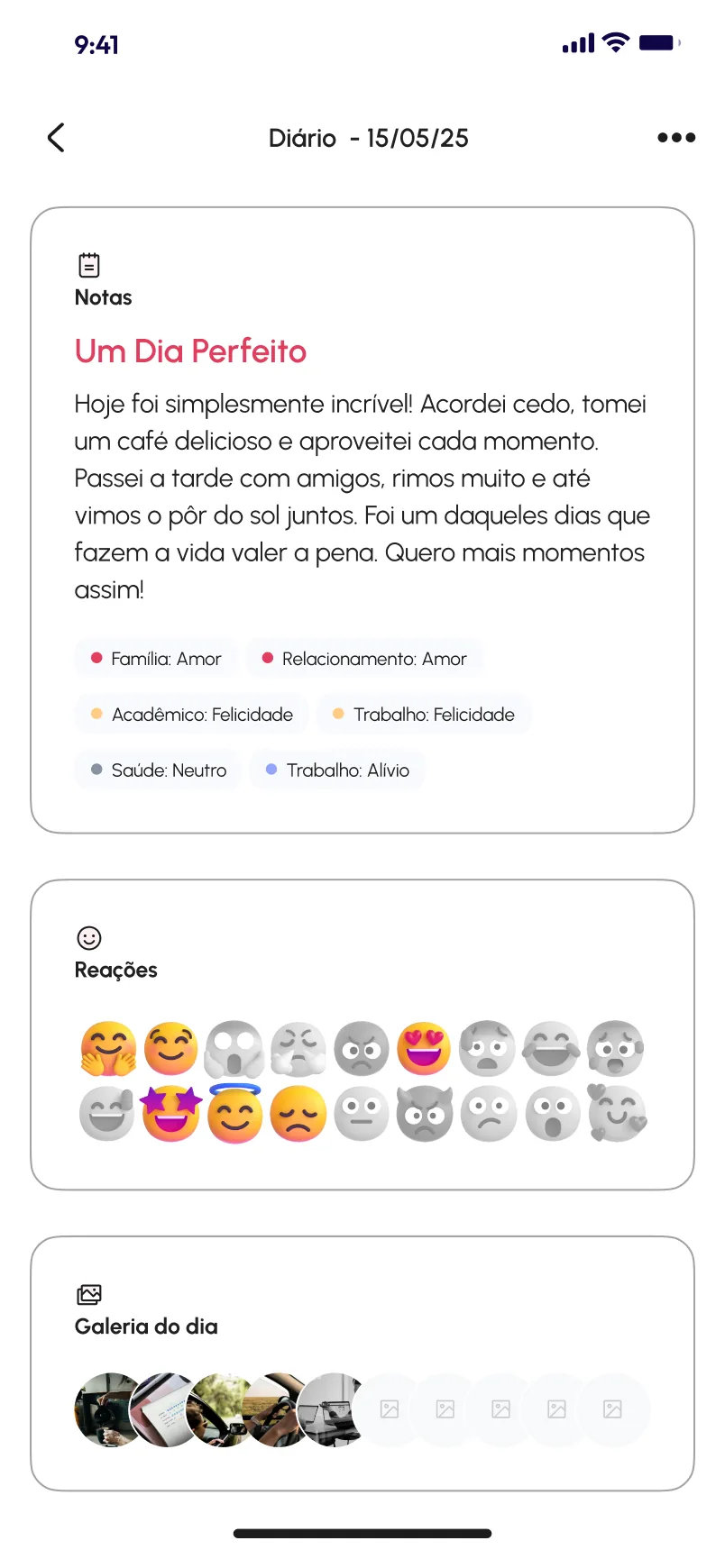
Diary page with the note Um Dia Perfeito, tags pairing areas of life with feelings, a grid of emoji reactions and a row of gallery thumbnails.
A walkthrough of the design’s screens, not a recording: onboarding, the Home, the diary and the canvas. Some days carry an artwork, and the selected day’s entry sits below. One diary page holds the note, feeling tags, reactions and a gallery.

03

Words, feelings and images on one page

A diary page stacks three cards: the written note, the reactions and the day’s gallery. Under the note, small tags pair an area of life with a feeling, such as Trabalho: Felicidade or Saúde: Neutro. In Reações, the chosen emoji stay in colour and the rest go grey, so the selection reads at a glance.

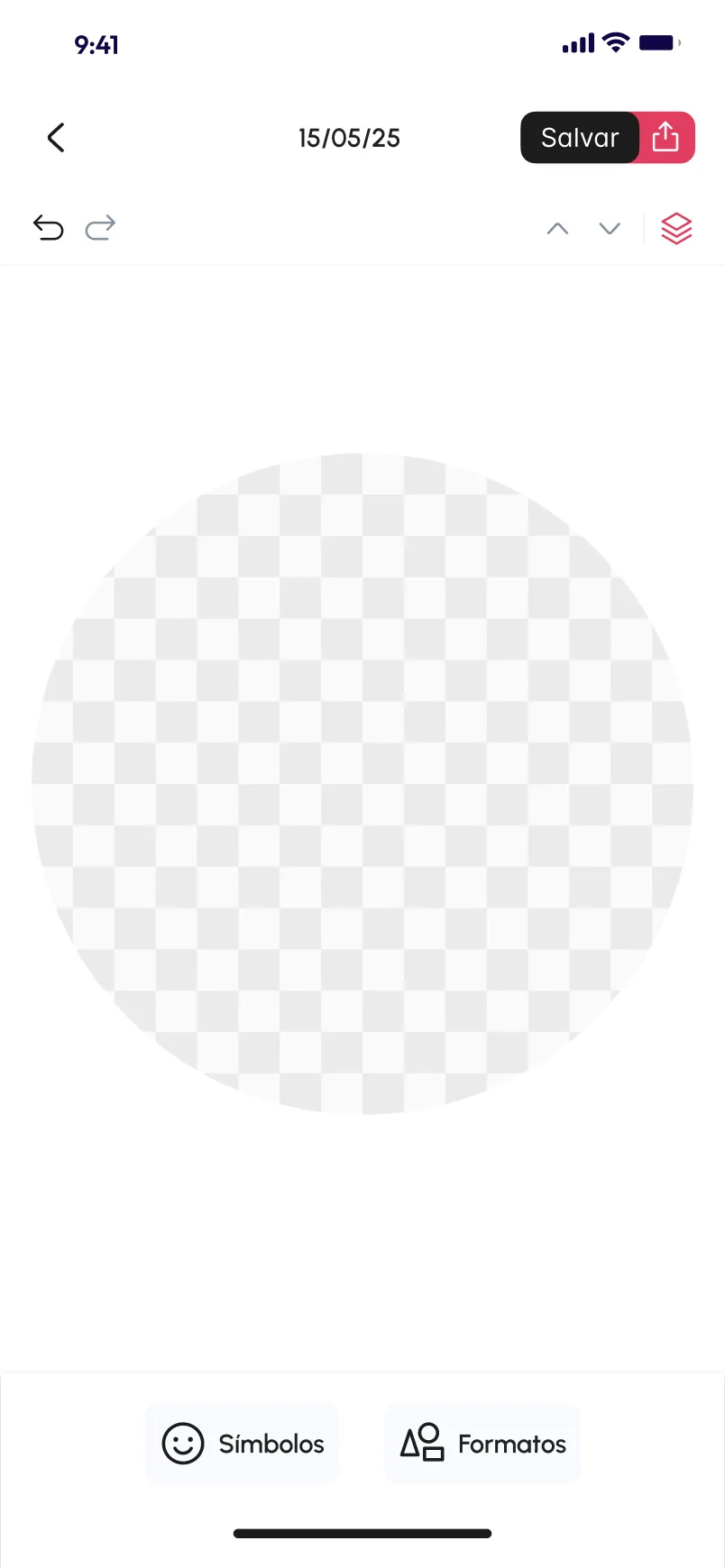
The art therapy canvas starts as a single circle, dated like a diary entry, with undo, redo and layers at the top and symbols and shapes at the bottom.

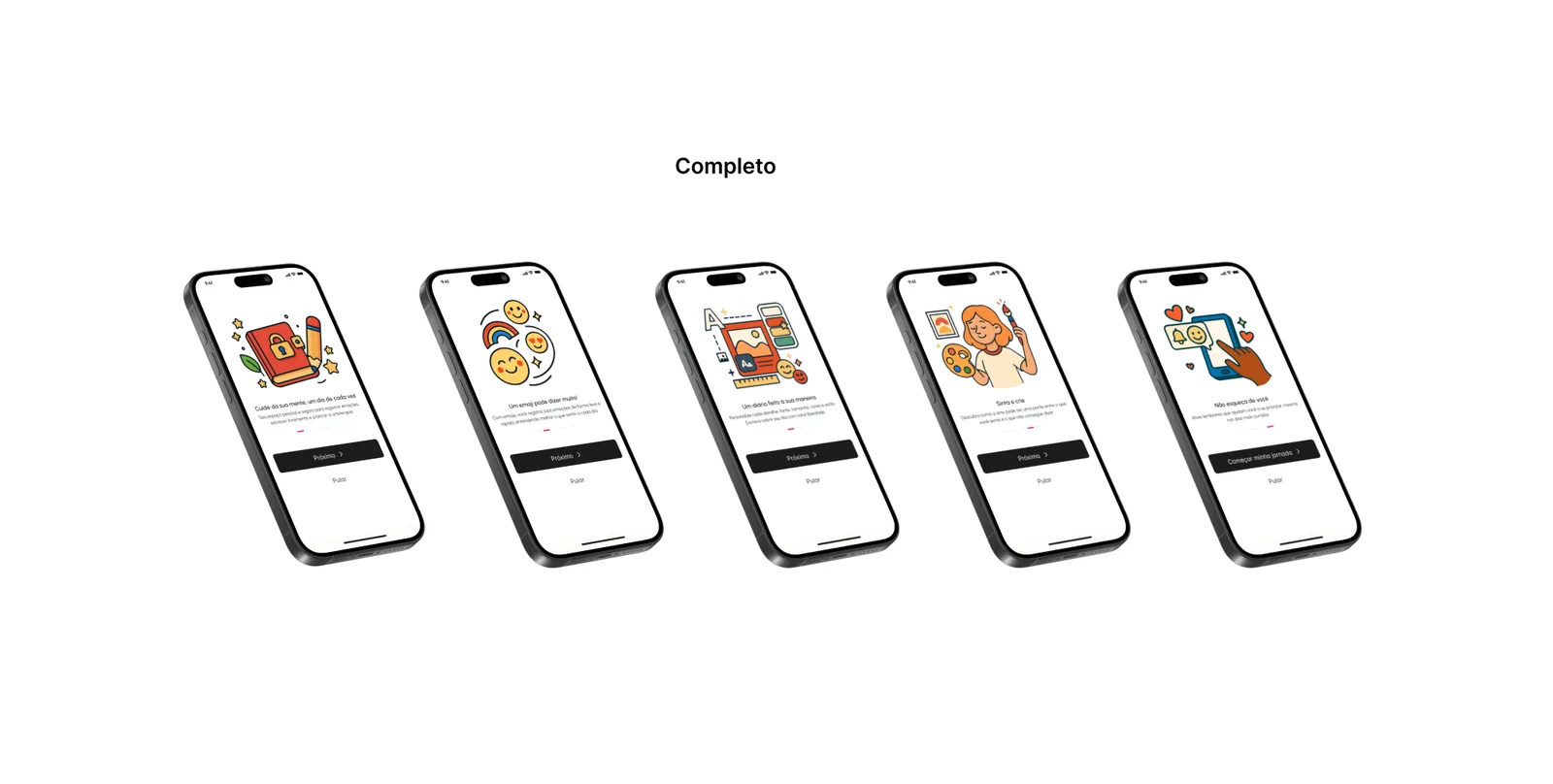
Five tilted phones under the label Completo, each showing one illustrated onboarding step.
Completo: the five-step onboarding.

04

Two lengths of onboarding

The Assets page keeps two onboarding versions. Simples is one welcome screen with a Vamos começar button. Completo walks through five illustrated steps, each introducing one idea, with the main button and Pular always in the same place. Both lean on the same warm illustrations, which do much of the explaining.

000

Instructions

Yan Fontão
Tap
Open a screen
Click
Open a screen
Drag
Look around the board
Wheel
Mouse zooms, trackpad moves, pinch zooms
− +
Pull back to see the whole board, or come closer
Arrows
In a case: ↑↓ change case, ←→ change media. On the board: move
Space
Open, or go back
Enter
Open
Esc Backspace
Back
Home
Back to the center, then the introduction
PgUp PgDn
Previous or next channel
Tab
Walk projects and links
R
Random project
0–9
Type a channel, 1–61
?
This page
Shortcuts

Music on the board

Files compressed and levelled for the web.

OPEN
TO WORK
Let’s talk

New message to Yan

Tell me who you are and I’ll get back to you.

000

About Yan

Hello, I’m Yan

Product Designer/ Design Engineer

Most products lose something between design and code. Mine don’t: I research the problem, design the product and ship the interface myself, so what you approve is exactly what your users get.

  • 2018started in software
  • UI + codedesign and implementation

Worked with Motorola · Ambev Tech · Rei do Pitaco · OneTool · CESAR

Brazil · Remote, hybrid or on-site

Portrait of Yan Fontão seated, in a green sweater and glasses, holding a microphone.
OPEN
TO WORK
Let’s talk
OPEN
TO WORK
Let’s talk
000

locked channel

Under NDA

Enter the code

Ask Yan for the code ↗
OPEN
TO WORK
Let’s talk
YAN FONTÃO Case studies

Channel 18 Mobile app design

MAT APP

A Portuguese-language journaling app with a calendar, a diary page for notes and feelings, and a drawing canvas for art therapy. All entries on screen are sample content.

Contribution
Interface design
Project status
Interface design · Figma archive
A 3D diary open on a calendar, with a page turning.
A 3D object made for this board.

A diary with room for drawings

Screens from the original Figma design file, with sample data.

My contribution

MAT APP is a journaling app in Portuguese. Its onboarding presents it as a personal space to record emotions, write freely and practise art therapy, so the interface has to hold words, feelings and drawings in the same place.
A walkthrough of the design’s screens, not a recording: onboarding, the Home, the diary and the canvas.
Calendar screen for March with small colourful artworks behind some dates, a banner for the premium plan and the sample entry Um Dia Perfeito below.
Some days carry an artwork, and the selected day’s entry sits below.

The month as a small gallery

The calendar screen does more than mark dates. Some days carry a small artwork behind the number, so the month starts to read like a gallery, while the other days stay plain. The entry for the selected day sits right below the grid, under the line Seu diário para o dia selecionado.
Diary page with the note Um Dia Perfeito, tags pairing areas of life with feelings, a grid of emoji reactions and a row of gallery thumbnails.
One diary page holds the note, feeling tags, reactions and a gallery.

Words, feelings and images on one page

A diary page stacks three cards: the written note, the reactions and the day’s gallery. Under the note, small tags pair an area of life with a feeling, such as Trabalho: Felicidade or Saúde: Neutro. In Reações, the chosen emoji stay in colour and the rest go grey, so the selection reads at a glance.

The art therapy canvas starts as a single circle, dated like a diary entry, with undo, redo and layers at the top and symbols and shapes at the bottom.
Onboarding screen with an illustration of a red diary with a padlock and a pencil, the title Cuide da sua mente, um dia de cada vez, and Próximo and Pular buttons.
The first of the five onboarding steps.
Drawing screen with a circular transparent canvas, undo, redo and layers controls, a Salvar button and Símbolos and Formatos tools.
The art therapy canvas, ready for symbols and shapes.

Two lengths of onboarding

The Assets page keeps two onboarding versions. Simples is one welcome screen with a Vamos começar button. Completo walks through five illustrated steps, each introducing one idea, with the main button and Pular always in the same place. Both lean on the same warm illustrations, which do much of the explaining.

Five tilted phones under the label Completo, each showing one illustrated onboarding step.
Completo: the five-step onboarding.