Drag to explore. Scroll or pinch to zoom. Open Help for keyboard controls.

Yan
OPEN
TO WORK
Let’s talk
Yan Fontão Boring view
All work

Case 011Mobile app design

HubProlog

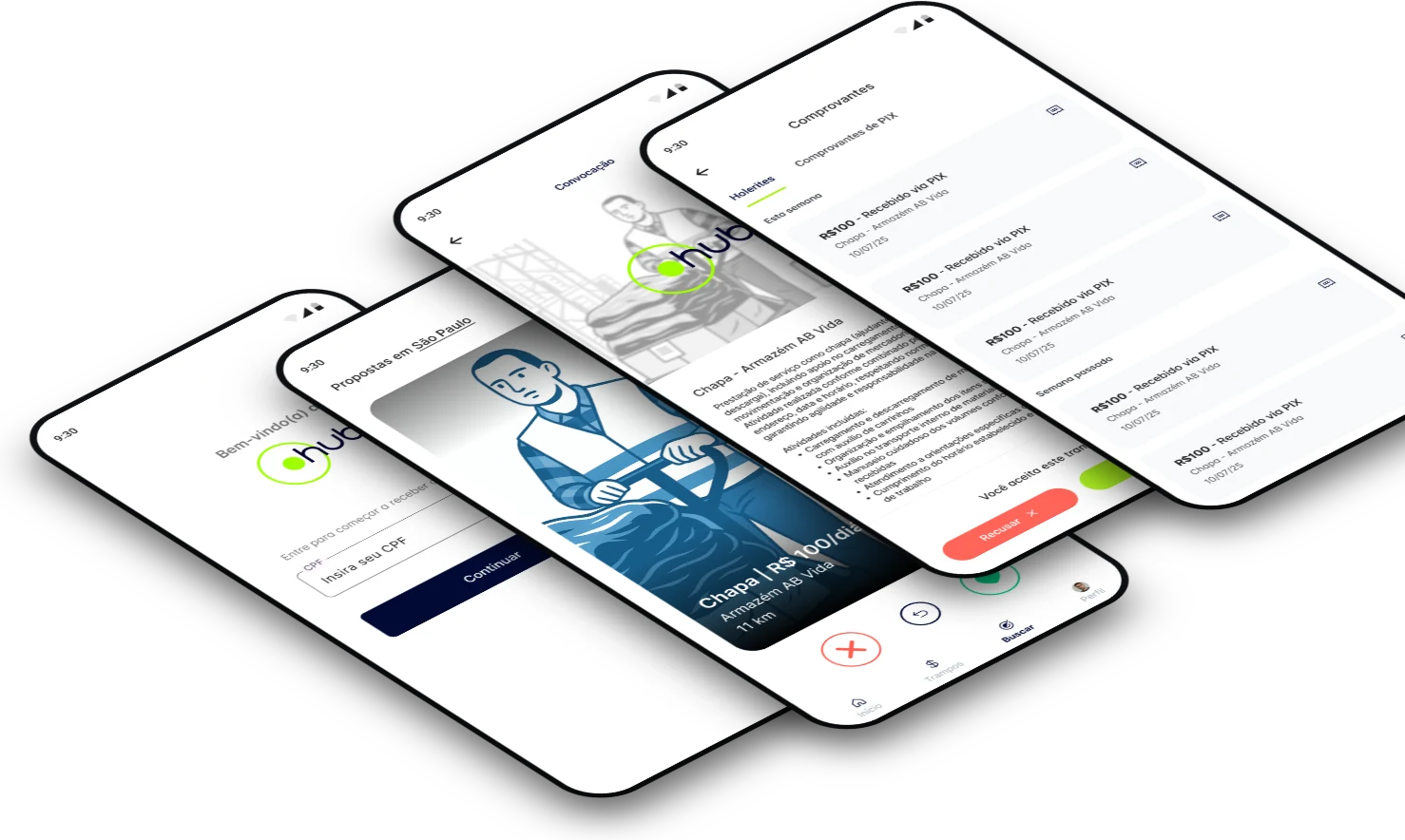
A mobile app where chapas, the helpers who load and unload cargo in Brazil, find paid short jobs, accept them and keep their payment records.

Contribution
Interface design
Project status
Interface design · Figma archive
Mockup of HubProlog composed for this board from real screens of the project.
Mockup composed for this board from real project screens.

01

My contribution

HubProlog, shown on screen as hub, is a Portuguese-language app for people who take short paid jobs, such as chapa, the helper who loads and unloads cargo. The app calls these jobs trampos, the everyday Brazilian word for a gig.

The design file has 47 mobile frames across access, proposals, search, receipts and profile. The jobs, places and amounts shown here are sample content.

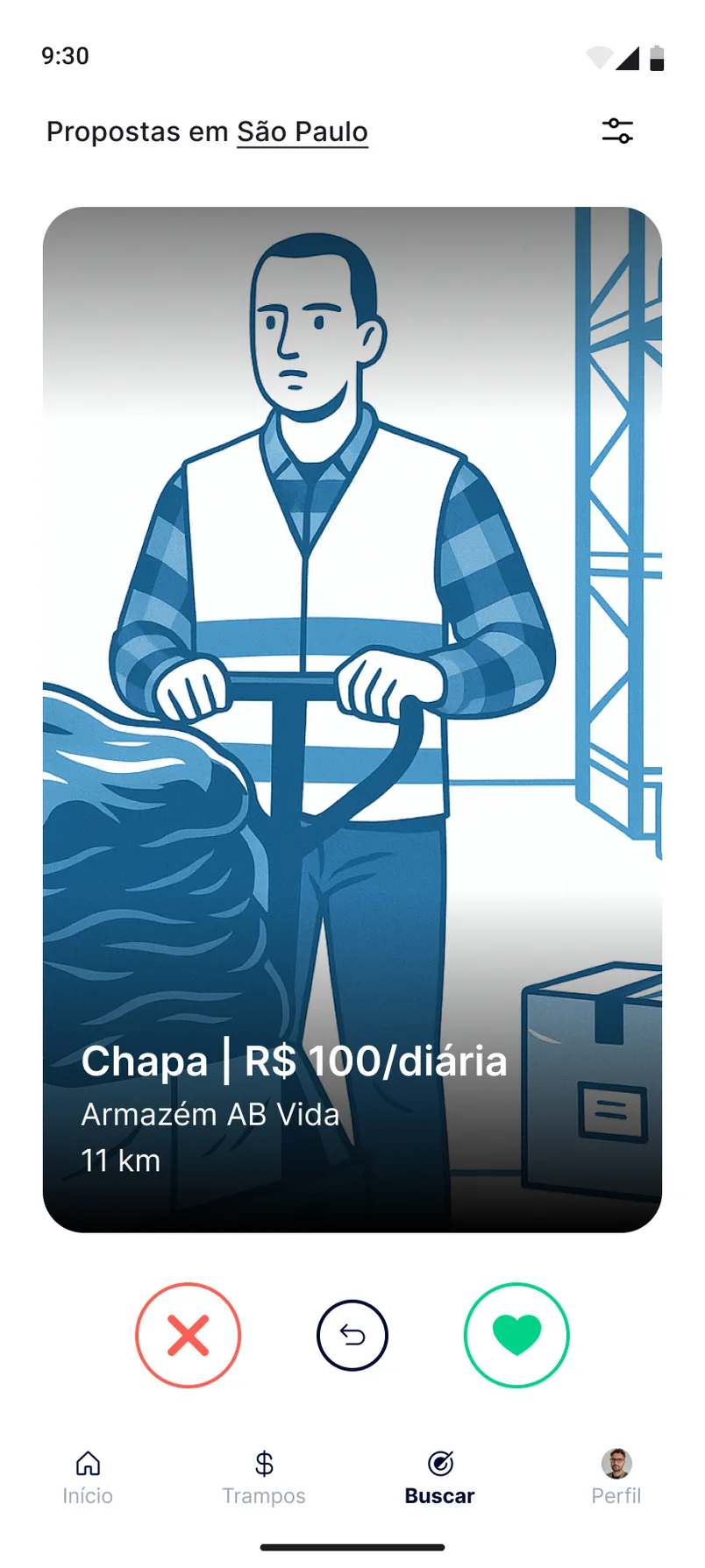
Buscar screen titled Propostas em São Paulo, with a large illustrated card of a warehouse worker, the job Chapa at R$ 100 a day, 11 km away, and reject, undo and accept buttons.
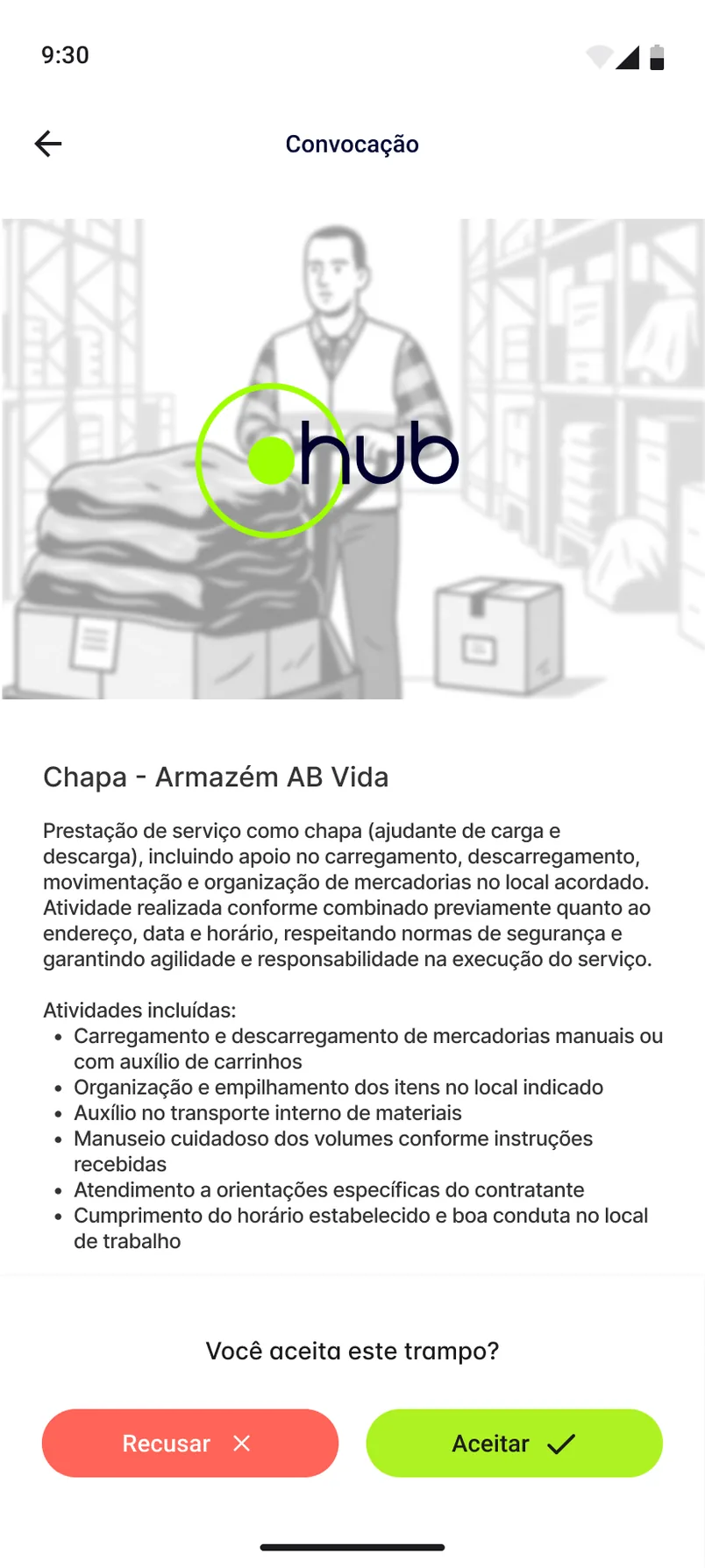
Convocação screen with the hub logo over a faded warehouse illustration, the job description, a list of included activities and Recusar and Aceitar buttons.
Recorded from the Figma prototype. Swiping through job calls, filtering by city and opening one call. Buscar shows one job at a time, with reject, undo and accept. A convocation spells out the service before asking for an answer.

02

One job on screen at a time

Buscar turns available work into swipeable cards, one large card at a time. The card says what the job is, what it pays, where it is and how far away, with the text on a dark gradient so it stays legible over the illustration. Three round controls sit below it: reject, undo and accept.

03

Read first, then answer

A convocation opens with a plain description of the service and a list of what it includes. The question comes only at the end, “Você aceita este trampo?”, directly above Recusar and Aceitar, so the decision follows the reading. Coral marks refusal and the brand’s lime marks acceptance, the same pair used across the proposal screens.

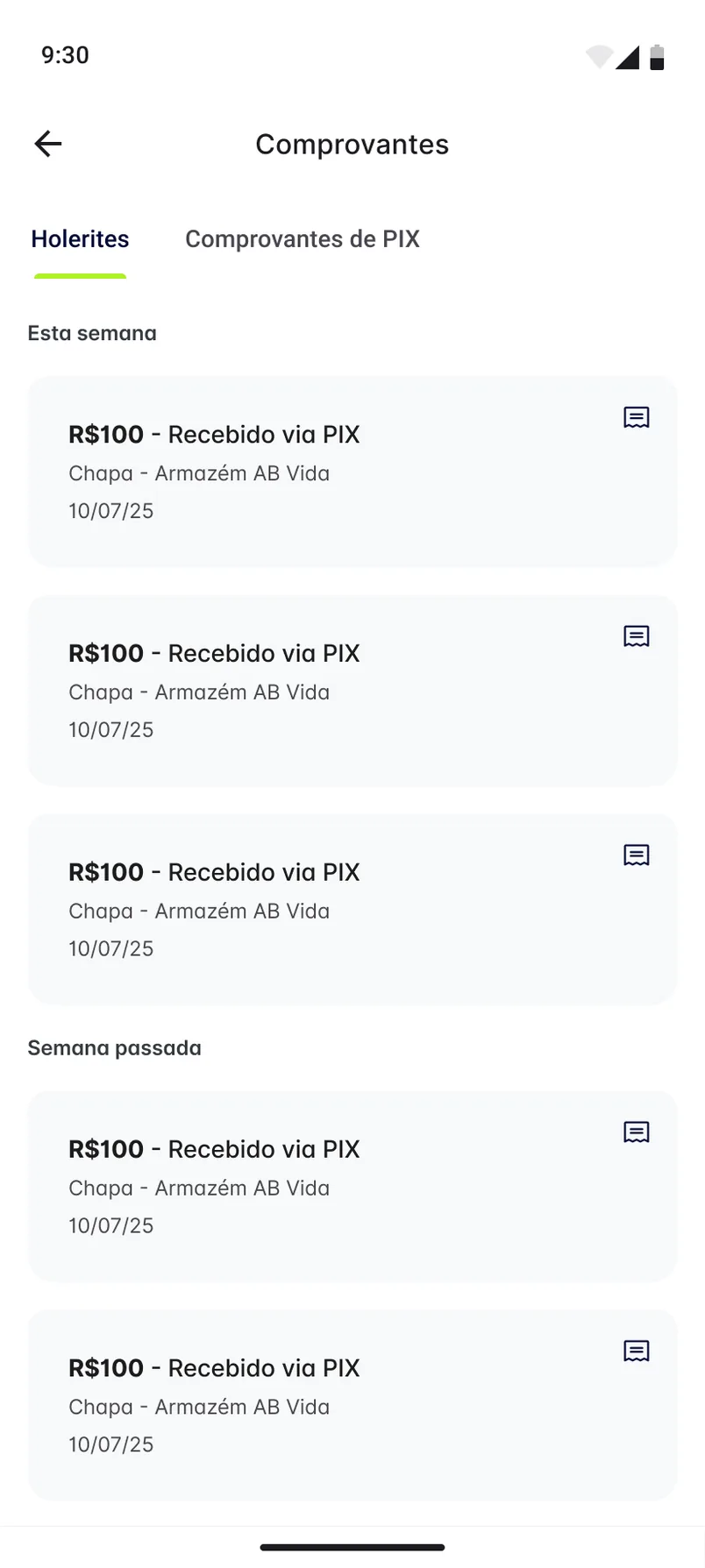
Comprovantes screen with Holerites and Comprovantes de PIX tabs and a weekly list of sample R$100 payments received via PIX.
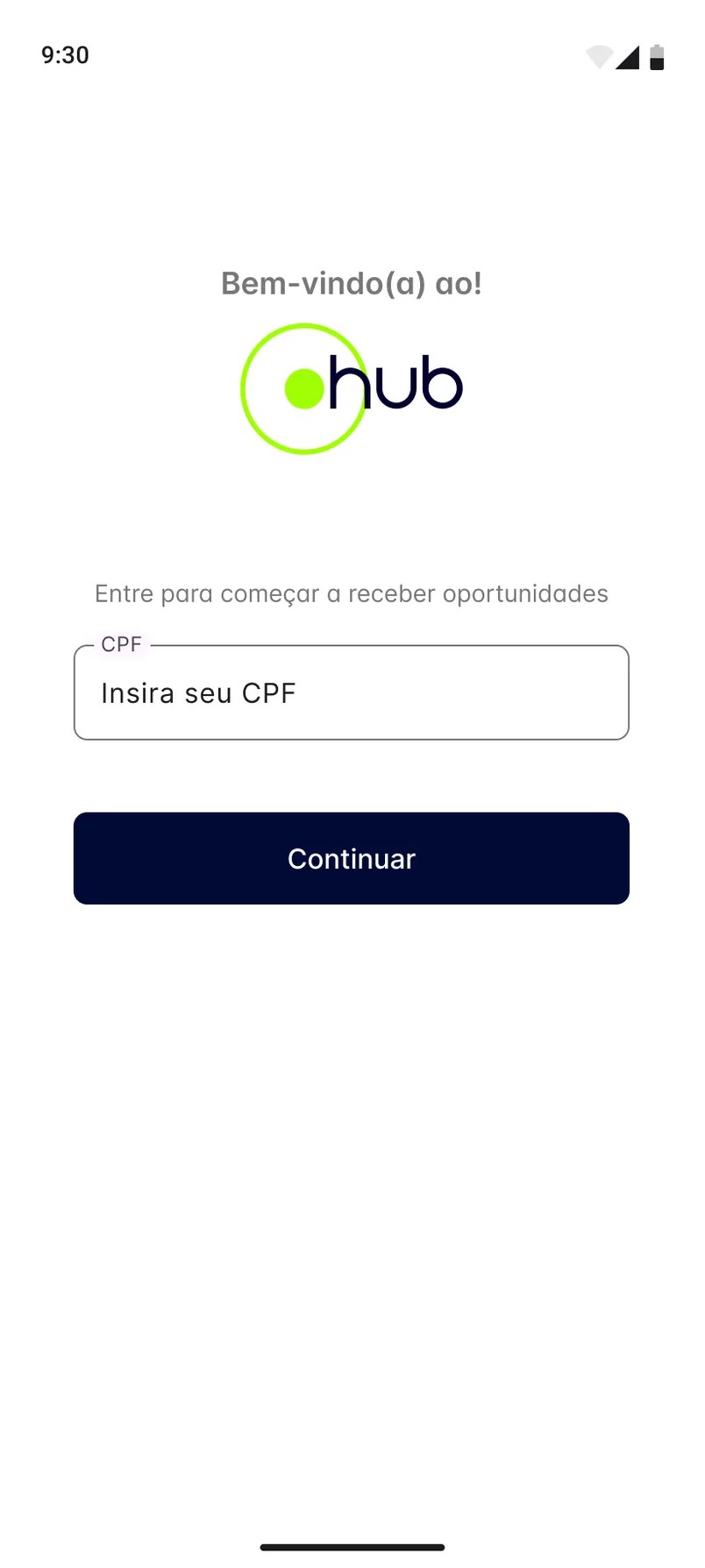
Access screen with the hub logo, a CPF field and a dark Continuar button.
Comprovantes groups payment records by week. Access asks for one thing: the CPF.

04

Proof of what was paid

Comprovantes separates Holerites from Comprovantes de PIX and groups records by week. Each card leads with the amount, then the job and the date. Access stays equally short: one CPF field and a Continuar button.

000

Instructions

Yan Fontão
Tap
Open a screen
Click
Open a screen
Drag
Look around the board
Wheel
Mouse zooms, trackpad moves, pinch zooms
− +
Pull back to see the whole board, or come closer
Arrows
In a case: ↑↓ change case, ←→ change media. On the board: move
Space
Open, or go back
Enter
Open
Esc Backspace
Back
Home
Back to the center, then the introduction
PgUp PgDn
Previous or next channel
Tab
Walk projects and links
R
Random project
0–9
Type a channel, 1–61
?
This page
Shortcuts

Music on the board

Files compressed and levelled for the web.

OPEN
TO WORK
Let’s talk

New message to Yan

Tell me who you are and I’ll get back to you.

000

About Yan

Hello, I’m Yan

Product Designer/ Design Engineer

Most products lose something between design and code. Mine don’t: I research the problem, design the product and ship the interface myself, so what you approve is exactly what your users get.

  • 2018started in software
  • UI + codedesign and implementation

Worked with Motorola · Ambev Tech · Rei do Pitaco · OneTool · CESAR

Brazil · Remote, hybrid or on-site

Portrait of Yan Fontão seated, in a green sweater and glasses, holding a microphone.
OPEN
TO WORK
Let’s talk
OPEN
TO WORK
Let’s talk
000

locked channel

Under NDA

Enter the code

Ask Yan for the code ↗
OPEN
TO WORK
Let’s talk
YAN FONTÃO Case studies

Channel 11 Mobile app design

HubProlog

A mobile app where chapas, the helpers who load and unload cargo in Brazil, find paid short jobs, accept them and keep their payment records.

Contribution
Interface design
Project status
Interface design · Figma archive
Mockup of HubProlog composed for this board from real screens of the project.
Mockup composed for this board from real project screens.

Short jobs, decided one card at a time

Screens from the original Figma design file, with sample data.

My contribution

HubProlog, shown on screen as hub, is a Portuguese-language app for people who take short paid jobs, such as chapa, the helper who loads and unloads cargo. The app calls these jobs trampos, the everyday Brazilian word for a gig.

The design file has 47 mobile frames across access, proposals, search, receipts and profile. The jobs, places and amounts shown here are sample content.
Recorded from the Figma prototype. Swiping through job calls, filtering by city and opening one call.
Buscar screen titled Propostas em São Paulo, with a large illustrated card of a warehouse worker, the job Chapa at R$ 100 a day, 11 km away, and reject, undo and accept buttons.
Buscar shows one job at a time, with reject, undo and accept.

One job on screen at a time

Buscar turns available work into swipeable cards, one large card at a time. The card says what the job is, what it pays, where it is and how far away, with the text on a dark gradient so it stays legible over the illustration. Three round controls sit below it: reject, undo and accept.

Convocação screen with the hub logo over a faded warehouse illustration, the job description, a list of included activities and Recusar and Aceitar buttons.
A convocation spells out the service before asking for an answer.

Read first, then answer

A convocation opens with a plain description of the service and a list of what it includes. The question comes only at the end, “Você aceita este trampo?”, directly above Recusar and Aceitar, so the decision follows the reading. Coral marks refusal and the brand’s lime marks acceptance, the same pair used across the proposal screens.
Comprovantes screen with Holerites and Comprovantes de PIX tabs and a weekly list of sample R$100 payments received via PIX.
Comprovantes groups payment records by week.

Proof of what was paid

Comprovantes separates Holerites from Comprovantes de PIX and groups records by week. Each card leads with the amount, then the job and the date. Access stays equally short: one CPF field and a Continuar button.

Access screen with the hub logo, a CPF field and a dark Continuar button.
Access asks for one thing: the CPF.