Drag to explore. Scroll or pinch to zoom. Open Help for keyboard controls.

Yan
OPEN
TO WORK
Let’s talk
Yan Fontão Boring view
All work

Case 054Landing page design

Succession Now

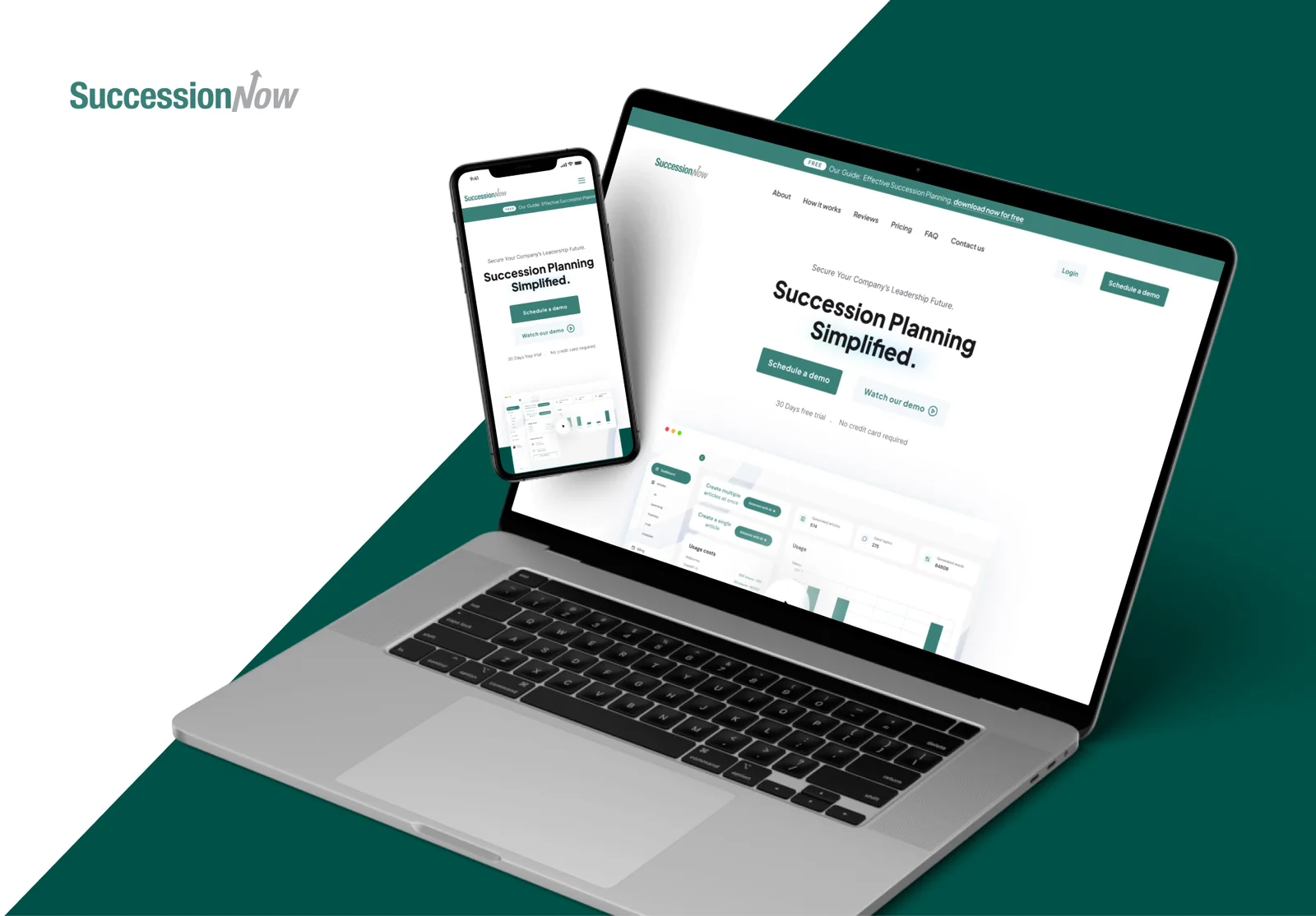
A marketing site for a succession-planning product, designed for desktop and phone around one action: scheduling a demo.

Contribution
Interface design
Project status
Interface design · Figma archive
Succession Now presentation cover from the original design file.
Presentation cover from the original file.

01

My contribution

Succession Now is a marketing site for a succession-planning product. The Figma file covers a landing page, a demo dialog with its success messages, a guide offer and the phone versions of the menu and dialogs.

A scroll through the design: the landing page, from the product to its features.

02

Keep the next step in view

On desktop, the hero keeps the message short and places two actions side by side: schedule a demo as a solid button, watch the demo as a quieter one. The same green carries through the top bar with the guide offer, so the colour marks what there is to do.

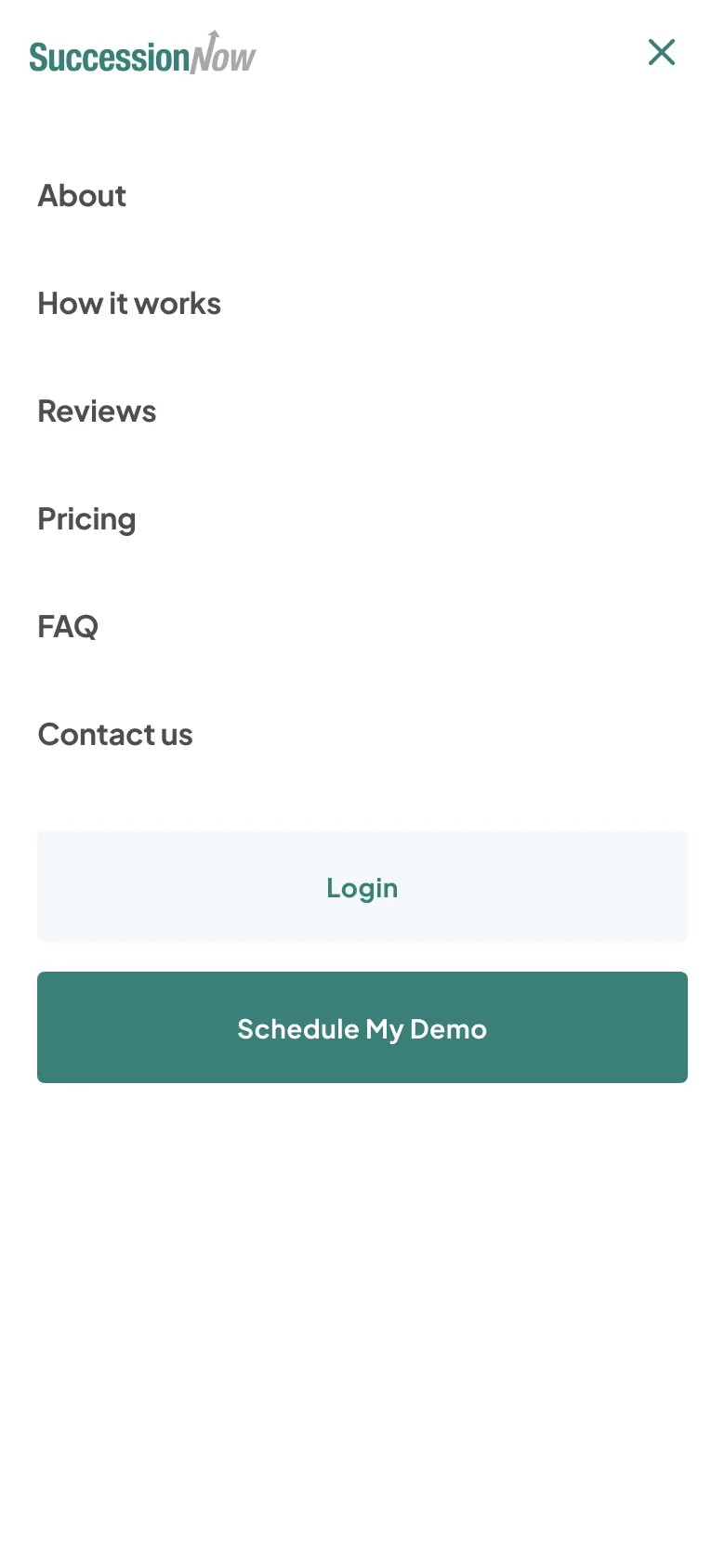
The phone menu follows that order. Six plain links come first, then Login in a pale block and Schedule My Demo in solid green, which keeps the two actions easy to tell apart.
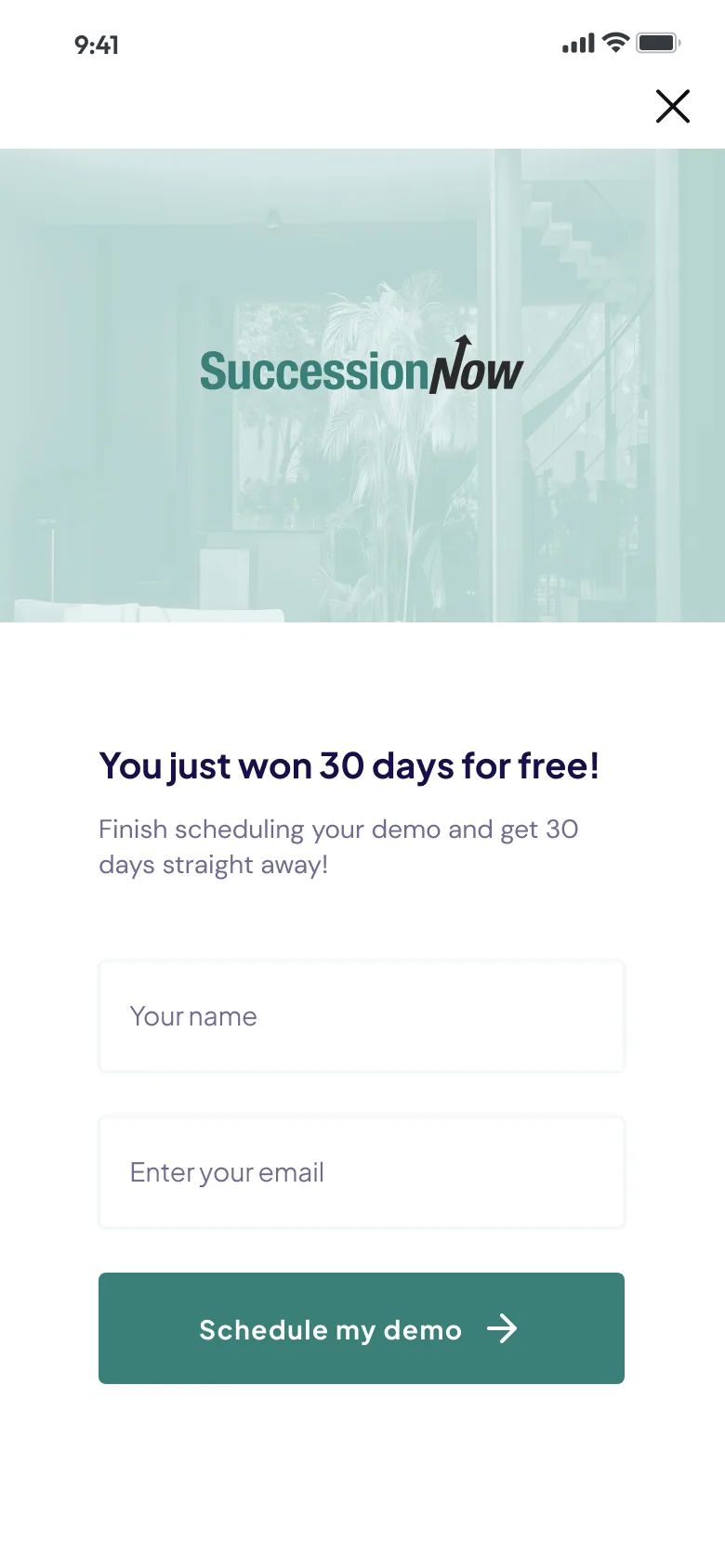
Full-screen phone dialog with a pale green photo holding the Succession Now logo, a short message, fields for name and email and a green Schedule my demo button.
Phone menu with the Succession Now logo, a close icon, six text links, a pale Login block and a solid green Schedule My Demo button.
The demo dialog asks for a name and an email, with one button to continue. The phone menu ends with Login in a pale block and the demo in solid green.

03

A dialog that asks for very little

The demo dialog takes over the whole phone screen. A pale photo holds the logo, one short message sets up the step and the form stops at two fields: name and email. The close button stays in the top corner, so leaving is as clear as continuing.

000

Instructions

Yan Fontão
Tap
Open a screen
Click
Open a screen
Drag
Look around the board
Wheel
Mouse zooms, trackpad moves, pinch zooms
− +
Pull back to see the whole board, or come closer
Arrows
In a case: ↑↓ change case, ←→ change media. On the board: move
Space
Open, or go back
Enter
Open
Esc Backspace
Back
Home
Back to the center, then the introduction
PgUp PgDn
Previous or next channel
Tab
Walk projects and links
R
Random project
0–9
Type a channel, 1–61
?
This page
Shortcuts

Music on the board

Files compressed and levelled for the web.

OPEN
TO WORK
Let’s talk

New message to Yan

Tell me who you are and I’ll get back to you.

000

About Yan

Hello, I’m Yan

Product Designer/ Design Engineer

Most products lose something between design and code. Mine don’t: I research the problem, design the product and ship the interface myself, so what you approve is exactly what your users get.

  • 2018started in software
  • UI + codedesign and implementation

Worked with Motorola · Ambev Tech · Rei do Pitaco · OneTool · CESAR

Brazil · Remote, hybrid or on-site

Portrait of Yan Fontão seated, in a green sweater and glasses, holding a microphone.
OPEN
TO WORK
Let’s talk
OPEN
TO WORK
Let’s talk
000

locked channel

Under NDA

Enter the code

Ask Yan for the code ↗
OPEN
TO WORK
Let’s talk
YAN FONTÃO Case studies