Drag to explore. Scroll or pinch to zoom. Open Help for keyboard controls.

Yan
OPEN
TO WORK
Let’s talk
Yan Fontão Boring view
All work

Case 004Mobile app interface

Hello You

A Motorola app that gathers phone tips, benefits and personalised content on one home, with tabs for videos, games and podcasts.

Contribution
Interface design
Project status
Design files
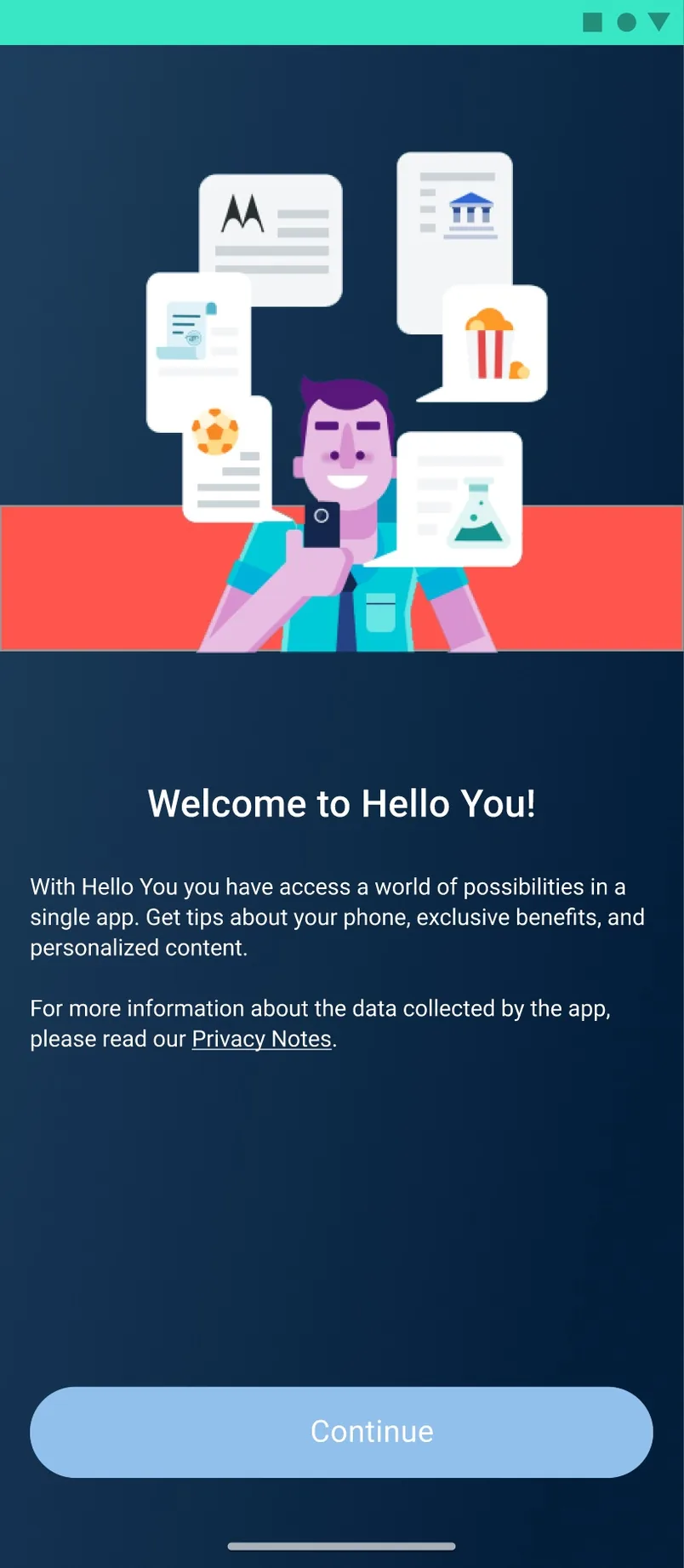
Welcome to Hello You first-run screen with an illustration and a Continue button.
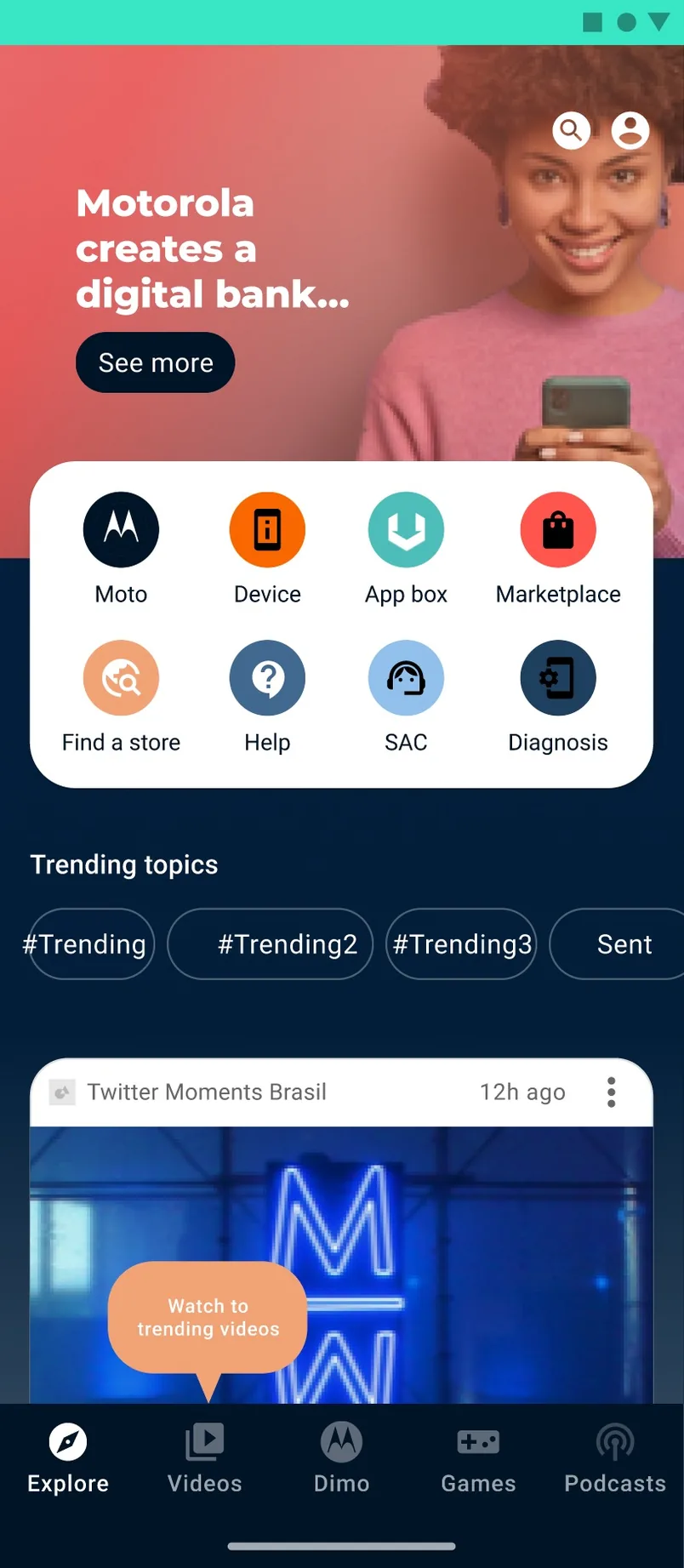
Explore home with a coach mark pointing at the Videos tab.
A walkthrough of the design’s screens, not a recording: the first run, loading and the Explore home. The first run. A coach mark points to the Videos tab.

01

My contribution

Hello You puts tips about the phone, exclusive benefits and personalised content in a single app. The file explores its first run, the Explore home and the states around the feed.
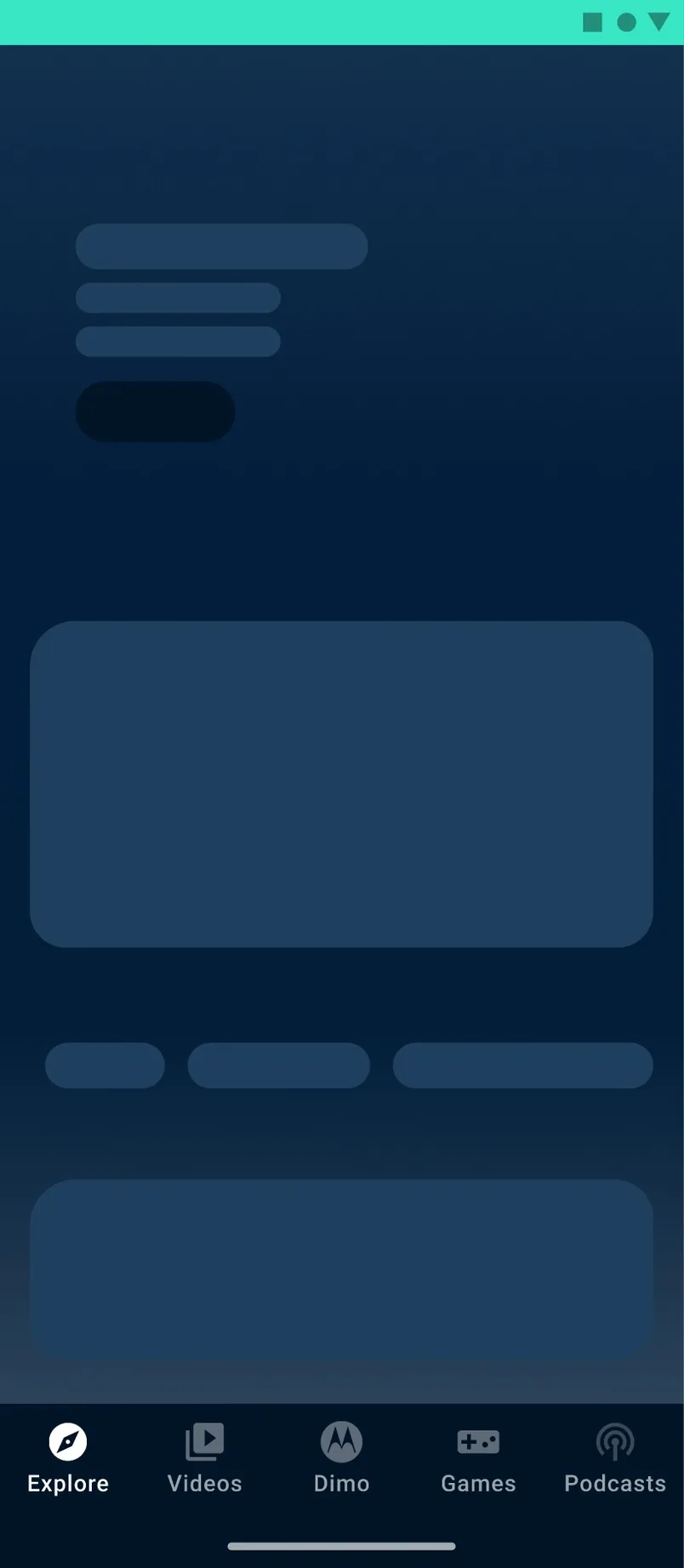
Home loading state with skeleton shimmer placeholders.
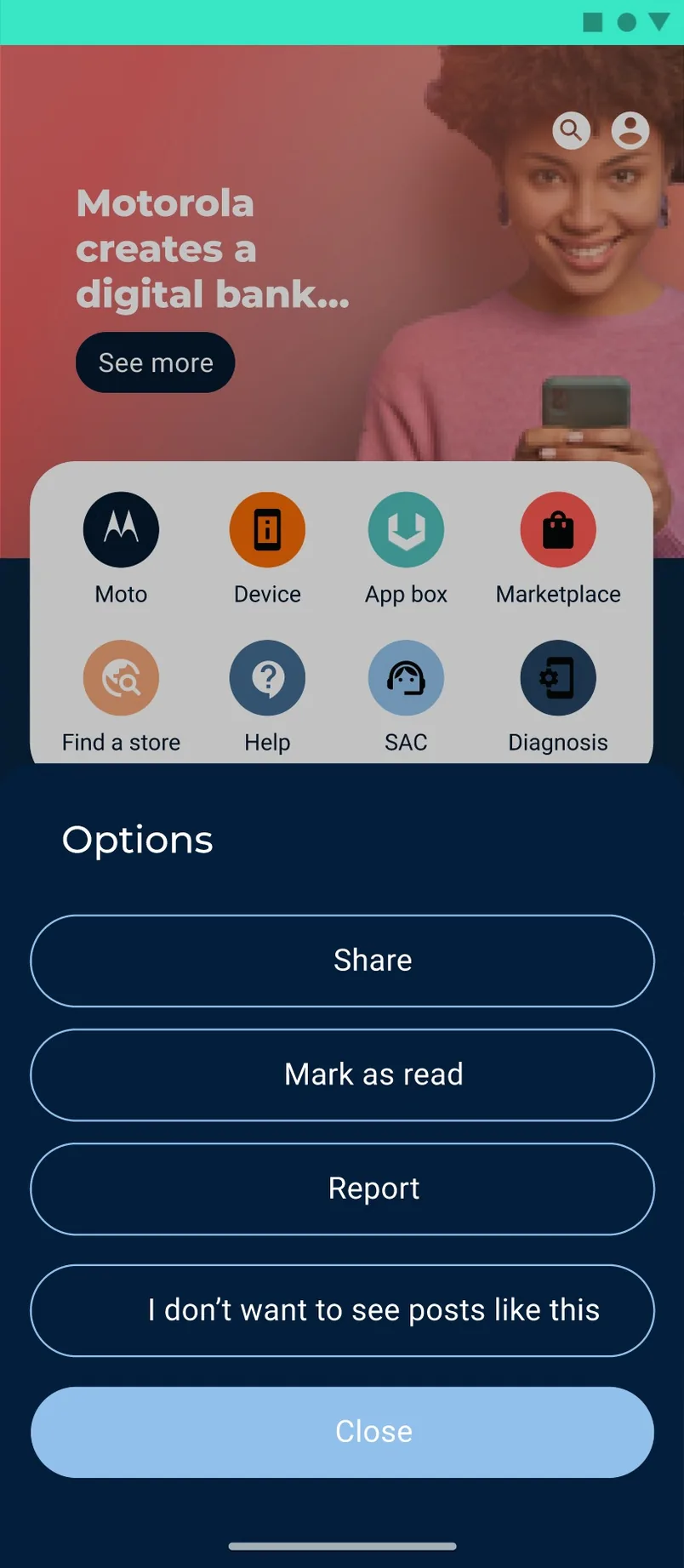
Options bottom sheet for a post.
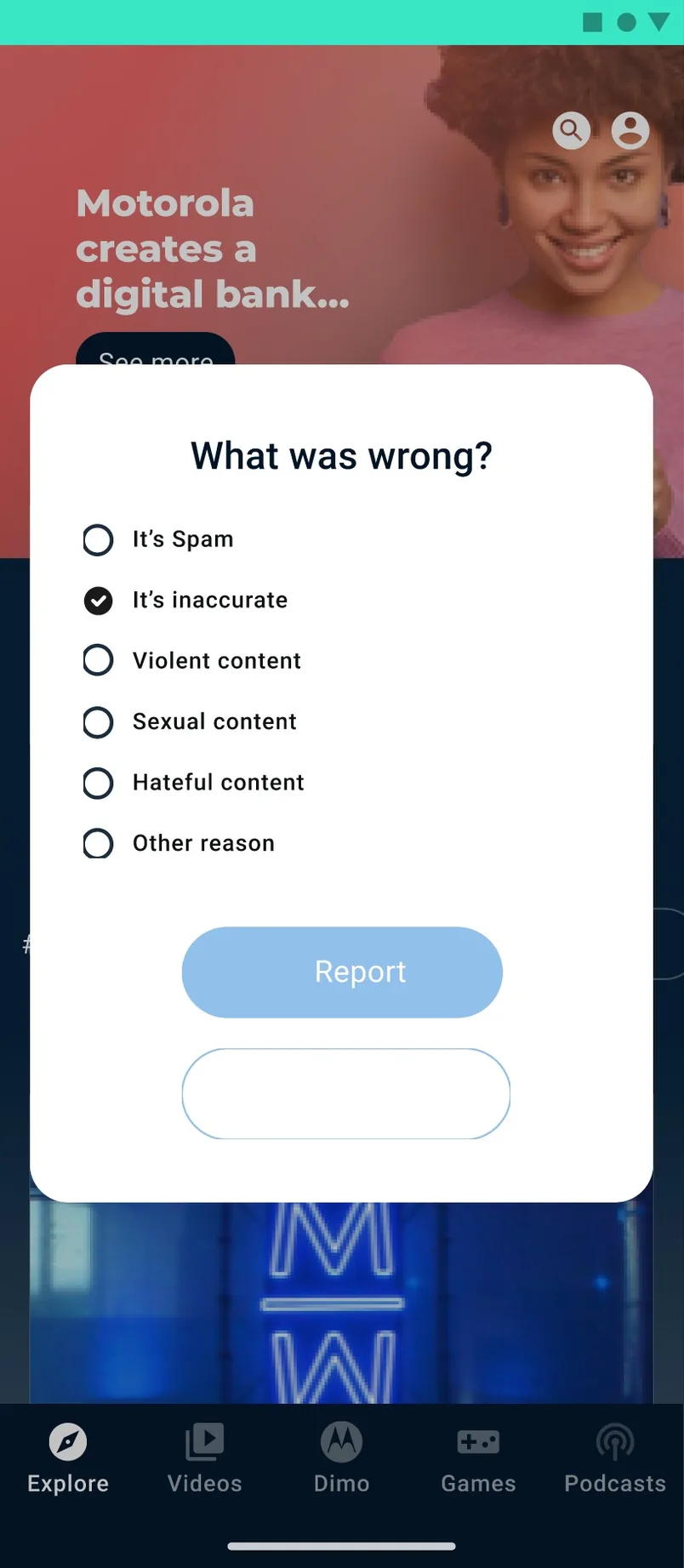
Report dialog asking what was wrong.
The shimmer while the home loads. The options of each post. Reporting a post.

02

A home built around shortcuts

Explore opens with a banner and a grid of shortcuts for the device, the app box, the marketplace, finding a store, help and diagnosis, followed by trending topics and the feed. Bottom tabs lead to Videos, Dimo, Games and Podcasts.

03

The states around the feed

The file also designs what surrounds that content: a shimmer while the home loads, a coach mark that points to the Videos tab, a sign-in modal, an options sheet for each post and a report dialog.

04

Before and after

The file also keeps an earlier version of this home. It opened on a single full-bleed story above the shortcuts and tried different hero images. Hello You keeps the idea of one home for the phone and its services, and moves the content into a darker, clearer structure.

Side by side, the earlier home and the Explore home: the photo story gives way to a banner, the eight shortcuts move into a card, and trending topics and the feed get the space below.

000

Instructions

Yan Fontão
Tap
Open a screen
Click
Open a screen
Drag
Look around the board
Wheel
Mouse zooms, trackpad moves, pinch zooms
− +
Pull back to see the whole board, or come closer
Arrows
In a case: ↑↓ change case, ←→ change media. On the board: move
Space
Open, or go back
Enter
Open
Esc Backspace
Back
Home
Back to the center, then the introduction
PgUp PgDn
Previous or next channel
Tab
Walk projects and links
R
Random project
0–9
Type a channel, 1–61
?
This page
Shortcuts

Music on the board

Files compressed and levelled for the web.

OPEN
TO WORK
Let’s talk

New message to Yan

Tell me who you are and I’ll get back to you.

000

About Yan

Hello, I’m Yan

Product Designer/ Design Engineer

Most products lose something between design and code. Mine don’t: I research the problem, design the product and ship the interface myself, so what you approve is exactly what your users get.

  • 2018started in software
  • UI + codedesign and implementation

Worked with Motorola · Ambev Tech · Rei do Pitaco · OneTool · CESAR

Brazil · Remote, hybrid or on-site

Portrait of Yan Fontão seated, in a green sweater and glasses, holding a microphone.
OPEN
TO WORK
Let’s talk
OPEN
TO WORK
Let’s talk
000

locked channel

Under NDA

Enter the code

Ask Yan for the code ↗
OPEN
TO WORK
Let’s talk
YAN FONTÃO Case studies

Channel 04 Mobile app interface

Hello You

A Motorola app that gathers phone tips, benefits and personalised content on one home, with tabs for videos, games and podcasts.

Contribution
Interface design
Project status
Design files
A walkthrough of the design’s screens, not a recording: the first run, loading and the Explore home.
Welcome to Hello You first-run screen with an illustration and a Continue button.
The first run.
Explore home with a coach mark pointing at the Videos tab.
A coach mark points to the Videos tab.

Tips, benefits and content for a Motorola phone, in one app

Design files. Feed content is sample data from the mockups.

My contribution

Hello You puts tips about the phone, exclusive benefits and personalised content in a single app. The file explores its first run, the Explore home and the states around the feed.
Home loading state with skeleton shimmer placeholders.
The shimmer while the home loads.

A home built around shortcuts

Explore opens with a banner and a grid of shortcuts for the device, the app box, the marketplace, finding a store, help and diagnosis, followed by trending topics and the feed. Bottom tabs lead to Videos, Dimo, Games and Podcasts.

Options bottom sheet for a post.
The options of each post.

The states around the feed

The file also designs what surrounds that content: a shimmer while the home loads, a coach mark that points to the Videos tab, a sign-in modal, an options sheet for each post and a report dialog.

Report dialog asking what was wrong.
Reporting a post.

Before and after

The file also keeps an earlier version of this home. It opened on a single full-bleed story above the shortcuts and tried different hero images. Hello You keeps the idea of one home for the phone and its services, and moves the content into a darker, clearer structure.

Side by side, the earlier home and the Explore home: the photo story gives way to a banner, the eight shortcuts move into a card, and trending topics and the feed get the space below.

The earlier home, with a full-bleed story above a grid of shortcuts.
The earlier version of the home.
The Explore home: a banner, a card of eight shortcuts, trending topics and the feed.
The Explore home.