Drag to explore. Scroll or pinch to zoom. Open Help for keyboard controls.

Yan
OPEN
TO WORK
Let’s talk
Yan Fontão Boring view
All work

Case 026Mobile UI and interface refinement

Contacts Sync

A UI design and interface-correction contribution to Contacts Sync, a utility for synchronizing contacts across accounts.

Contribution
UI design and interface corrections
Project status
UI contribution · Published product context
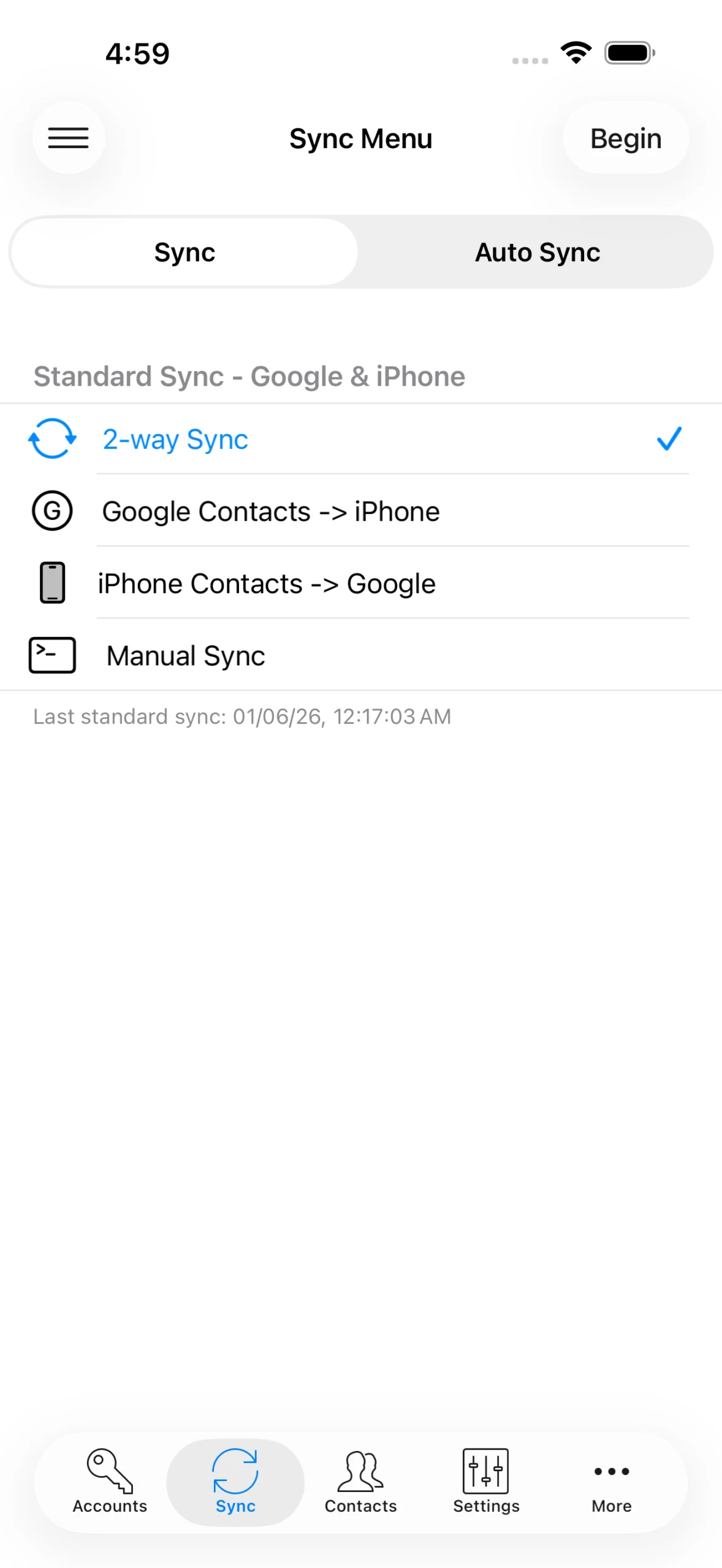
Contacts Sync menu with synchronization directions.
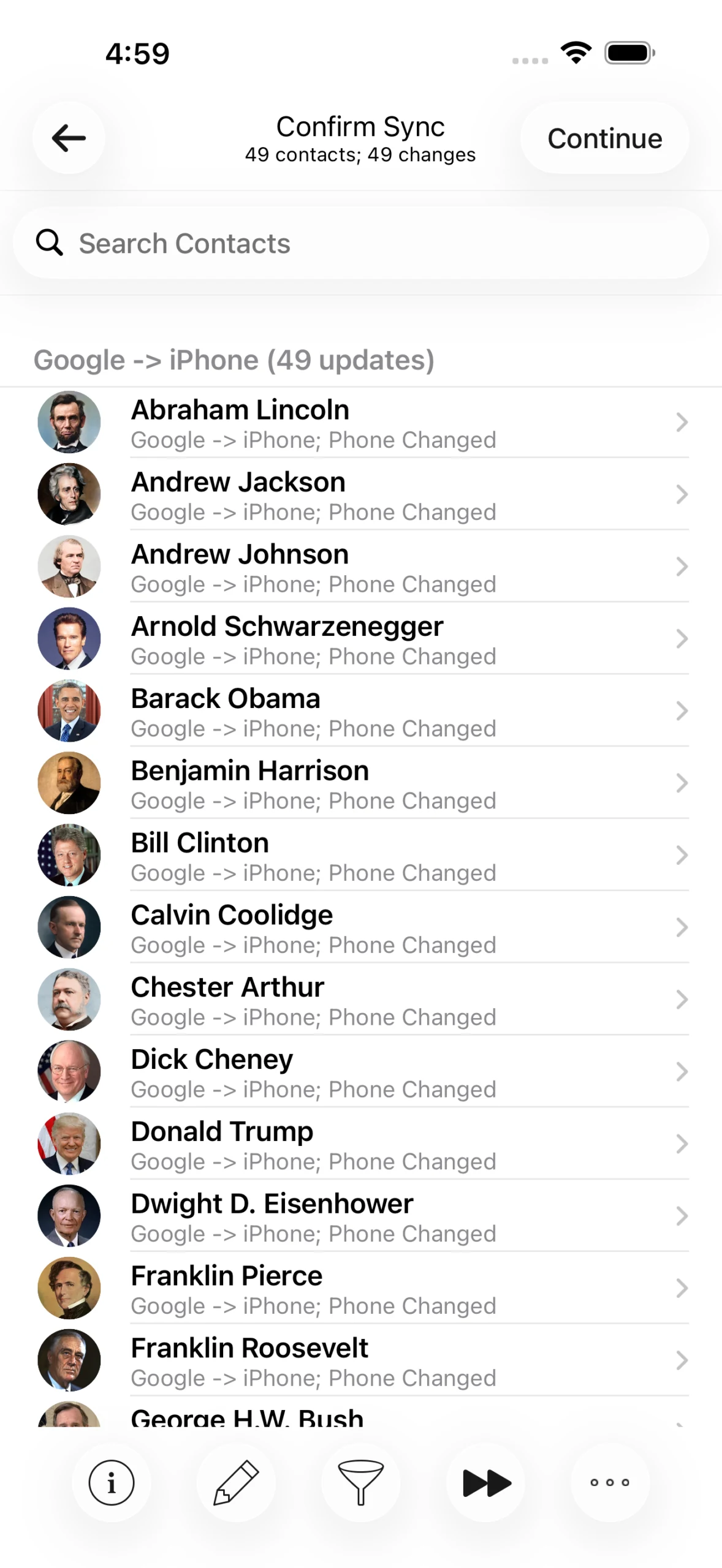
Contacts Sync list of changes proposed before synchronization.
A walkthrough of the published product screens, not a recording: choosing what syncs, reviewing a change and confirming it. Current published product screenshot © Playa Apps, from contactssync.com. Product context, not an archival capture of my original delivery.

01

My contribution

I contributed UI design and interface corrections to Contacts Sync.

The screens below come from Playa Apps’ currently published product materials. They provide product context and are not presented as archival captures of my original delivery.
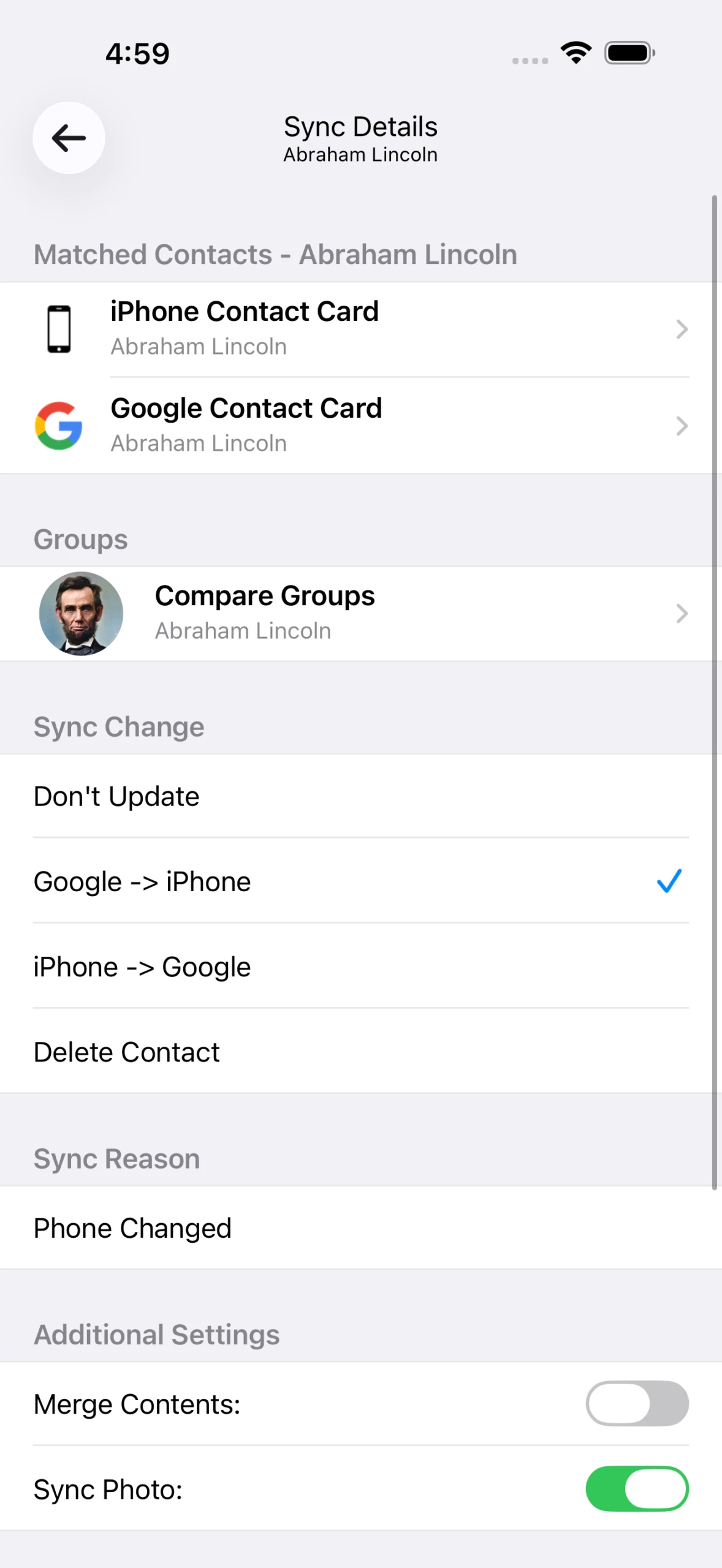
Contacts Sync detail with matched contacts and update direction.
Current published product screenshot © Playa Apps, from contactssync.com. Product context, not an archival capture of my original delivery.

02

Choose what moves between accounts

Contacts Sync connects contact accounts and offers two-way, one-way and manual synchronization. Its sync menu makes the direction of a transfer visible before starting.

03

Review changes before continuing

The published interface lists proposed changes before synchronization. A detail screen lets a person inspect the matched contact and choose the direction of an update.

04

A focused UI contribution

My contribution is presented here at the scope of UI design and corrections. Contacts Sync is published by Playa Apps; the screenshots and app icon are credited to the publisher.

000

Instructions

Yan Fontão
Tap
Open a screen
Click
Open a screen
Drag
Look around the board
Wheel
Mouse zooms, trackpad moves, pinch zooms
− +
Pull back to see the whole board, or come closer
Arrows
In a case: ↑↓ change case, ←→ change media. On the board: move
Space
Open, or go back
Enter
Open
Esc Backspace
Back
Home
Back to the center, then the introduction
PgUp PgDn
Previous or next channel
Tab
Walk projects and links
R
Random project
0–9
Type a channel, 1–61
?
This page
Shortcuts

Music on the board

Files compressed and levelled for the web.

OPEN
TO WORK
Let’s talk

New message to Yan

Tell me who you are and I’ll get back to you.

000

About Yan

Hello, I’m Yan

Product Designer/ Design Engineer

Most products lose something between design and code. Mine don’t: I research the problem, design the product and ship the interface myself, so what you approve is exactly what your users get.

  • 2018started in software
  • UI + codedesign and implementation

Worked with Motorola · Ambev Tech · Rei do Pitaco · OneTool · CESAR

Brazil · Remote, hybrid or on-site

Portrait of Yan Fontão seated, in a green sweater and glasses, holding a microphone.
OPEN
TO WORK
Let’s talk
OPEN
TO WORK
Let’s talk
000

locked channel

Under NDA

Enter the code

Ask Yan for the code ↗
OPEN
TO WORK
Let’s talk
YAN FONTÃO Case studies