Drag to explore. Scroll or pinch to zoom. Open Help for keyboard controls.

Yan
OPEN
TO WORK
Let’s talk
Yan Fontão Boring view
All work

Case 017Mobile app design

Helps On

A Portuguese-language app for requesting home services such as a cleaner or an electrician, with a wallet, coupons and a PRO plan. Names and amounts on screen are sample data.

Contribution
Product flows and interface design
Project status
Interface design · Figma archive
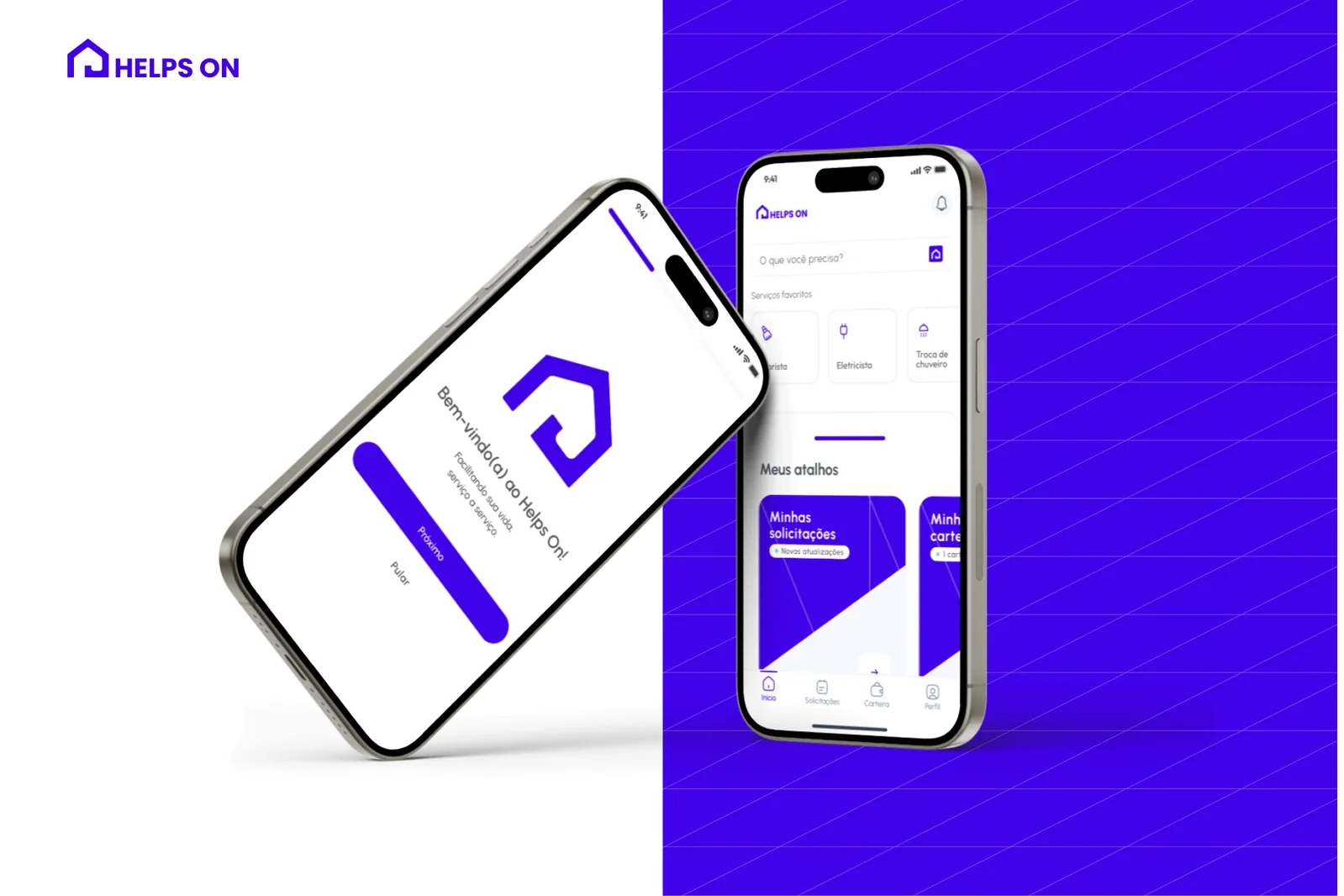
Helps On presentation cover from the original design file.
Presentation cover from the original file.

01

My contribution

Helps On is a Portuguese-language app for requesting services, from a cleaner to an electrician or a shower replacement. Around each request sits what it takes to pay for it: a wallet, saved cards, coupons and a PRO plan.

The Figma file has 58 phone frames, wireframe rounds and a user flow, and it also covers sign-up, document and face capture, and payment states. Here I show the home, the wallet and the coupons.
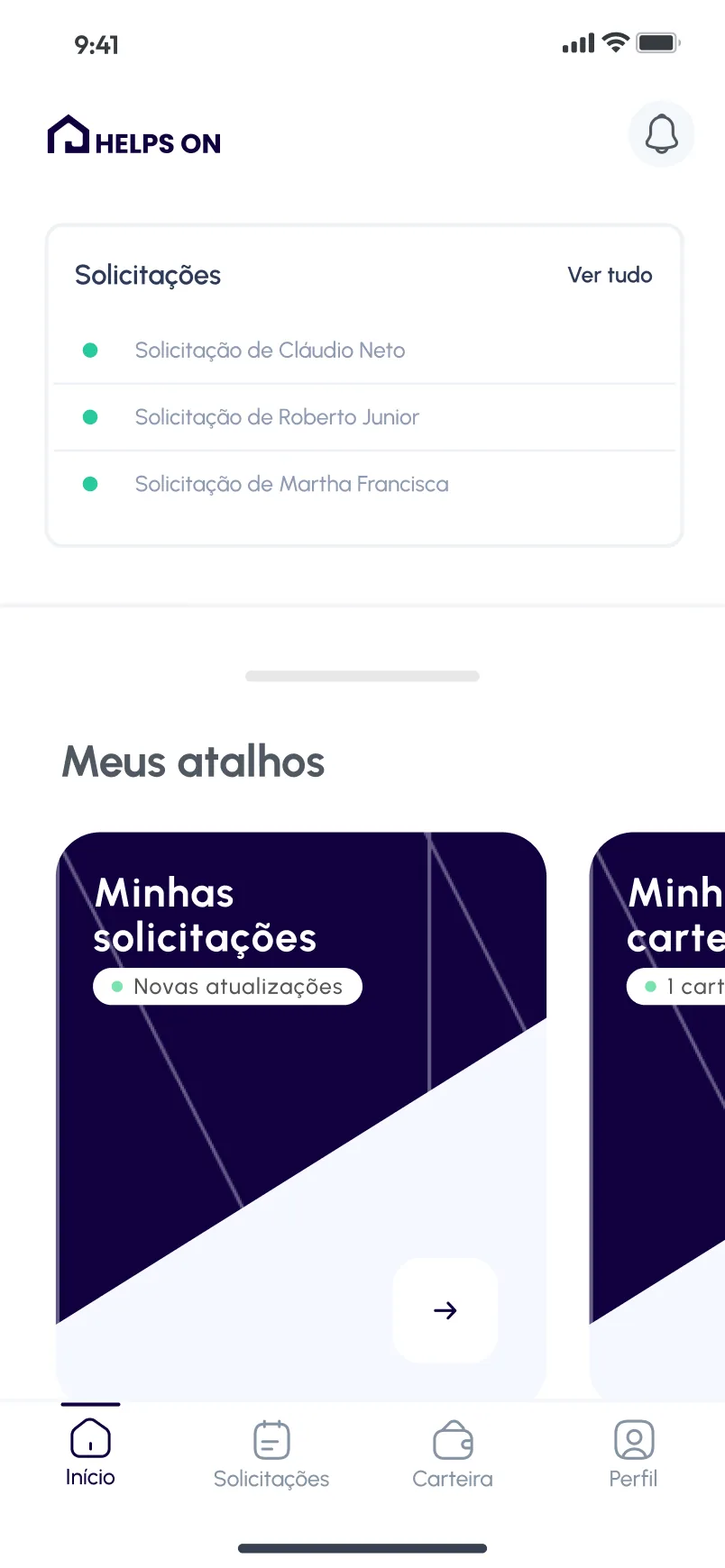
Home screen with a list of three requests, the heading Meus atalhos and a large dark card for Minhas solicitações with a Novas atualizações tag.
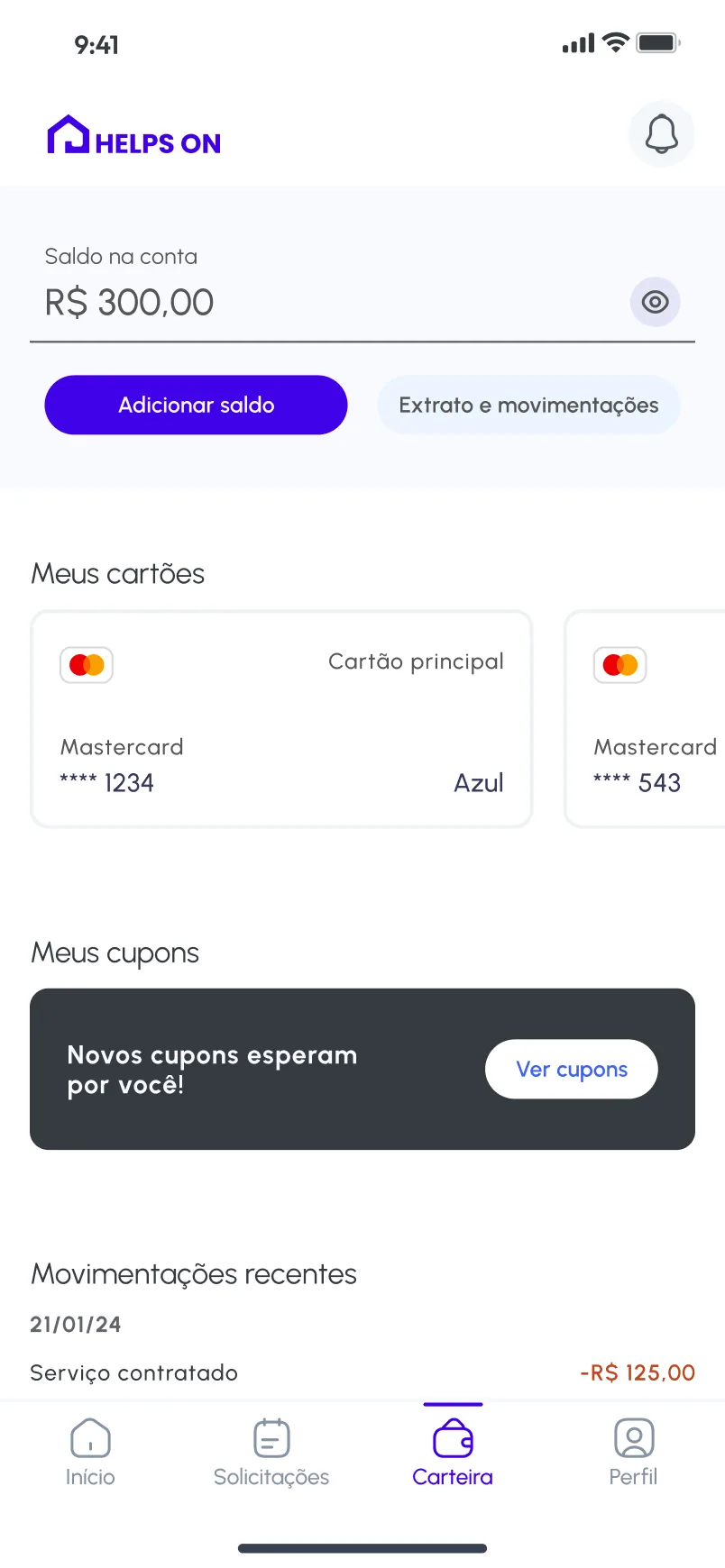
Wallet screen with a sample balance of R$ 300,00, an Adicionar saldo button, saved cards with masked numbers, a coupons banner and recent movements.
A walkthrough of the design’s screens, not a recording: the Home, the wallet and the coupons. Home pairs recent requests with large shortcut cards. The wallet keeps the balance, cards and coupons on one screen.

02

Shortcuts that report their own status

Home pairs a short list of requests with a row of large cards under Meus atalhos. Each card names one destination and carries a small status pill, such as Novas atualizações or the number of active cards, so people can see what changed before opening anything. The next card peeks in from the right edge, which shows that the row continues.

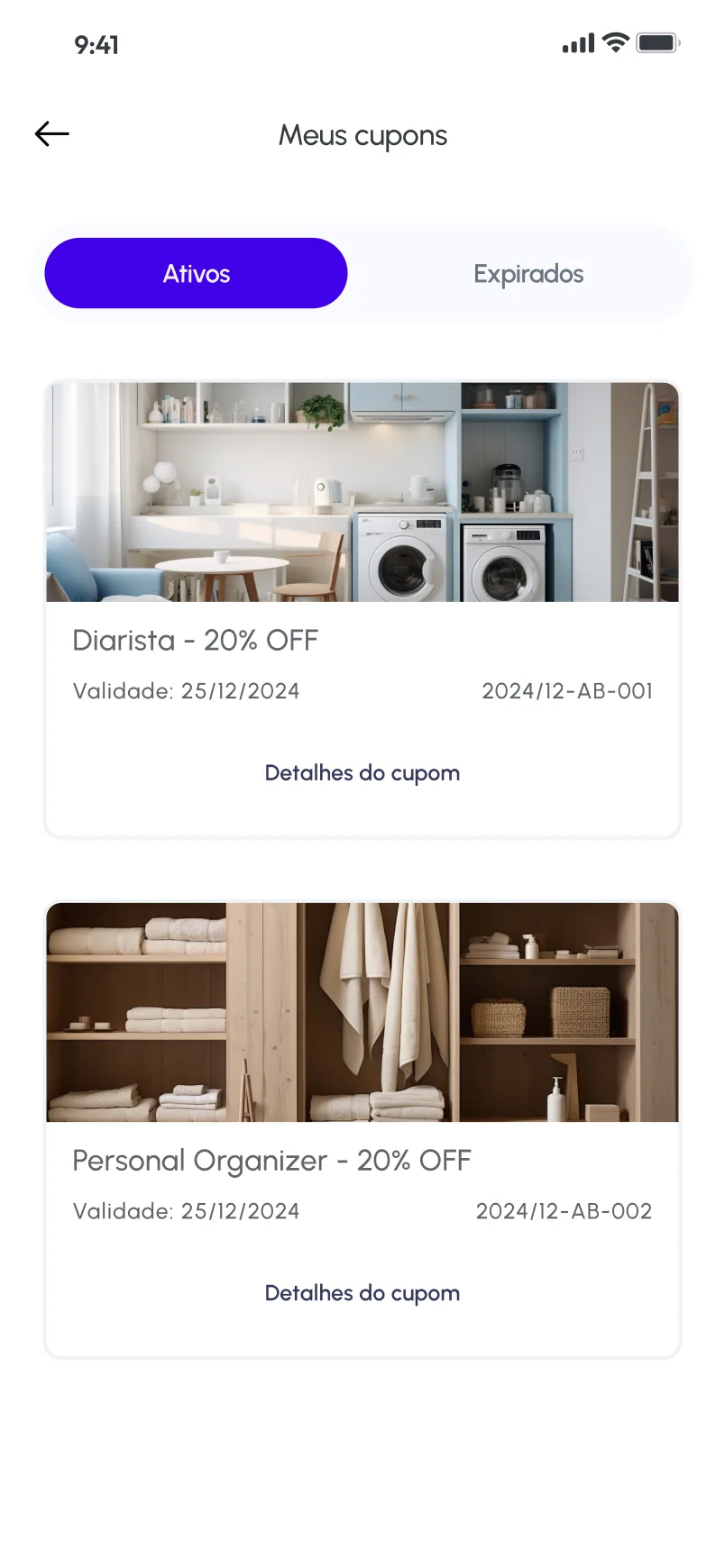
Meus cupons screen with Ativos and Expirados tabs and two coupon cards with photos, a discount, a validity date and a code.
Coupons split into active and expired, each with its code.

03

The balance first, then everything around it

The wallet opens with the balance and one filled button, Adicionar saldo, with the statement as a quieter option beside it. Saved cards, coupons and recent movements follow in that order, so the money available stays on top and the history stays one scroll away.

Coupons have their own screen, split into Ativos and Expirados. Each card puts a photo above the service, the discount, the validity date and a code, and closes with Detalhes do cupom.

000

Instructions

Yan Fontão
Tap
Open a screen
Click
Open a screen
Drag
Look around the board
Wheel
Mouse zooms, trackpad moves, pinch zooms
− +
Pull back to see the whole board, or come closer
Arrows
In a case: ↑↓ change case, ←→ change media. On the board: move
Space
Open, or go back
Enter
Open
Esc Backspace
Back
Home
Back to the center, then the introduction
PgUp PgDn
Previous or next channel
Tab
Walk projects and links
R
Random project
0–9
Type a channel, 1–61
?
This page
Shortcuts

Music on the board

Files compressed and levelled for the web.

OPEN
TO WORK
Let’s talk

New message to Yan

Tell me who you are and I’ll get back to you.

000

About Yan

Hello, I’m Yan

Product Designer/ Design Engineer

Most products lose something between design and code. Mine don’t: I research the problem, design the product and ship the interface myself, so what you approve is exactly what your users get.

  • 2018started in software
  • UI + codedesign and implementation

Worked with Motorola · Ambev Tech · Rei do Pitaco · OneTool · CESAR

Brazil · Remote, hybrid or on-site

Portrait of Yan Fontão seated, in a green sweater and glasses, holding a microphone.
OPEN
TO WORK
Let’s talk
OPEN
TO WORK
Let’s talk
000

locked channel

Under NDA

Enter the code

Ask Yan for the code ↗
OPEN
TO WORK
Let’s talk
YAN FONTÃO Case studies

Channel 17 Mobile app design

Helps On

A Portuguese-language app for requesting home services such as a cleaner or an electrician, with a wallet, coupons and a PRO plan. Names and amounts on screen are sample data.

Contribution
Product flows and interface design
Project status
Interface design · Figma archive
Helps On presentation cover from the original design file.
Presentation cover from the original file.

Home services, with the wallet right beside them

Screens from the original Figma design file, with sample data.

My contribution

Helps On is a Portuguese-language app for requesting services, from a cleaner to an electrician or a shower replacement. Around each request sits what it takes to pay for it: a wallet, saved cards, coupons and a PRO plan.

The Figma file has 58 phone frames, wireframe rounds and a user flow, and it also covers sign-up, document and face capture, and payment states. Here I show the home, the wallet and the coupons.
A walkthrough of the design’s screens, not a recording: the Home, the wallet and the coupons.
Home screen with a list of three requests, the heading Meus atalhos and a large dark card for Minhas solicitações with a Novas atualizações tag.
Home pairs recent requests with large shortcut cards.

Shortcuts that report their own status

Home pairs a short list of requests with a row of large cards under Meus atalhos. Each card names one destination and carries a small status pill, such as Novas atualizações or the number of active cards, so people can see what changed before opening anything. The next card peeks in from the right edge, which shows that the row continues.
Wallet screen with a sample balance of R$ 300,00, an Adicionar saldo button, saved cards with masked numbers, a coupons banner and recent movements.
The wallet keeps the balance, cards and coupons on one screen.

The balance first, then everything around it

The wallet opens with the balance and one filled button, Adicionar saldo, with the statement as a quieter option beside it. Saved cards, coupons and recent movements follow in that order, so the money available stays on top and the history stays one scroll away.

Coupons have their own screen, split into Ativos and Expirados. Each card puts a photo above the service, the discount, the validity date and a code, and closes with Detalhes do cupom.

Meus cupons screen with Ativos and Expirados tabs and two coupon cards with photos, a discount, a validity date and a code.
Coupons split into active and expired, each with its code.