 YAN
Mobile app design
Ageu. One order for building materials, every quote side by side
A dark mobile app for getting quotes on construction materials: list what you need, send one order and compare what comes back. The design centres on a quote list that puts price, coverage and delivery time in the same place.
- Contribution
- Product flows and interface design
- Project status
- Interface design · Figma and Dribbble archive
Screens from the original Figma design file and Dribbble, with sample data.
My contribution
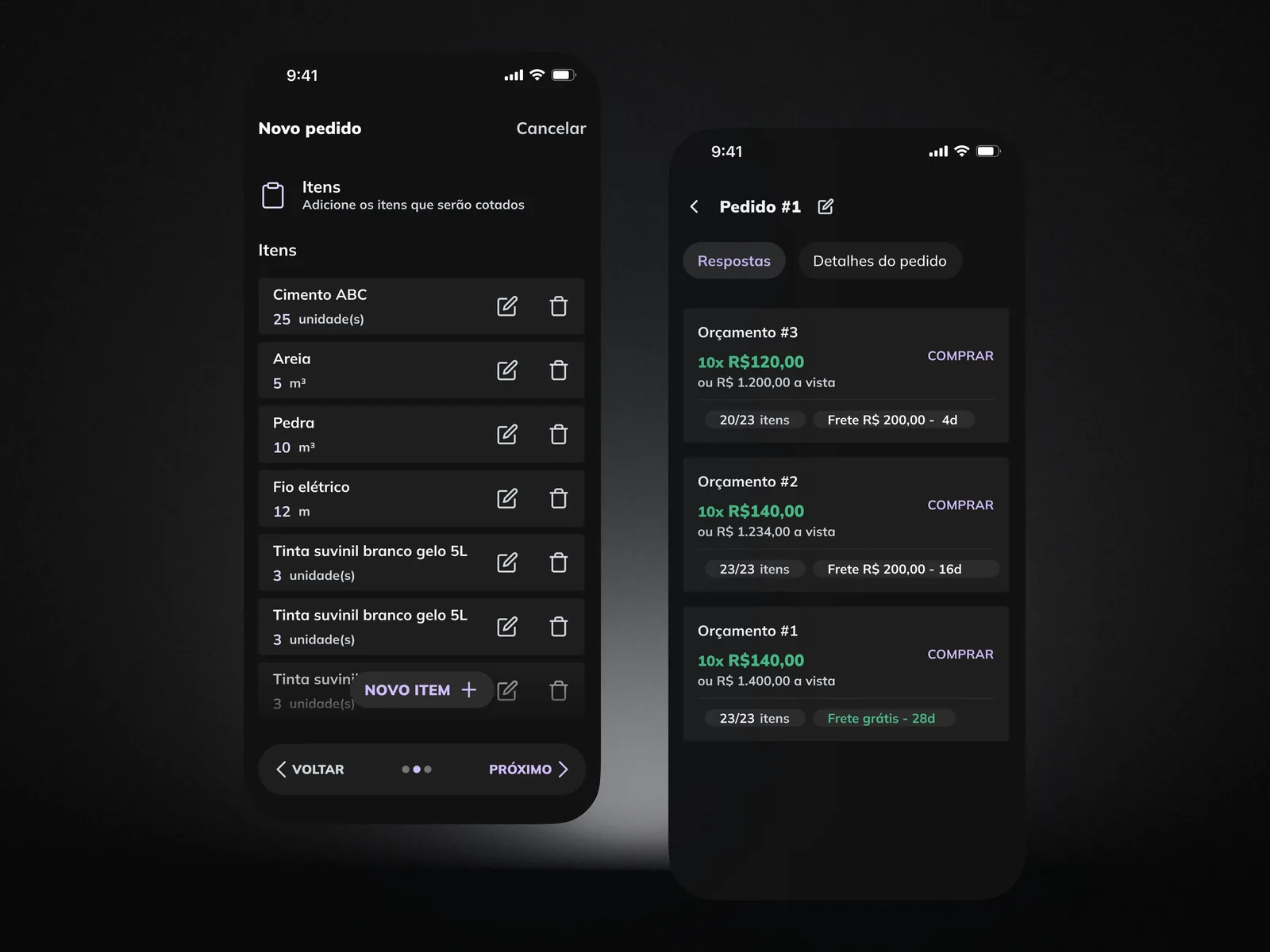
Ageu is a Portuguese-language app for requesting quotes on construction materials. You build one order, with items such as cement, sand and electrical wire, and supply stores answer it with quotes.
The scope I worked on is small: an order flow, a list of orders and a comparison of quotes, in a dark Material-style theme with a lilac accent.
Comparing what came back
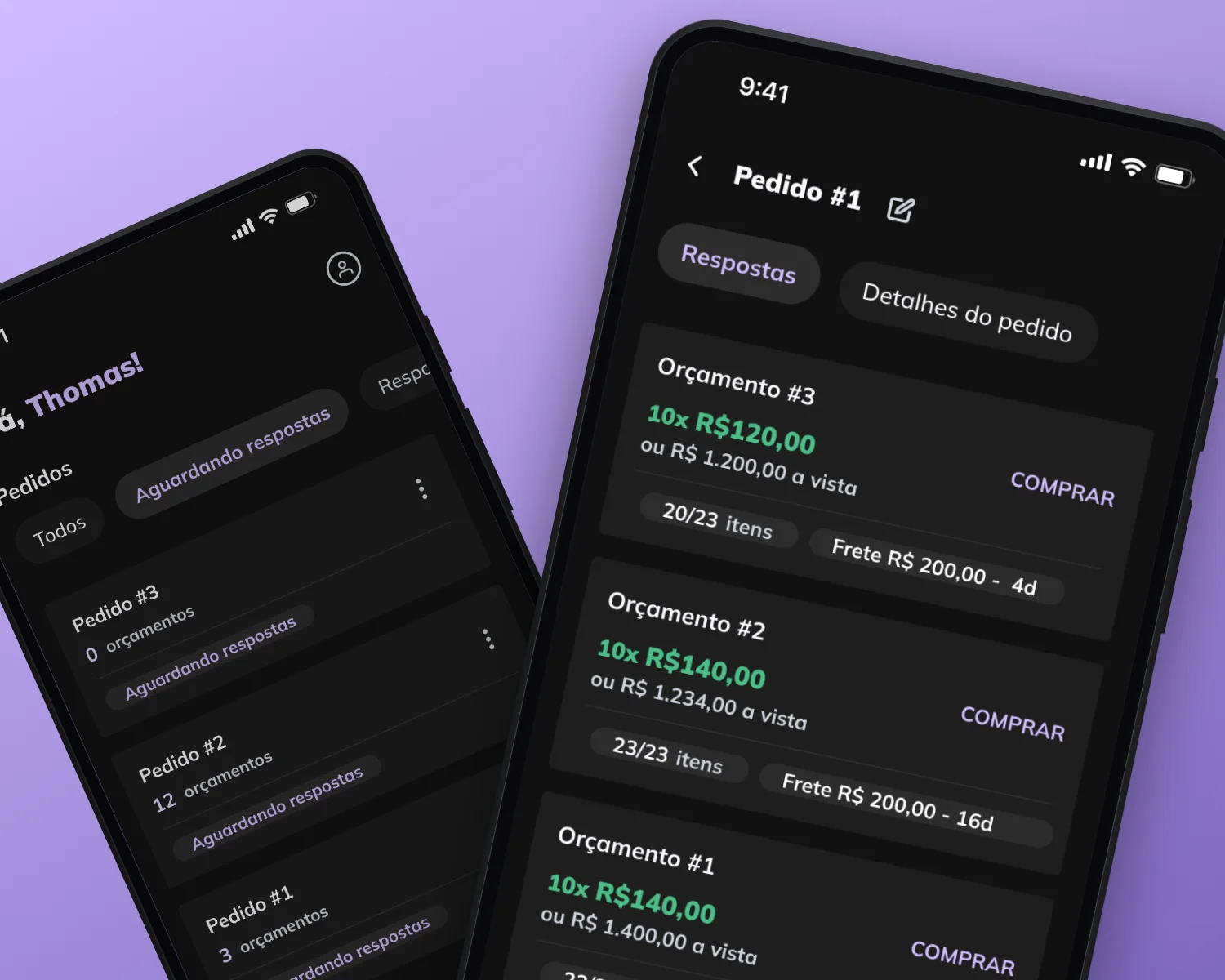
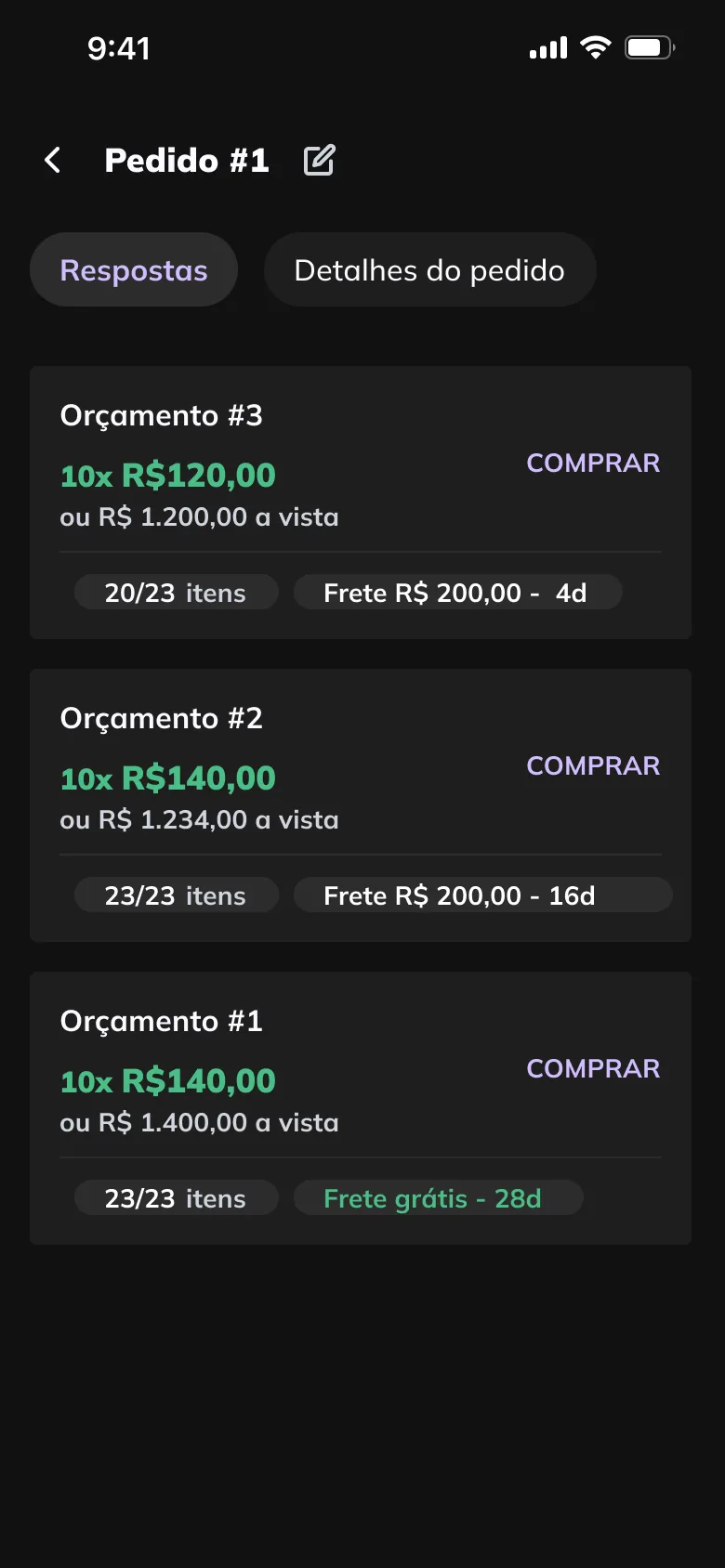
The quote list is where the rest of the flow leads. Every card follows the same order: the instalment price in green, the cash price under it, then two chips for items covered and for freight and delivery time, with Comprar on the right.
That repetition makes the trade-offs visible without opening anything. In the sample data, the lowest price covers 20 of 23 items, while another quote covers all 23 with free freight and a 28-day wait.
Orders you can follow
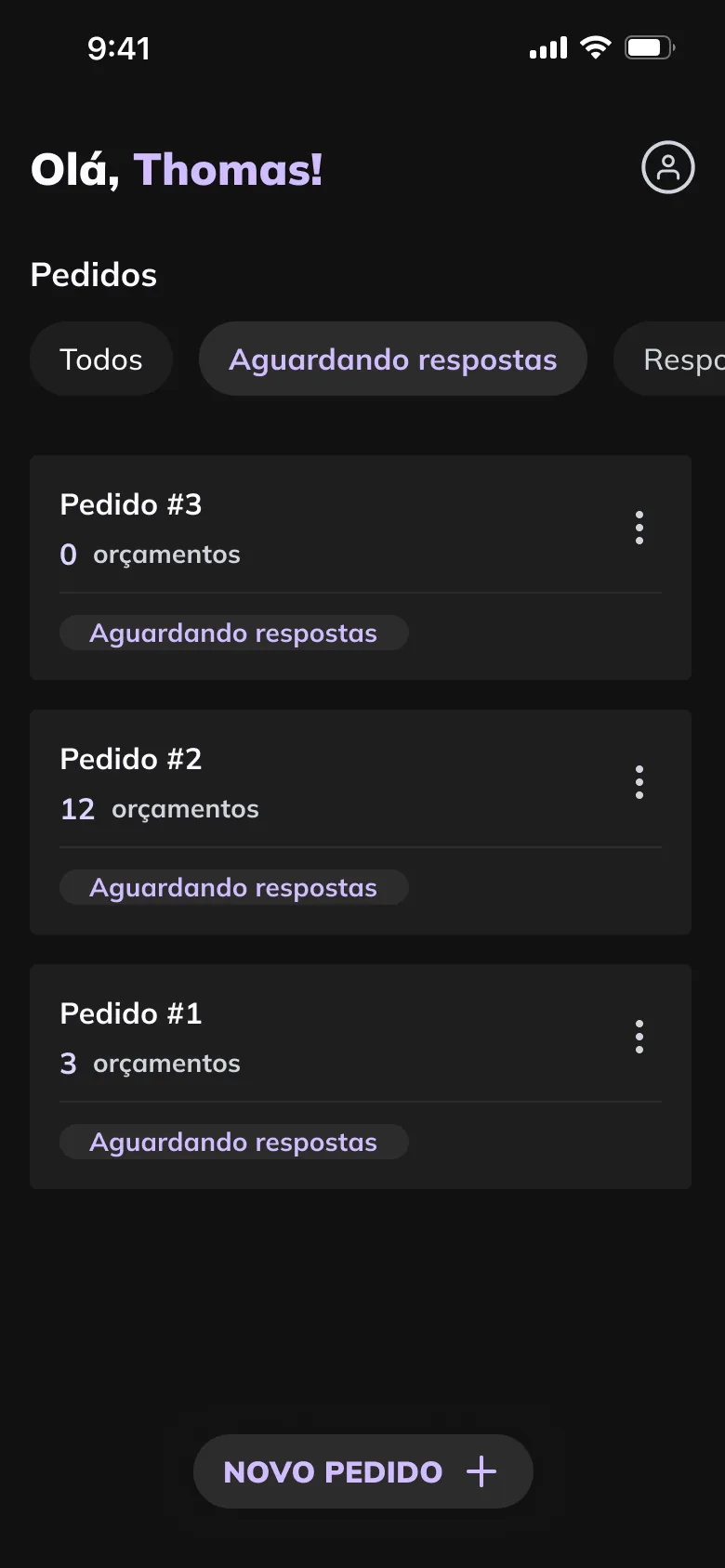
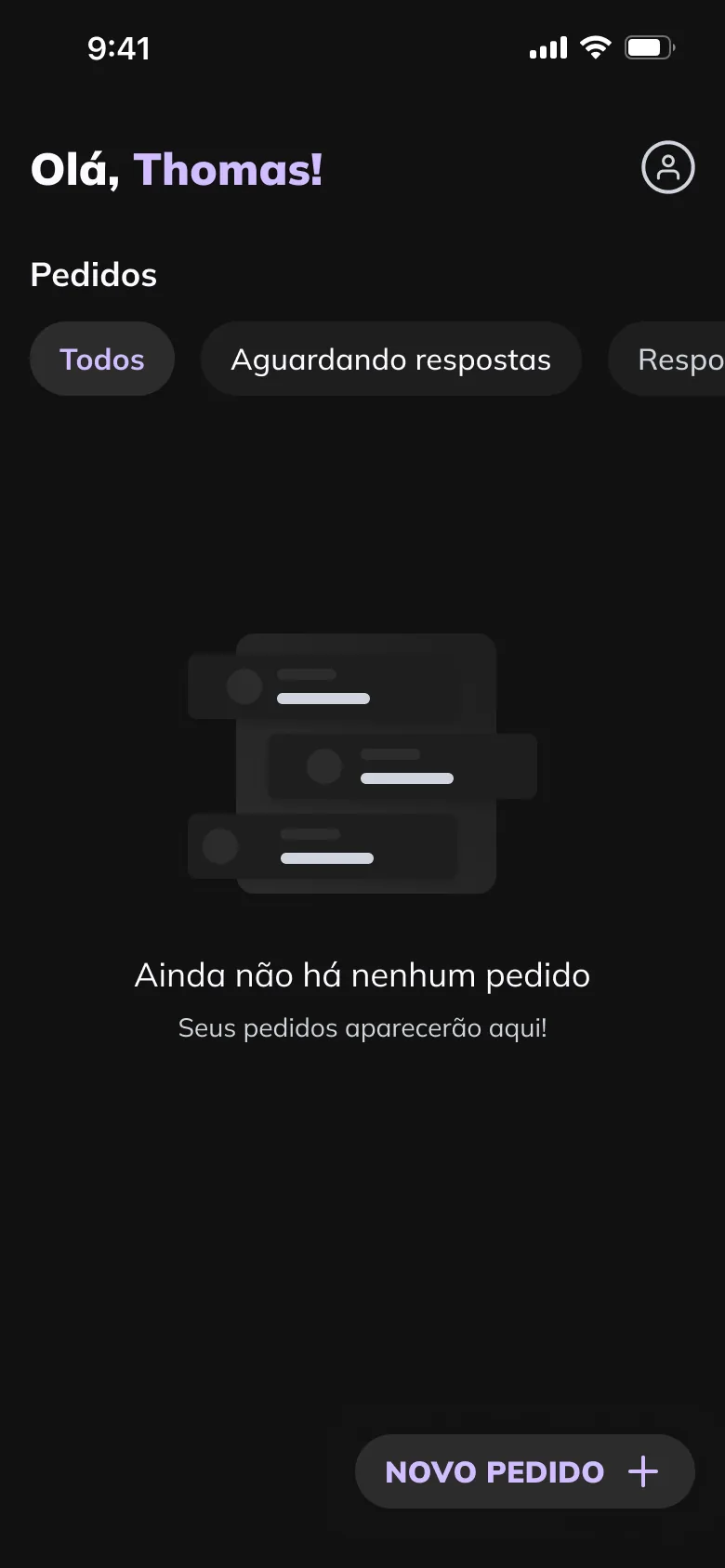
The order list shows how many quotes each order has and where it stands, with tabs for each stage: Todos, Aguardando respostas, Respondidos and Concluídos. With no orders yet, the empty state says where they will appear and leaves Novo pedido as the only action.
A new order is a three-step flow, with Voltar, progress dots and Próximo in one bar. On the items step, each line keeps its quantity and unit in view, with edit and delete beside it.