 YAN
Mobile app design
Momentálity. A family’s routine, one glance at a time
A family and routine app that gathers calendar, tasks, meals, budget and a community of mothers in one place. Names and figures on screen are sample content.
- Contribution
- Interface design
- Project status
- Interface design · Figma archive
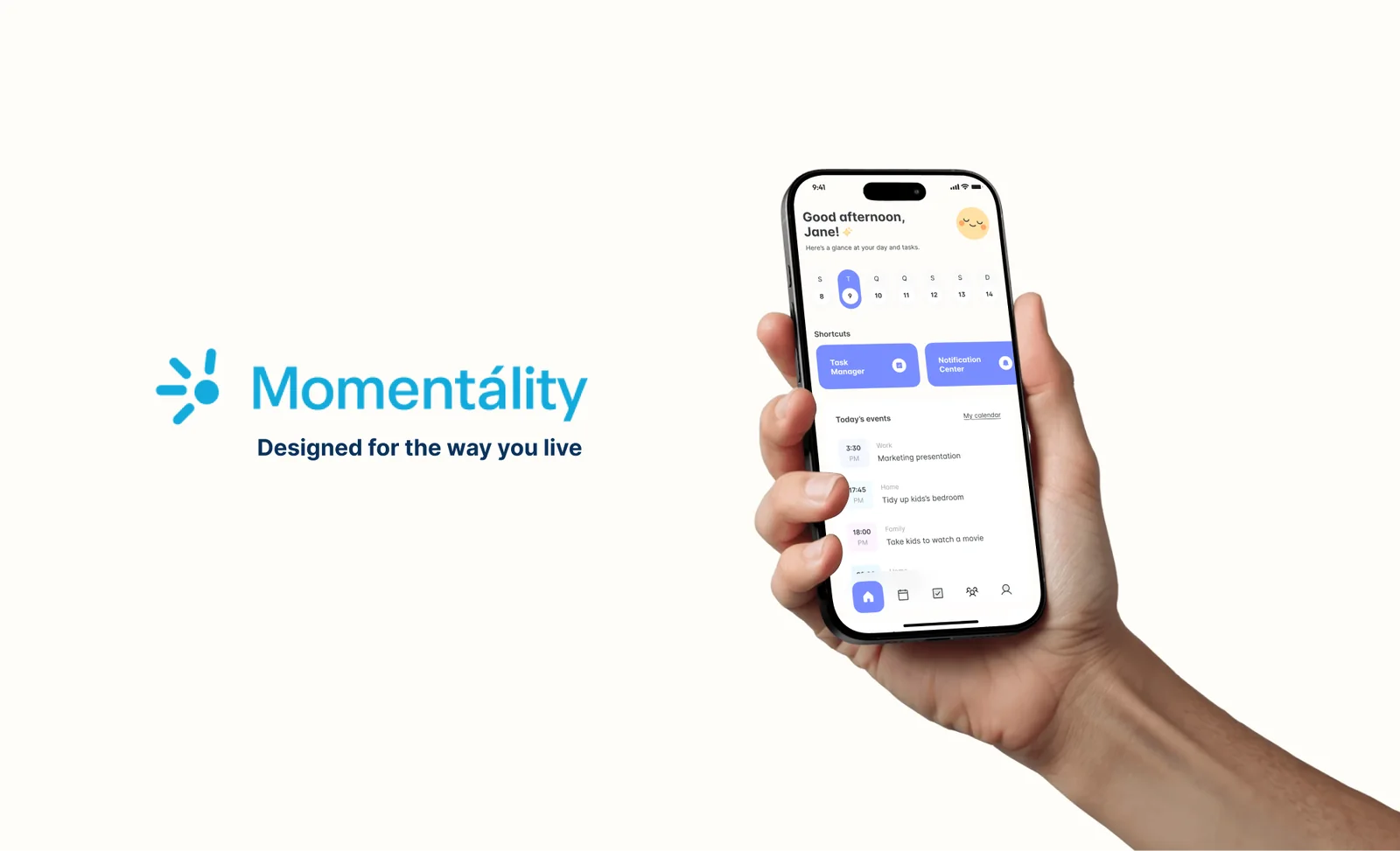
Screens from the original Figma design file, with sample data.
My contribution
Momentálity, tagged “Designed for the way you live”, puts the moving parts of a family’s week in one app. The Figma file has 25 mobile frames plus variants, from onboarding and a get-to-know-you setup to grocery and pantry screens; here I show the ones that carry the daily routine.
Home starts with today
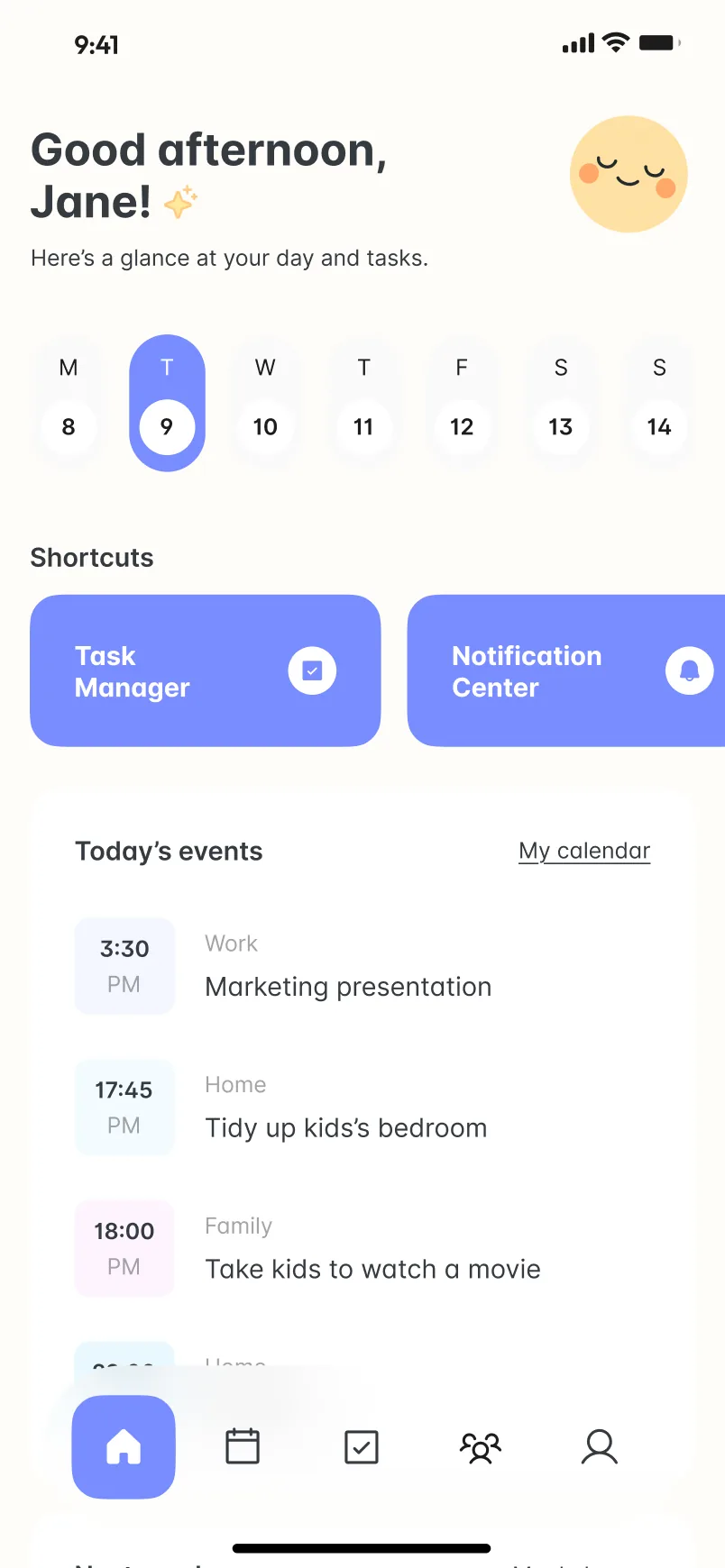
Home answers one question: what does today look like? A greeting sits over a week strip, then shortcuts to the main tools, then the day’s events. Each event has a time chip and a small label (Work, Home, Family), so a work presentation and a tidy-up at home can share one list without blurring together.
Suggestions sit above the list, not inside it
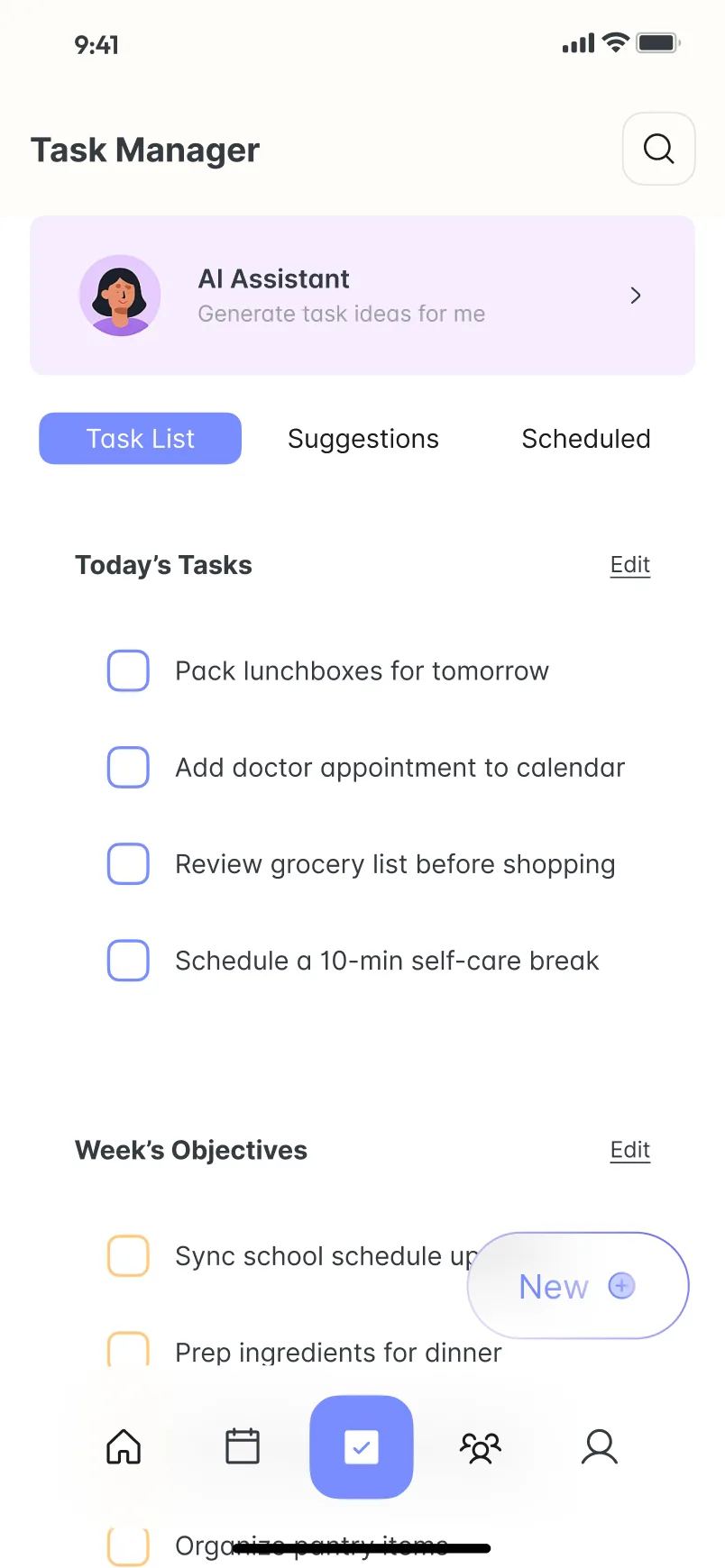
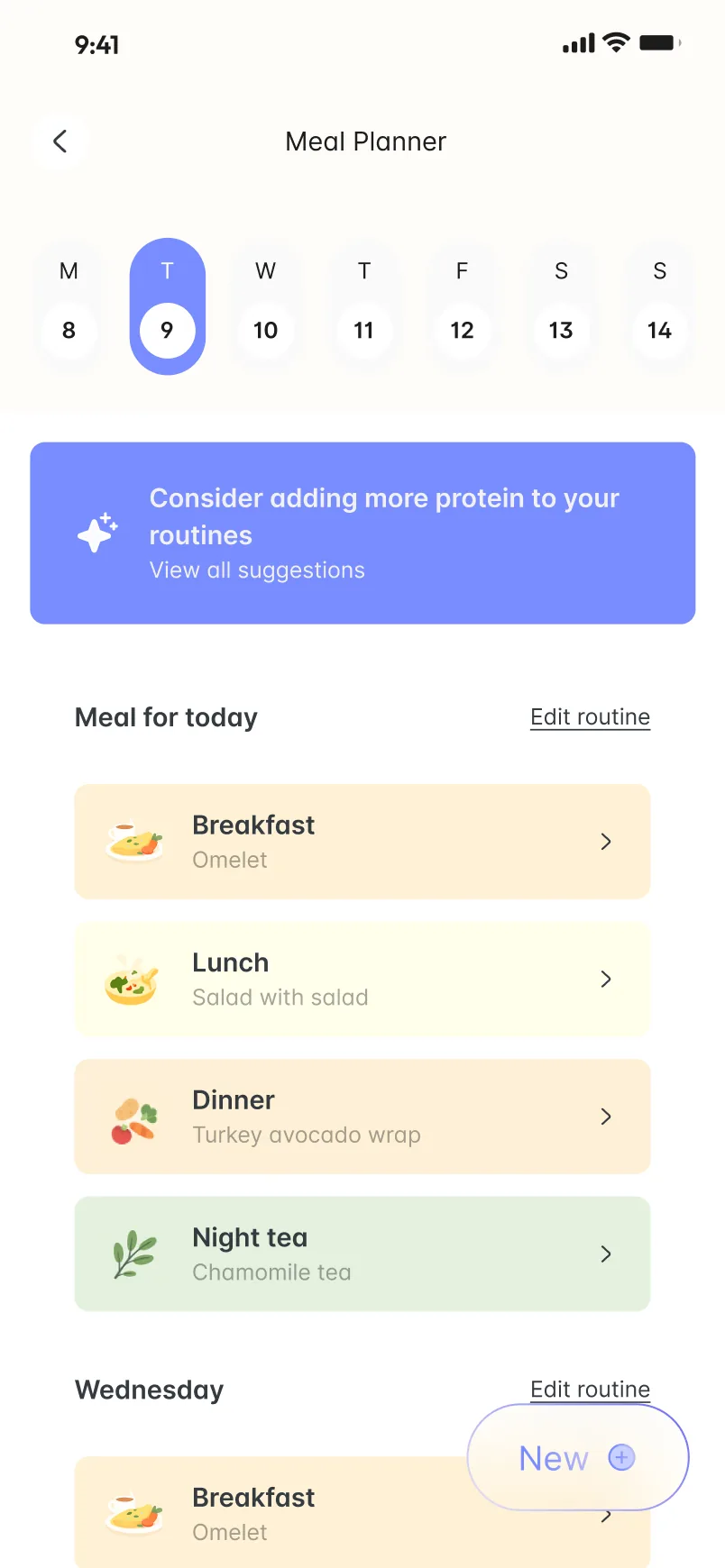
In Task Manager, the AI Assistant is one card at the top. Below it, the person’s own list stays in charge, split into Today’s Tasks and Week’s Objectives, with Suggestions and Scheduled kept in separate tabs. Meal Planner follows the same order: one suggestion banner, then the day’s meals as cards from breakfast to night tea.
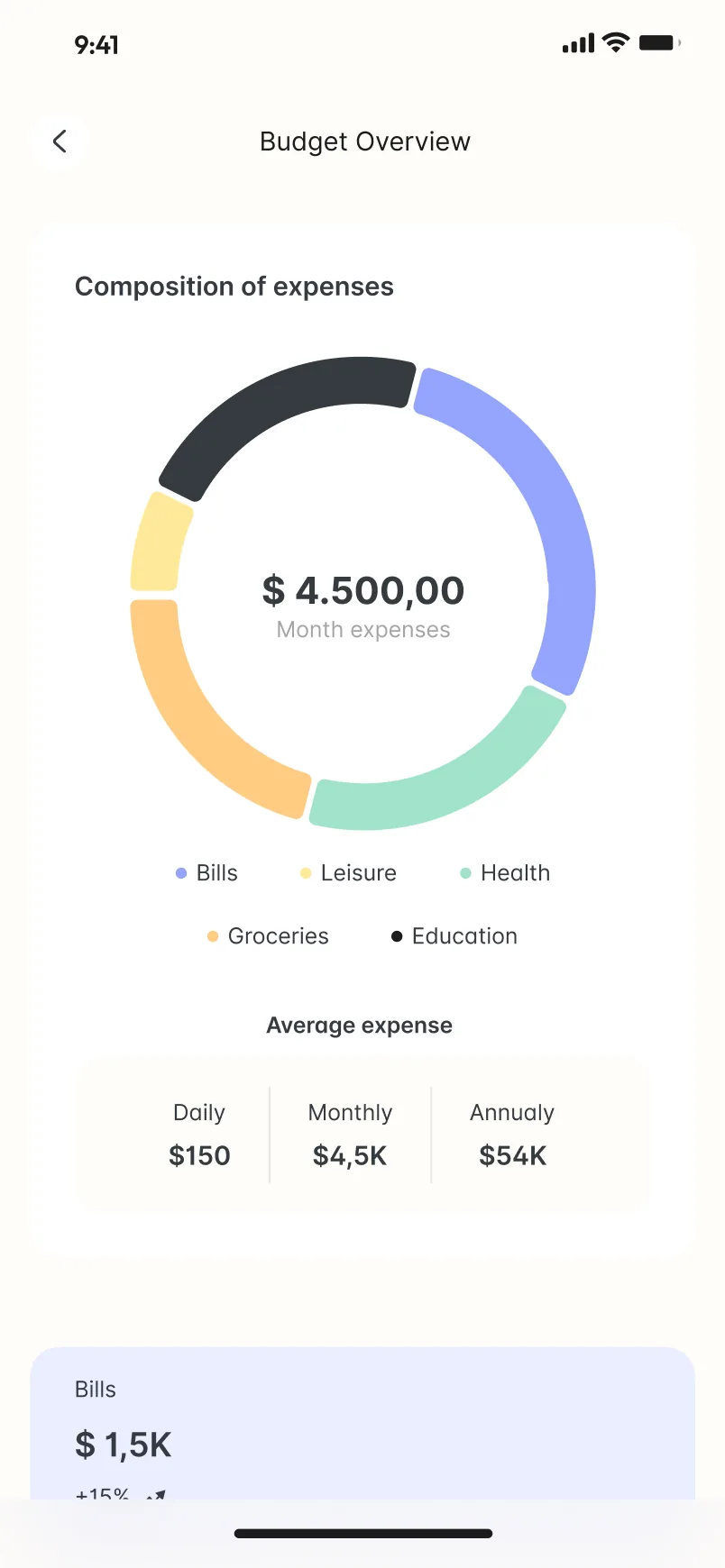
Budget Overview uses a donut to split the month’s expenses across bills, leisure, health, groceries and education, with daily, monthly and annual averages underneath.
A community tab with three rooms
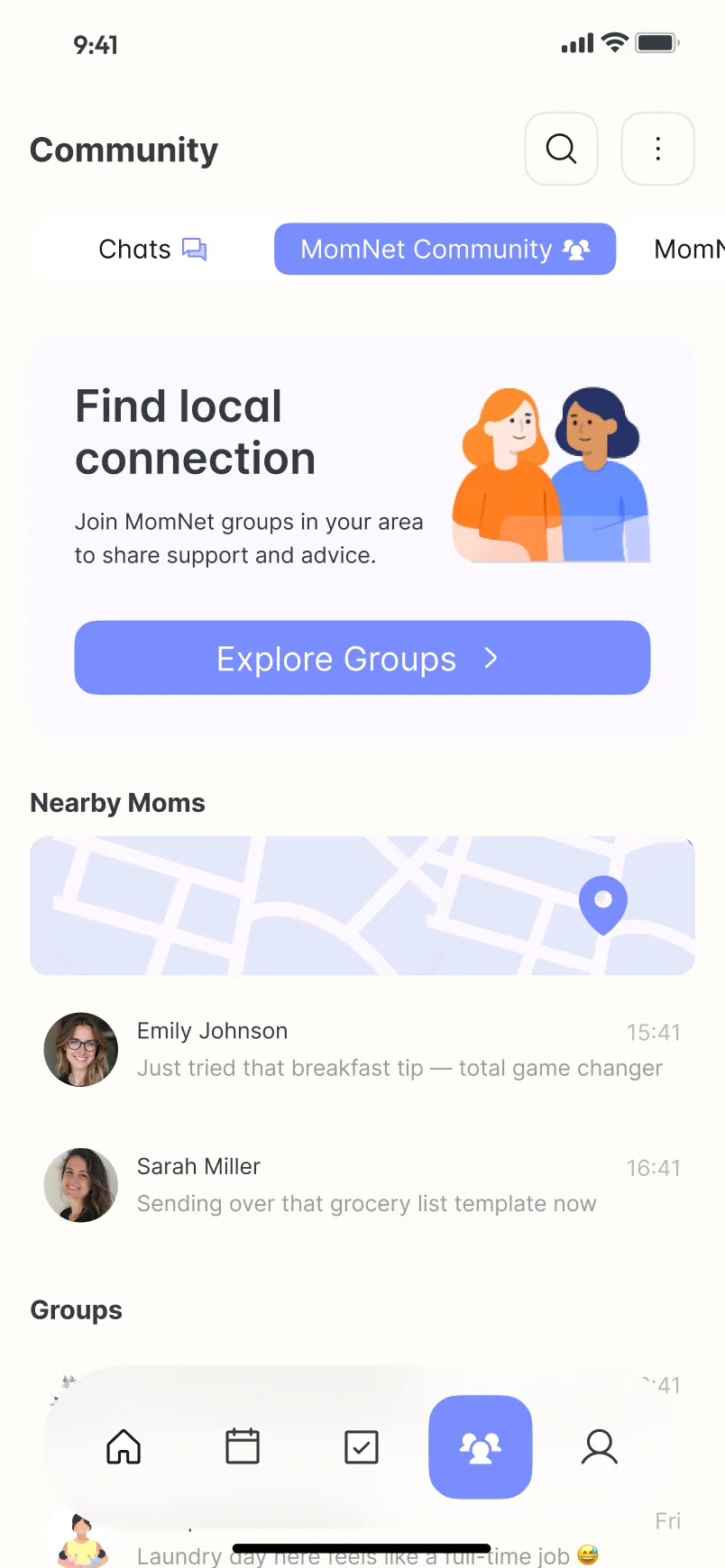
Community holds Chats, MomNet Community and MomNet AI under one tab. MomNet Community leads with a single action, Explore Groups, then a small map of Nearby Moms and their latest messages. MomNet AI keeps a list of prompts grouped by Today, Yesterday and Last 7 Days.